What is the consistency rule in prop firms? Formula and examples
The consistency rule caps your best day as a share of total profit. The formula, a 40% example, today's max profit, dilution math and every firm's current limit.
From Copilink, which makes trade copiers for running several futures prop firm accounts from one leader. See how it works →
Calculator
Enter your best day and total profit to see your consistency ratio and how much more profit your firm's percentage needs.
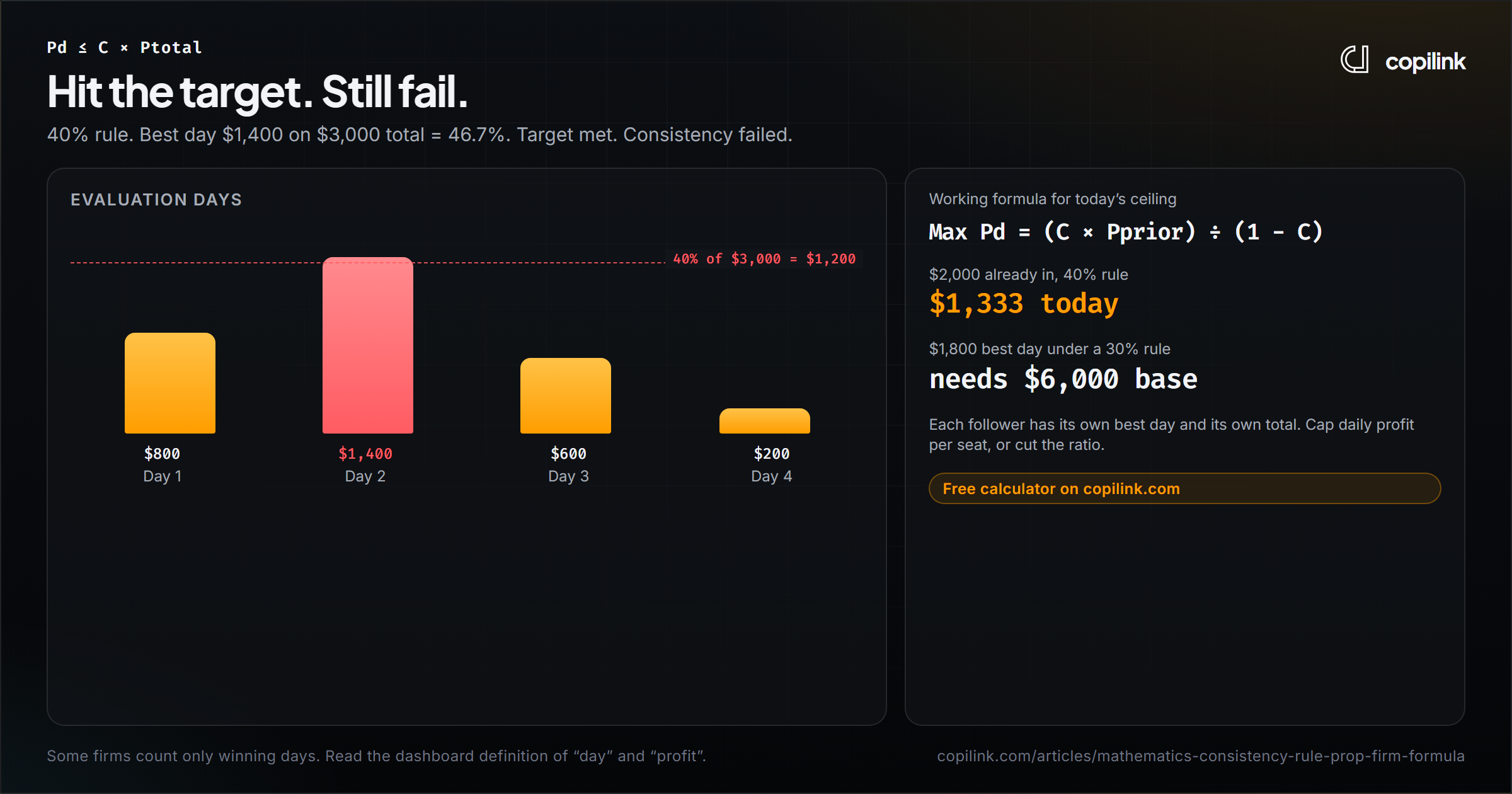
Check a consistency rule with the calculator →A prop firm consistency rule caps how much of your profit can come from one day. With a 40% rule, your best day must be 40% or less of total profit for the evaluation or payout cycle. Hit the profit target with a best day at 46%, and you still have not passed or qualified for a payout. You simply keep trading until the ratio fits.
The formula: best day ÷ total profit ≤ the firm's percentage.
Want the answer for your account? The free consistency rule calculator takes your best day, your total and the firm's percentage, and shows how much more you need.
How to calculate the consistency rule
- Find your best day: the largest single-day profit in the evaluation or payout cycle.
- Find your total profit for the same cycle.
- Divide best day by total. If the result is at or below the firm's limit, you pass the rule.
Example with a 40% rule:
| Day | Profit |
|---|---|
| Day 1 | +$800 |
| Day 2 | +$1,400 |
| Day 3 | +$600 |
| Day 4 | +$200 |
| Total | +$3,000 (target met) |
$1,400 ÷ $3,000 = 46.7%. That is over 40%, so the evaluation is not passed yet, even though the target is.
Firms differ on the details. Some count only winning days, some use the profit target instead of total profit, and some apply the rule only in evaluation or only to payouts. The math stays the same; the inputs change.
How much can you make today without breaking it?
Today's profit counts toward the total, so you cannot just take 40% of yesterday's total. Use this instead, where prior is your profit before today:
Max today = (limit × prior) ÷ (1 - limit)
With $2,000 already made and a 40% rule: (0.40 × $2,000) ÷ 0.60 = $1,333. Make more than that today and today becomes more than 40% of the new total.
The ceiling rises as your total grows:
| Profit before today | 30% rule | 40% rule | 50% rule |
|---|---|---|---|
| $1,000 | $429 | $667 | $1,000 |
| $2,500 | $1,071 | $1,667 | $2,500 |
| $5,000 | $2,143 | $3,333 | $5,000 |
This is why an early big day hurts most. The same $600 day is 40% of a $1,500 total but only 20% of a $3,000 total.
How to fix an oversized day (dilution)
Most firms do not fail you for breaking the ratio. They wait until you have traded enough smaller days to bring it back under the limit.
Total you need = best day ÷ limit
You made $2,000 in one day and your total is $3,500. On a 50% rule you need $2,000 ÷ 0.50 = $4,000, so $500 more from smaller days. On a 30% rule you would need $6,667.
Two rules for dilution days:
- Trade small. One or two micro contracts, a modest profit goal, then stop. A big dilution day just creates a new best day.
- Avoid big losses. A losing day lowers your total and makes the ratio worse.
Why scaling out and runners can break the rule
Taking partial profit and letting a runner go is good trade management, but runners create outlier days. Two NQ contracts, one closed at +20 points ($400) and a runner at +50 ($1,000), make a $1,400 trade. On a trending day, one runner can push the day past your ceiling.
On days when you are near the ceiling, take the runner off earlier, or trade smaller for the rest of the session. The ceiling is worth more than a few extra points.
Consistency rules by prop firm (checked 20 October 2026)
| Firm and program | Where it applies | Limit |
|---|---|---|
| Apex Trader Funding (current PAs) | Payout | 50% |
| Take Profit Trader Test | Evaluation | 50% |
| Tradeify Select | Evaluation | 40%, or 50% with a paid add-on (none on Flex or Daily funded) |
| Lucid Trading Pro | Funded payout | 40% (35% for accounts bought before 28 Nov 2025) |
| Lucid Trading Flex | Evaluation | 40% (50% with a paid add-on at checkout; resets use 40%) |
| MyFundedFutures Rapid Intraday / Rapid EOD | Evaluation | 50% / 30% (none once funded) |
| MyFundedFutures Builder | Sim-funded payout | 50% |
| MyFundedFutures Pro | Evaluation | 50% (none on the One-Day add-on) |
| FundedNext Futures Rapid Pro | Funded reward | 40% |
| Bulenox Fast Track | Payout 1 / 2 / 3+ | 20% / 25% / 30% |
| Bulenox Master | Payout | 40% |
| Bulenox Momentum Master | Payout | 35% |
| TradeDay Quick Pay | Evaluation | 30% |
| TradeDay Fast Pass | Evaluation and Funded Sim | 45% |
| Top One Futures Elite Daily V2 | Evaluation | 40% |
| E8 Zero Starter / Max | Evaluation | 40% |
| Earn2Trade | Evaluation | 30% |
Program names and purchase dates matter. Full rules for each firm are in the prop firm rules directory.
Prop firms without a consistency rule
No major futures firm we checked drops consistency everywhere, but several remove it at one stage:
- No rule in the funded stage: Tradeify Select Flex and Daily, MyFundedFutures Rapid, FundedNext Futures Rapid Daily, TradeDay Quick Pay Funded Sim, E8 Zero, Lucid Daily.
- No rule in the evaluation: FundedNext Futures Rapid Pro and Rapid Daily challenges, MyFundedFutures Builder.
Before you request a payout
Run this check on every account:
- Days: you have the minimum trading or winning days for this cycle.
- Ratio: best day ÷ cycle profit is under the payout limit.
- Amount: profit above any buffer covers the minimum request.
- Floor: equity is still above the trailing drawdown.
If step 2 fails, use the dilution math above before submitting.
Several accounts, several ceilings
Every follower has its own best day and total. Say you copy the same leader to two funded accounts on a 40% rule:
- Account A has $4,000 of profit, so today's ceiling is about $2,667.
- Account B has $800, so today's ceiling is about $533.
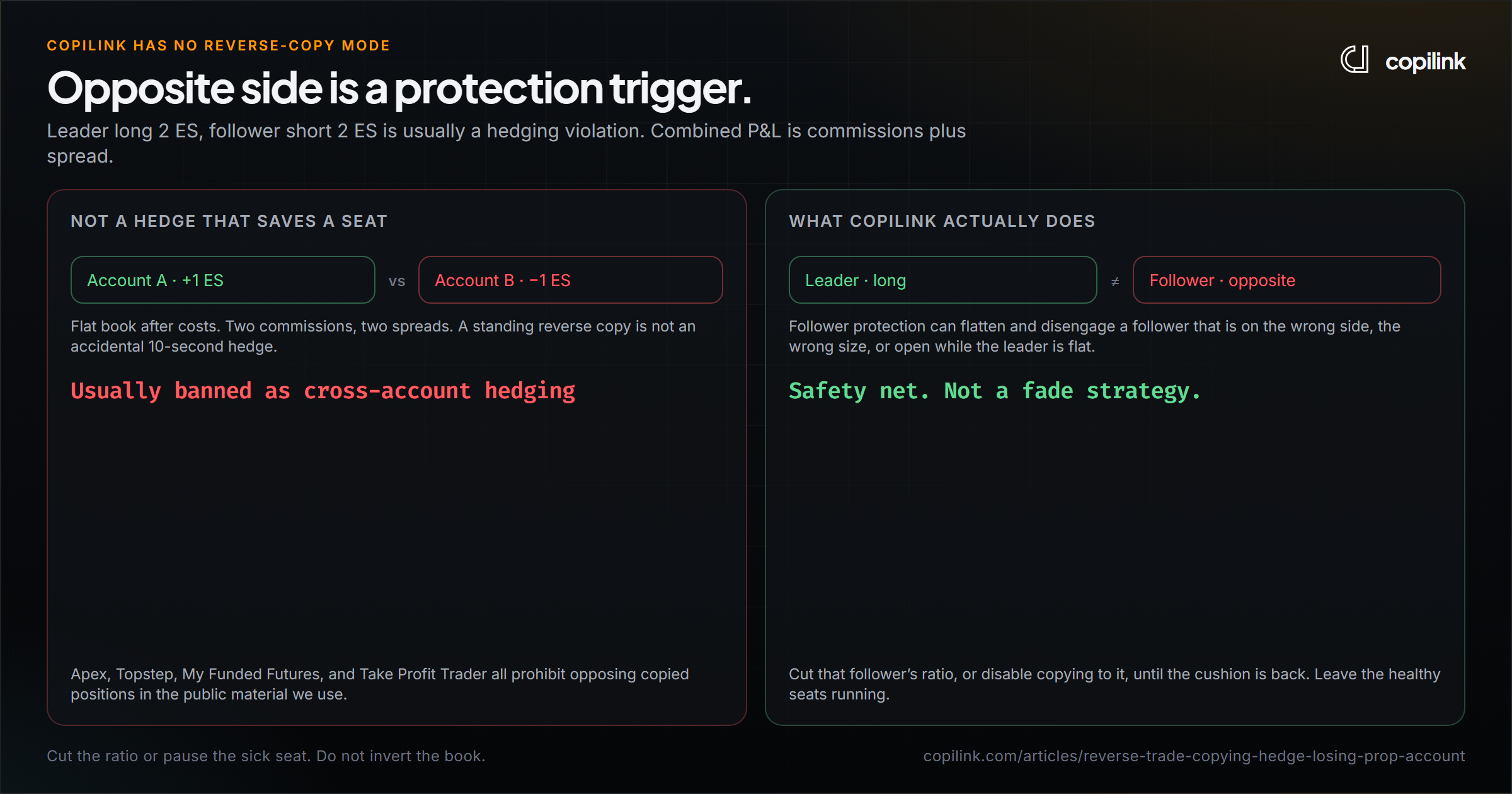
A normal session is fine on A and breaks the rule on B. Copy B at a smaller ratio until its total grows, or give it a lower daily profit limit.
Copilink Standalone can apply daily profit limits, evaluation goals and evaluation consistency per Tradovate or Rithmic follower. Funded consistency is shown for monitoring. Copilink for NinjaTrader 8 Risk edition tracks consistency inside NT8. See Standalone risk controls or the full multi-account risk guide.
FAQ
What is a 40% consistency rule?
No single day can be more than 40% of your total profit for the cycle. With $3,000 total, your best day can be at most $1,200.
How do you calculate a 50% consistency rule?
Divide your best day by your total profit. If the result is 50% or less, you pass. You need a total of at least twice your best day.
Does a losing day help the consistency rule?
No. A loss lowers your total profit, so your best day becomes a bigger share. Only more winning days help.
Do I fail the evaluation if I break the consistency rule?
At most firms, no. You keep trading until the ratio is back under the limit, then you pass or can request the payout. Check your firm's wording.
Continue this topic
Check a consistency rule with the calculator →Trade without NinjaTrader
Copilink Standalone is a futures trade copier for Tradovate and Rithmic on Windows and macOS. The trial lasts 14 days and does not require a card.
Already use NinjaTrader 8?
The Copilink NinjaTrader 8 trade copier runs inside NinjaTrader 8 on Windows and includes a separate 7-day trial.