Copilink Risk edition
Prop firm risk management for NinjaTrader 8
Per-account risk controls for trade copier users: daily limits, account goals, consistency caps, lockouts, follower protection, and risk columns inside one NinjaTrader session.
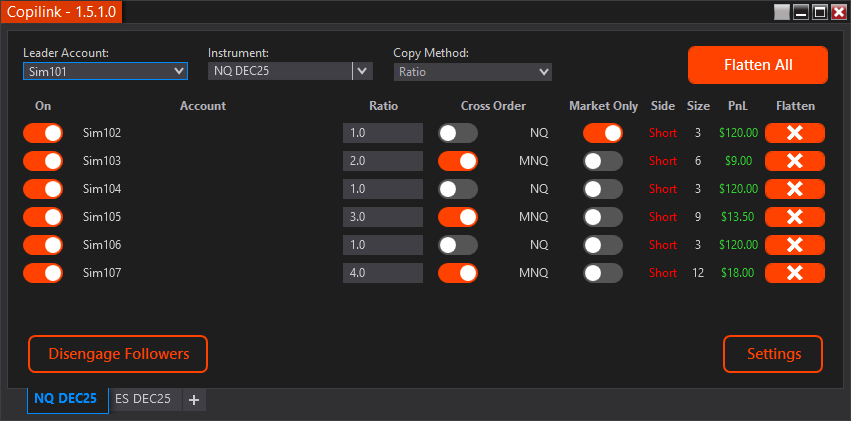
Real controls, not just warning labels
These are the meaningful risk features users actually configure in Copilink. Each one is account-specific and should be tested before trading live.
Daily Profit & Loss Limits
Set per-account daily profit goals and daily max loss rules with optional auto-flatten and session lockout.
Daily rules use NinjaTrader Total PnL for the session. When the configured rule is enabled and Risk Mgmt is on, Copilink can flatten the account after the threshold is reported.
Key capabilities
- Daily Profit Goal with remaining-progress display
- Daily Loss Limit entered as a positive dollar amount
- Optional lockout until the next session reset
Account Goal + Buffer
Track evaluation targets or funded-account milestones from Starting Balance to current equity.
Account Goal uses total account profit, not just the open trade. Add a buffer above the firm target to help account for slippage, commissions, and update timing.
Key capabilities
- Auto-flatten at Account Goal + Buffer
- Eval Left column shows remaining target room
- Payout / Reset rebases tracking after a payout or reset
Consistency Rules
Cap single-day profit according to evaluation or funded consistency requirements.
Copilink tracks the highest profit day, calculates Profit Req. and Consistency Target, and can auto-flatten when today's profit reaches the calculated cap.
Key capabilities
- Evaluation and Funded calculations are handled separately
- Manual highest-profit-day override for older trading history
- Funded Activation $ prevents enforcing too early
Drawdown Room Tracking
Monitor peak balance, current equity, and DD Left for prop-firm drawdown awareness.
Drawdown fields are reference/tracking tools in the current risk engine. They show remaining room, but they are not a separate drawdown auto-flatten rule.
Key capabilities
- Max Drawdown $ and Peak Balance override
- DD Left = Max Drawdown - (Peak Balance - Current Equity)
- Useful for live intraday awareness, not EOD drawdown tracking
Manual & Automatic Lockouts
Stop an account from copying again after a daily goal, daily loss, or manual lock.
Lockout is different from flattening. Flatten closes the current position; lockout keeps the account disabled until the next session reset, around 6:02 PM Eastern, DST-aware.
Key capabilities
- Lock on Daily Goal
- Lock on Daily Loss
- Manual Lock Now with locked timestamp
VPS Mode + Hysteresis
Reduce accidental re-entry and noisy-trigger behavior on unattended setups.
VPS Mode can keep the affected account disabled after a risk event. Risk Management Hysteresis requires repeated confirmation before triggering, which helps filter noisy account updates.
Key capabilities
- Designed for remote or unattended Windows VPS setups
- Two-update confirmation by default for risk breaches
- Still depends on fresh NinjaTrader account data
Risk Dashboard & Bulk Setup
Manage risk from the follower grid, risk cog, risk columns, and Apply to Similar workflow.
Risk settings are per account and sync across open Copilink tabs. Apply to Similar can copy selected rule categories to accounts with matching name prefixes.
Key capabilities
- Daily Goal, Loss Left, DD Left, Eval Left, Cons. %, Profit Req.
- Column visibility from Settings
- Bulk apply Daily Limits, Account Goal, Consistency, Drawdown, Lockout
Follower Protection
Separate follower-safety checks can flatten followers that become mismatched with the Leader.
Follower Protection is configured separately from the per-account Risk Mgmt toggle. It watches for out-of-sync or opposite-position followers after the configured delay.
Key capabilities
- Out-of-sync follower position protection
- Opposite-position follower protection
- Configured from the right-click Settings menu
Protect the accounts you copy to
Use Copilink Risk edition to set account-specific limits, then leave enough buffer for real broker, platform, and execution timing.