Rithmic vs Tradovate for prop firm trading
Tradovate is a broker with its own platform; Rithmic is a routing network. How they differ, which prop firms use each, fees, and copying across both.
From Copilink, which makes trade copiers for running several futures prop firm accounts from one leader. See how it works →
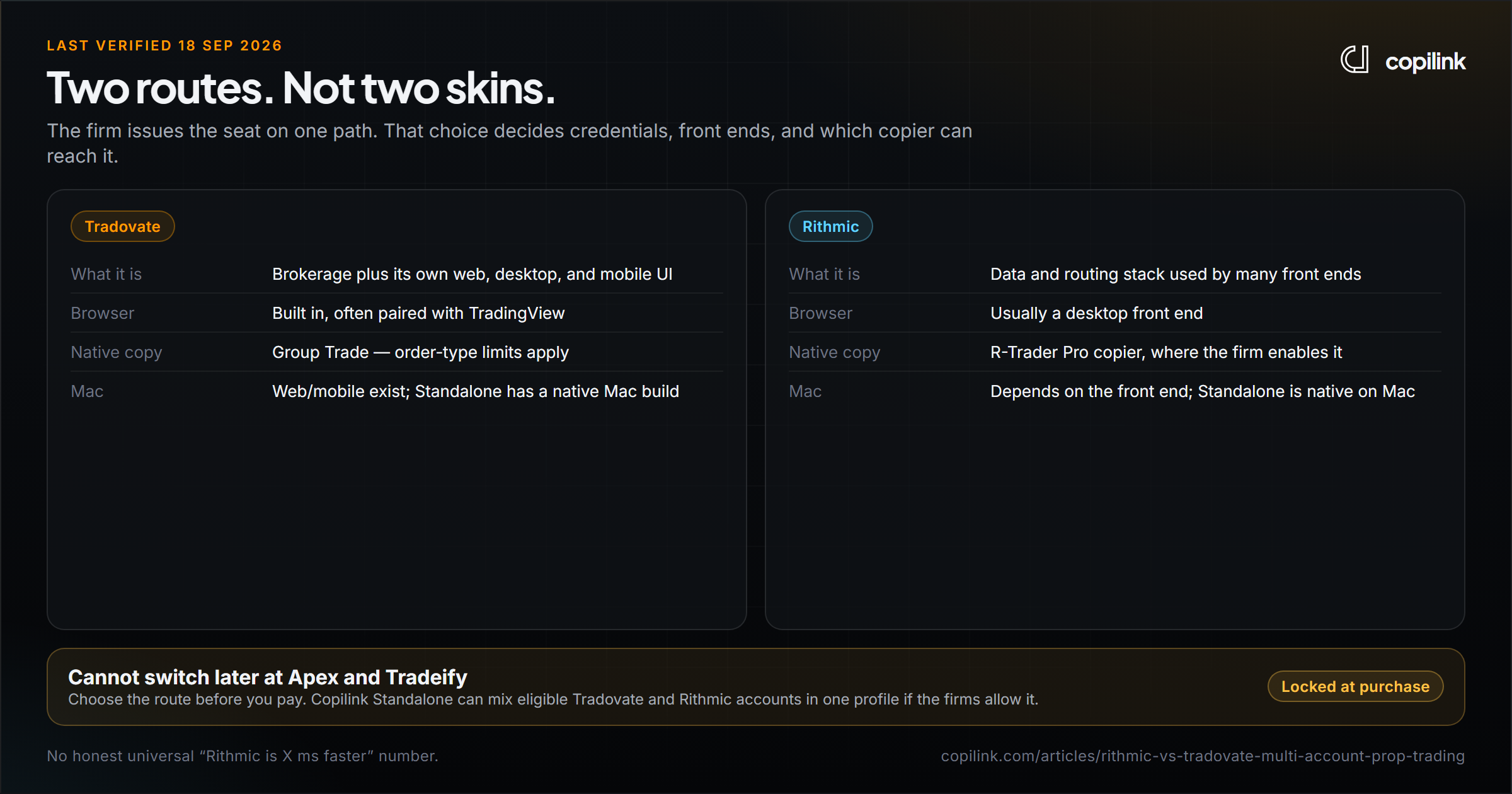
Tradovate is a futures broker with its own web, desktop and mobile platform. Rithmic is a data and order-routing network that many desktop platforms plug into. At a prop firm you pick one when you buy the account, and at most firms you cannot switch later. Neither is simply "better": Tradovate is easier to run from a browser or Mac and to scale across many accounts, while Rithmic suits traders who use desktop order-flow tools and firms that only offer Rithmic.
Rithmic vs Tradovate at a glance
| Tradovate | Rithmic | |
|---|---|---|
| What it is | Broker plus its own platform | Data and order-routing network |
| How you trade | Browser, desktop, mobile, TradingView, NinjaTrader | A desktop front end such as R|Trader Pro or NinjaTrader |
| Login | One Tradovate login per account group | Username plus a named system and server location |
| Mac without Windows | Yes, in the browser or app | Depends on the front end |
| Built-in copying | Group Trade, within one brokerage login | R|Trade Copier, if your firm enables it |
| Several accounts in NinjaTrader | Several Tradovate connections | One Rithmic connection, or plug-in mode through R|Trader Pro |
| Tick data for order-flow tools | Good for chart trading | Often preferred for tick-level order flow |
Is Rithmic better than Tradovate?
It depends on how you trade:
- Choose Tradovate if you want a browser or Mac, trade from charts, or plan to run many accounts. Connections are simpler and the platform comes with the broker.
- Choose Rithmic if you use desktop order-flow tools (footprint, DOM-heavy setups), already run R|Trader Pro, or your firm only offers Rithmic.
Speed claims need care. A fill depends on your platform, your connection, the broker's risk checks, order type and liquidity, not just the route. No universal "X ms faster" number holds for every setup, so test the one you will actually trade.
Which prop firms use Tradovate or Rithmic?
Checked 27 September 2026. Some firms issue both; the route is usually fixed at purchase.
| Firm | Tradovate | Rithmic | Note |
|---|---|---|---|
| Apex Trader Funding | Yes | Yes | Chosen at purchase, cannot convert |
| Lucid Trading | Yes (CQG route) | Yes | |
| Tradeify | Yes | Yes | Chosen at checkout, cannot switch |
| Take Profit Trader | Yes (CQG) | Yes | |
| MyFundedFutures | Yes | Not confirmed | |
| FundedNext Futures | Yes | Not listed | |
| Elite Trader Funding | Yes | Yes | $45 per month per active Rithmic account |
| TradeDay | Yes (CQG) | Yes | All your accounts must use one broker |
| BluSky Trading | Yes | Yes | |
| Top One Futures | Yes | No | |
| E8 Futures | Yes | No | |
| Bulenox | No | Yes | $100 per month for third-party Rithmic API tools |
| DayTraders.com | No | Yes |
Each firm's full rules are in the prop firm rules directory.
What Tradovate is
Tradovate combines a broker and a trading platform you can use in a browser, on desktop or on a phone. Prop firms often let you connect NinjaTrader or TradingView to the same account.
Tradovate's Group Trade places one order across accounts grouped under one brokerage login. It is not a full copier: it cannot mix brokerage and evaluation accounts, and brackets and ATM orders are not available in group orders. See how to copy trade on Tradovate for the three ways to do it.
What Rithmic is
Rithmic provides market data and order routing, with servers close to the CME matching engine. You log in with a username, a named system and a server location. The right username on the wrong system still will not connect.
Rithmic's own R|Trade Copier in R|Trader Pro copies between Rithmic accounts when your provider enables it. In NinjaTrader, only one Rithmic connection can be active at a time; to run several Rithmic accounts, use plug-in mode through R|Trader Pro.
Fees to add up before you choose
Rithmic itself is not free at every firm. Elite Trader Funding charges $45 a month per active Rithmic account, and Bulenox charges $100 a month when you use a third-party Rithmic API tool. Add evaluation, activation, data and platform fees together before comparing firms. "Unlimited accounts" in marketing does not guarantee you can connect them all at once.
Copying across Tradovate and Rithmic
The route does not decide whether you may copy. The firm's agreement does. Once copying is allowed, you need a copier that reaches the accounts:
- Copilink Standalone connects directly to Tradovate and Rithmic, and one profile can mix both, with no NinjaTrader needed. It runs on Windows and Mac.
- Copilink for NinjaTrader 8 copies between accounts inside one NT8 session.
See the Tradovate trade copier and Rithmic trade copier pages for setup.
How to choose
- List the firms and account types you will trade.
- Check which route each one issues and whether you can change it.
- Pick the route that fits your platform and computer.
- Add every monthly data, platform and connection fee.
- Test in simulation, starting flat, with one small order.
FAQ
Can I switch an existing prop account from Tradovate to Rithmic?
Usually not. Apex and Tradeify both say the route is fixed at purchase. Choose before you buy.
Does Tradovate work with NinjaTrader?
Yes, when your firm supports it. You can also trade Tradovate in a browser without NinjaTrader.
Does Rithmic require NinjaTrader?
No. R|Trader Pro and several other front ends connect to Rithmic, and some copiers connect to it directly.
What is the best platform for trading several prop accounts with separate connections?
Tradovate is simpler to scale because each account connects on its own. For a mix of Tradovate and Rithmic accounts, use a copier that connects to both directly.
Can one copier profile mix Tradovate and Rithmic accounts?
Copilink Standalone can, if your firms allow those accounts to copy together.
Continue this topic
See Tradovate trade copier options →Trade without NinjaTrader
Copilink Standalone is a futures trade copier for Tradovate and Rithmic on Windows and macOS. The trial lasts 14 days and does not require a card.
Already use NinjaTrader 8?
The Copilink NinjaTrader 8 trade copier runs inside NinjaTrader 8 on Windows and includes a separate 7-day trial.