How to trade multiple prop firm accounts at once
Trade one leader and copy to every prop account you own. Account limits by firm, what copying firms allow, setup steps and how to size and risk each follower.
From Copilink, which makes trade copiers for running several futures prop firm accounts from one leader. See how it works →
You trade one leader account and a trade copier places the same orders on your other evaluation and funded accounts. Each follower is sized and limited on its own. That is how most traders run 3, 10 or 20 prop accounts at once without clicking through five windows. Your firm's agreement still decides whether copying is allowed and how many accounts you can hold.
The short version:
- Check each firm allows copying between your own accounts, and how many accounts it lets you hold.
- Pick a copier that connects to your accounts' broker route (Tradovate, Rithmic or NinjaTrader 8).
- Set a size and a daily loss limit for every follower.
- Test with one small simulated order, then go live.
How many prop firm accounts can you have?
Most futures firms cap funded accounts per person or household. Evaluations are often uncapped or have a separate limit. These are the published caps we checked on 27 September 2026:
| Firm | Account limit |
|---|---|
| Apex Trader Funding | 20 active Performance Accounts per household |
| Lucid Trading | 10 evaluation and funded combined, max 5 funded |
| Tradeify | 5 funded, plus up to 3 Select 300K V2 |
| Take Profit Trader | 5 PRO and PRO+ combined |
| MyFundedFutures | 10 evaluations; 5 sim-funded (3 if any is 100K or 150K) |
| FundedNext Futures | 5 funded accounts, $750,000 total |
| Bulenox | 5 Master-level accounts |
| TradeDay | 10 total: max 5 Funded Sim and 5 Funded Live |
| Elite Trader Funding | 5 Elite Sim-Funded (purchases from 17 Sep 2025) |
| Top One Futures | 5 Elite Daily V2 per household |
| BluSky Trading | 3 sim-funded, 2 live |
| DayTraders.com | 5 EOD accounts |
Limits change and can depend on the plan and purchase date. The prop firm rules directory has every firm's current copying rules and a page per firm.
Can you copy trade across multiple prop firm accounts?
Usually yes, between accounts you own and control, with conditions:
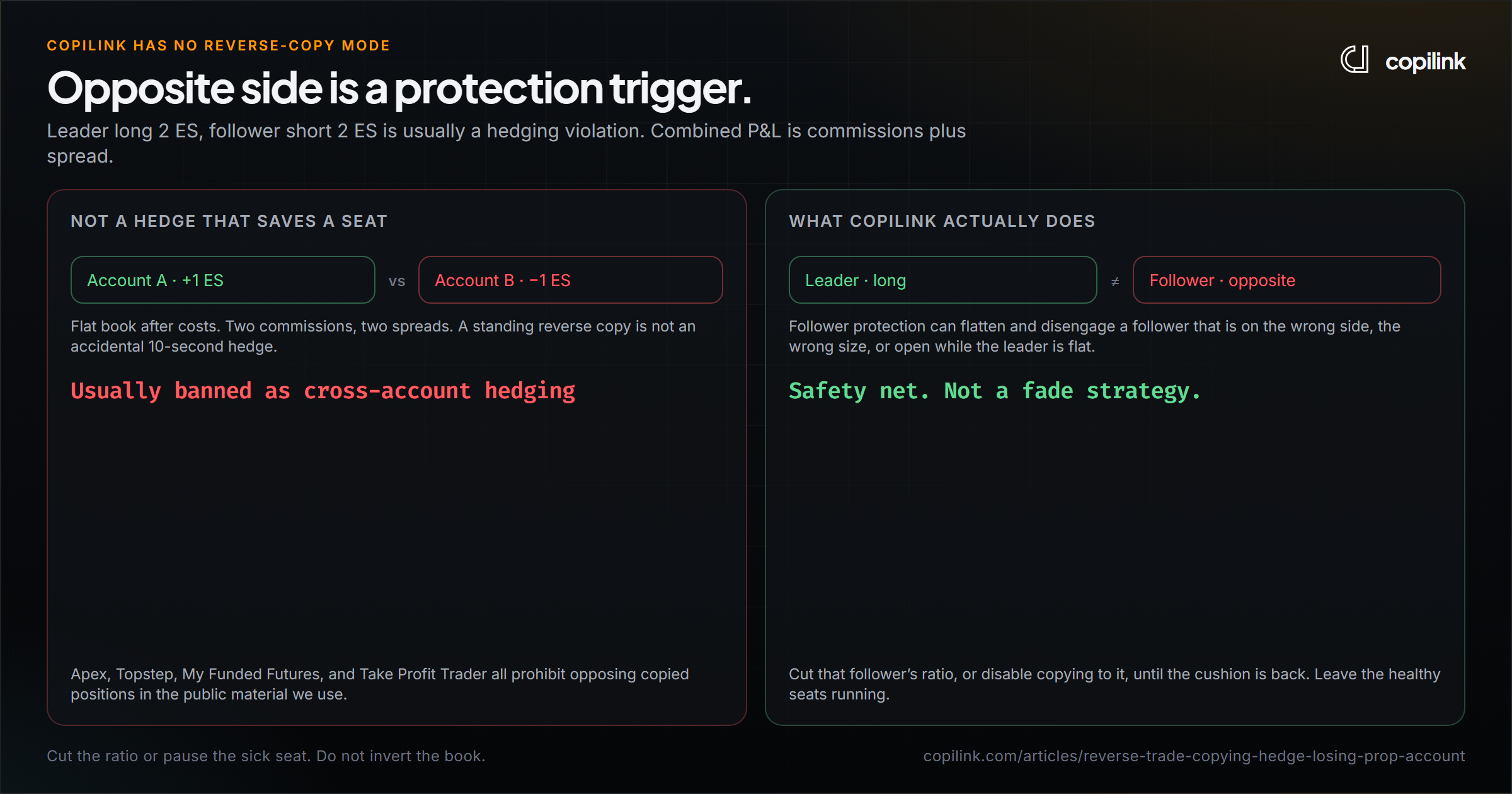
- Same direction only. Long on one account and short on another in the same or a correlated product counts as hedging almost everywhere.
- Your accounts only. Copying someone else, signal services and pass services are banned.
- Some firms limit which tools you can use. Take Profit Trader, Bulenox and Elite Trader Funding restrict third-party copiers, so ask them first.
- Some ban copying outright. Earn2Trade prohibits trade copiers in every program.
- Stage boundaries. TradeDay lets you copy Evaluation and Funded Sim together, but Funded Live stays separate. BluSky forbids trading sim-funded and live at the same time.
See how prop firms detect copy trading for what gets accounts flagged.
How to trade multiple accounts at once without a copier
It is possible, but it breaks down past two or three accounts:
- Manual entry. You click each account in turn. By the third window the price has moved, and one missed stop is a breach on that account.
- Platform tools. Tradovate Group Trade places one order across grouped accounts under one brokerage provider. Rithmic's R|Trade Copier copies inside Rithmic. Both stop at their own platform.
See the free trade copier options for what each built-in tool can and cannot do.
How to set up a trade copier for prop firm accounts
- Pick the product that matches your route. Tradovate or Rithmic accounts, including on a Mac: Copilink Standalone. Accounts already inside NinjaTrader 8 on Windows: Copilink for NinjaTrader 8. They are separate products and licences.
- Connect the accounts. Standalone connects directly to Tradovate and Rithmic, and one profile can mix both. The NinjaTrader 8 add-on copies between accounts connected in the same NT8 session.
- Choose the leader. Usually your largest or most trusted account.
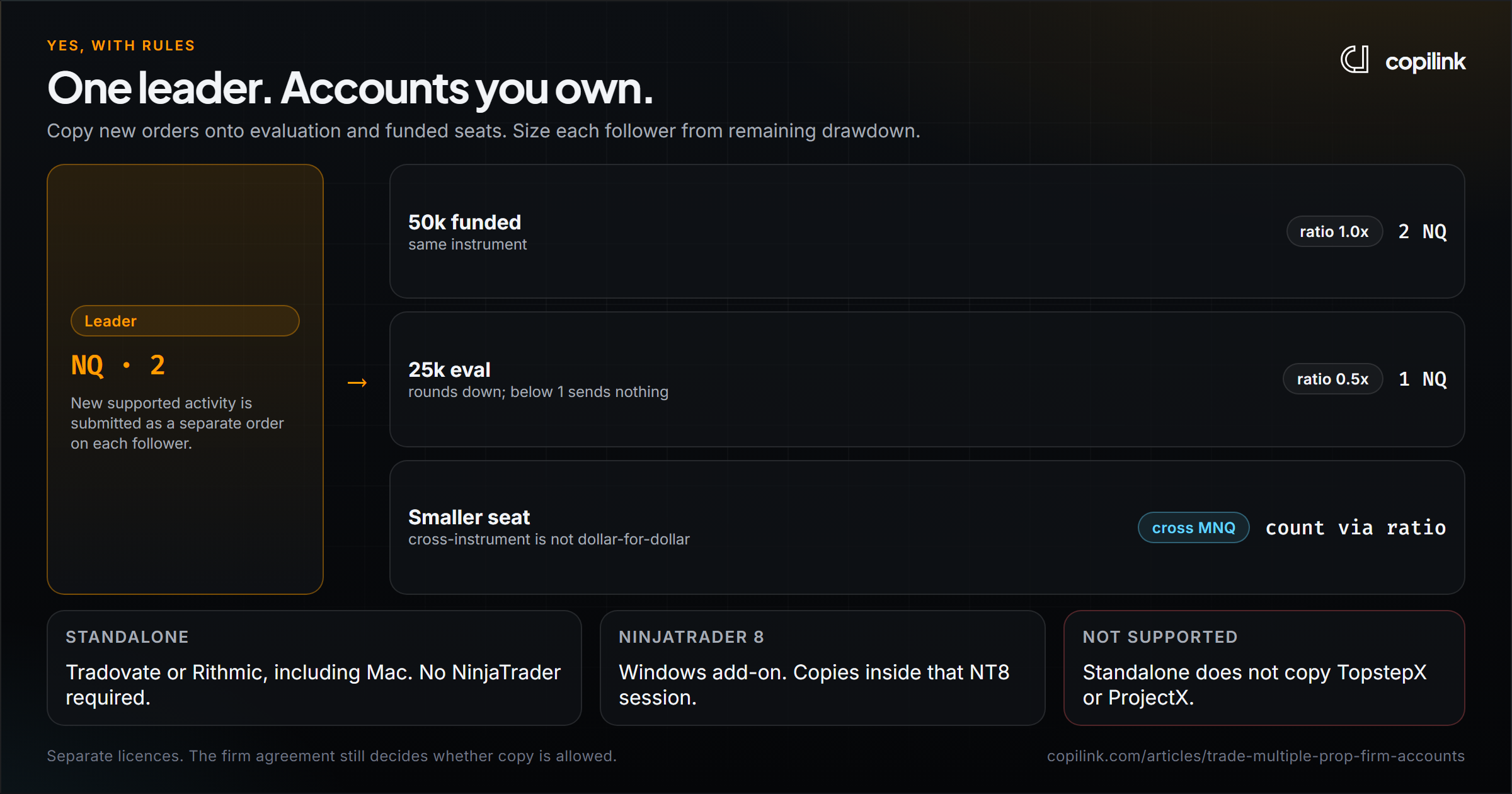
- Size every follower. Exact quantity copies the leader's contract count. A ratio scales it: a 50K follower behind a 100K leader runs at 0.5. Results round down to whole contracts, and below one contract nothing is sent. Mini-to-micro mapping lets an NQ leader copy MNQ to a smaller follower.
- Add per-account limits. A daily loss limit tighter than the firm's, and an evaluation goal on evaluation accounts.
- Test flat, in simulation. Place one small order, move the stop, close it. Check every follower's orders at the broker.
Positions already open when you start the profile are not copied. Start flat.
Copying one leader to accounts at different firms
Nothing stops a leader at one firm copying to followers at another, as long as every firm allows it. Some add conditions:
- FundedNext Futures allows cross-firm copying if the identity on both accounts matches.
- Top One Futures requires copied trades to originate on its own platform.
- Bulenox limits copying to Bulenox accounts.
- Topstep runs on TopstepX (ProjectX), which Copilink does not connect to.
Each firm keeps its own drawdown, consistency and payout rules. Configure every follower for its own firm, not one setting for all.
Size and risk every follower on its own
Two 50K accounts do not have the same room if one is on day two of an evaluation and the other is three payouts in. Think in percentages:
- Same percentage risk, not same dollars. If a 100K leader trades 2 ES, a 50K follower trades 1 ES, and a 25K follower trades 2 MES.
- Daily loss limit on every follower, set below the firm's own limit.
- Size to the remaining drawdown. The futures position size calculator works it out per account. Know how your floor moves: intraday vs EOD trailing drawdown.
- Watch consistency per account. A small follower early in a payout cycle can break a consistency rule on a day that is fine for the leader.
The full setup, including kill switches and daily checklists, is in the multi-account risk management guide.
Copilink Standalone can act on per-account daily loss, daily profit, evaluation goals and evaluation consistency, and pause copying if a leader or follower disconnects. A flatten is a request to the broker, so confirm the account is flat before you resume.
Scaling from one account to many
Add accounts in steps, not all at once:
- Prove it on one account. Two or three payout cycles, no consistency breaks, and a drawdown you never came close to.
- Add a second at the same firm. Same rules you already know, less to track.
- Set up the copier before account three. Manual entry starts failing around there.
- Go to 3 to 5 accounts. The effort per extra account drops to almost zero, but monitoring matters more: stage, drawdown, consistency and payout date per account.
- Spread across firms past 5. One firm changing its rules or delaying payouts then only hits part of your accounts.
Remember that every follower copies the same leader. A bad day on the leader is a bad day on every account at once. More accounts multiply your results in both directions.
When an evaluation turns into a funded account
Passing changes the account, so update the copier:
- Credentials. Many firms issue a new login for the funded account. Reconnect it and check the balance.
- Rules. Daily loss limit, drawdown type and consistency often change between stages.
- Consistency baseline. The payout cycle starts from zero.
- Size. Consider a smaller ratio for the first few funded sessions until the setup proves stable.
- Test again with one small order before trading it live.
FAQ
How do I trade multiple prop firm accounts at the same time?
Use a trade copier: trade one leader account and the copier places matching orders on each follower, sized by ratio or exact quantity. Check that each firm allows copying between your own accounts first.
Can I have multiple accounts with the same prop firm?
Yes, at most futures firms, up to a cap. Apex allows 20 active Performance Accounts per household; most others allow around 5 funded accounts.
Is it legal to copy trades between my own prop accounts?
Copying between accounts you own is allowed at most futures firms that permit copiers. Copying other traders, hedging across accounts and using banned tools are what get accounts closed.
Can I copy trades between Tradovate and Rithmic accounts?
Yes, with Copilink Standalone. One profile can have a Tradovate leader and Rithmic followers, or the other way round.
Do followers get the exact same fills as the leader?
No. Every follower order is placed and filled separately by its broker, so prices, timing and rejects can differ. That is why each follower needs its own limits.
Continue this topic
Compare prop firm rules and account routes →Trade without NinjaTrader
Copilink Standalone is a futures trade copier for Tradovate and Rithmic on Windows and macOS. The trial lasts 14 days and does not require a card.
Already use NinjaTrader 8?
The Copilink NinjaTrader 8 trade copier runs inside NinjaTrader 8 on Windows and includes a separate 7-day trial.