TradingView "Failed to modify order" on Tradovate: fix the stop loss error
TradingView's "Failed to modify order" error means Tradovate won't change the size of a bracket order's stop loss. Moving its price works. The fix: place the stop as its own order.
From Copilink, which makes trade copiers for running several futures prop firm accounts from one leader. See how it works →
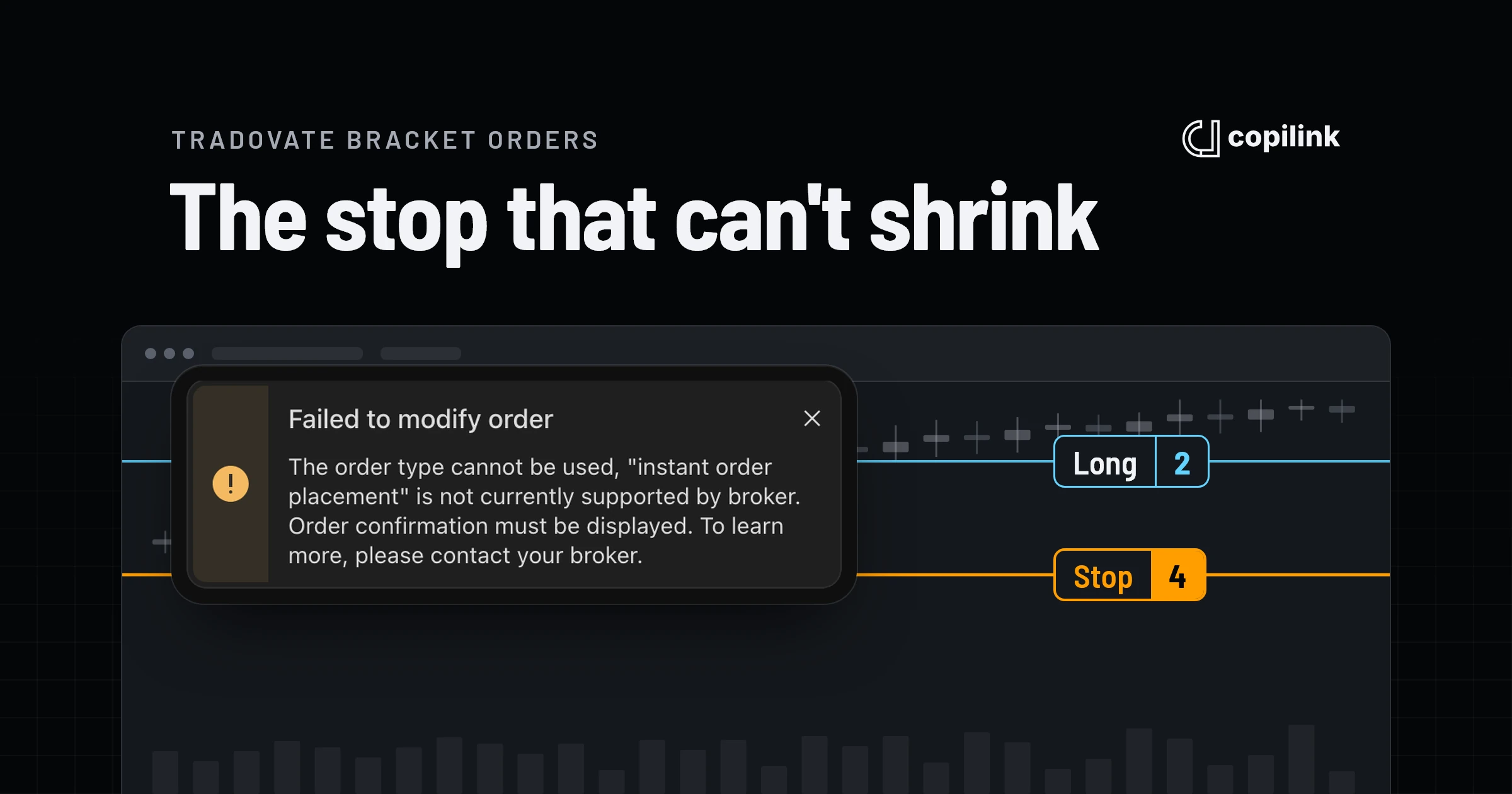
You see this error when you take a partial or add to a position that has a bracket order attached and then try to change the stop loss's quantity. TradingView passes the change to Tradovate, Tradovate refuses it, and TradingView shows the refusal. Dragging the stop to a new price works; changing how many contracts it covers doesn't. No TradingView setting fixes it, including the order confirmation setting the message mentions. The only workaround on the bracket is to cancel the stop and place a new one by hand.
The lasting fix is to stop using the bracket for your stop. Enter the trade, then place the stop loss once as its own order. With Copilink Standalone's stop-loss sync turned on, Copilink resizes that stop on every partial exit or add, and resizes the copied stops on your follower accounts at their ratios.
What the error actually means
The message has two parts. "Failed to modify order" is TradingView's own text. The rest ("The order type cannot be used, 'instant order placement' is not currently supported by broker. Order confirmation must be displayed") isn't in TradingView's interface text, so it's the reason the broker sent back, shown after TradingView's heading. That's why the message ends with "please contact your broker".
I trade from TradingView with Tradovate, and I've seen it on prop accounts with Tradovate or NinjaTrader as the broker in TradingView, on desktop, web and mobile. Tradovate's own platform refuses the same change on a bracket order, so it isn't a TradingView problem. It's how Tradovate handles a stop that's part of a bracket.
| What you change on a bracket's stop loss | Result on Tradovate |
|---|---|
| Its price (drag the line on the chart) | Works |
| Its quantity, after a partial exit | Refused: "Failed to modify order" |
| Its quantity, after adding to the position | Refused: "Failed to modify order" |
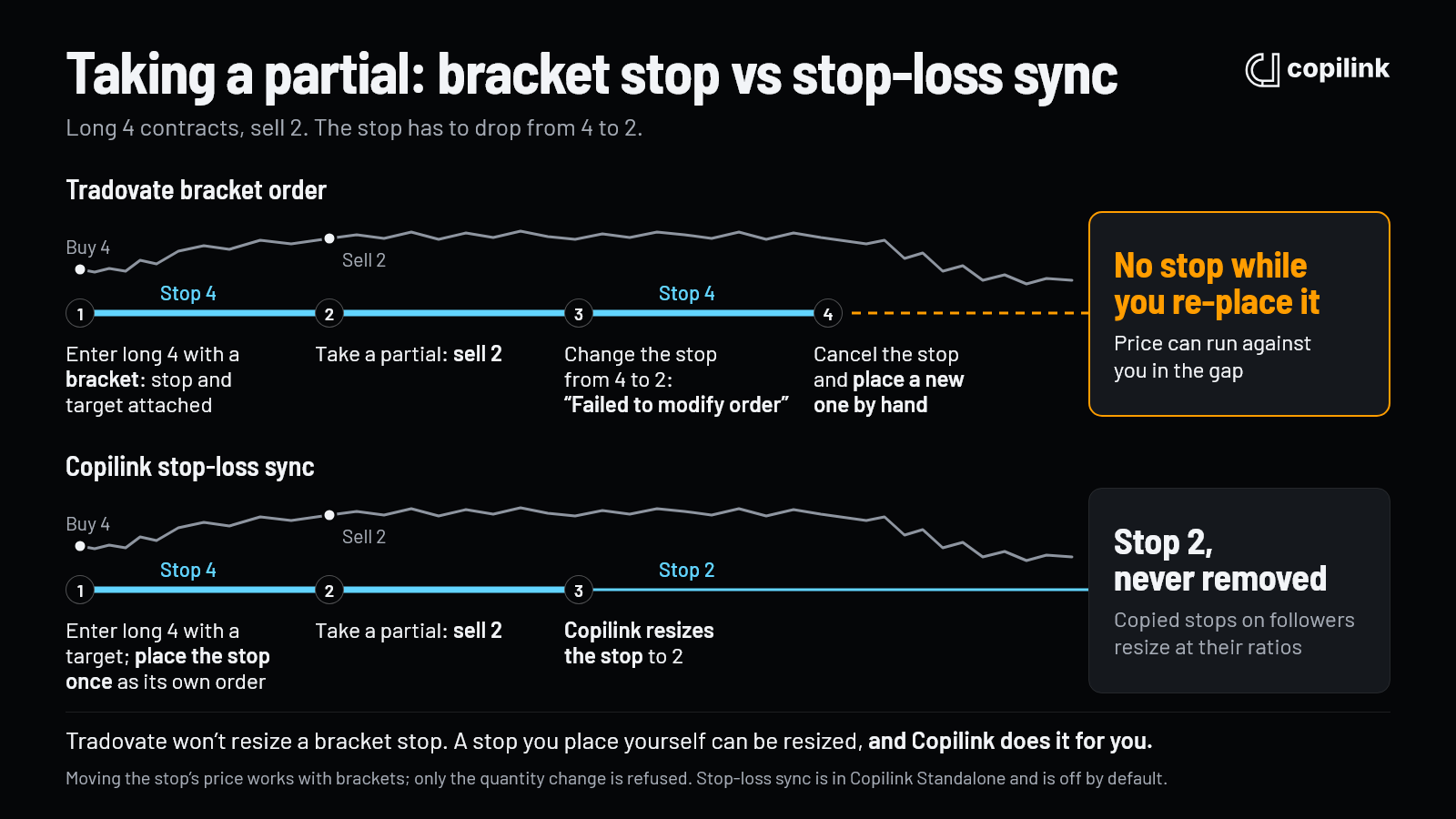
You need to change the quantity more often than you'd think. Say you're long 4 contracts with a 4-contract stop and you sell 2 at your first target. Your position is now 2, but the stop still covers 4. Tradovate doesn't shrink it for you, even on a bracket, and if price hits it, it sells 4: your 2 are closed and you're short 2. The only way to make it match is to change its size.
Why turning off instant order placement doesn't fix it
The message points you at a setting. On TradingView it's now called One-click trading (One-tap trading on mobile, and "Instant orders placement" in older versions). With it on, placing, changing and cancelling orders happen straight away, without a confirmation window[1]. With it off, dragging an order on the chart shows Confirm and Discard buttons before anything is sent[2].
Turning it off doesn't help with this error. The confirmation step changes how TradingView sends your order, not what Tradovate accepts, and Tradovate won't resize a bracket's stop however the request arrives. The wording sends traders after a setting that isn't the cause, which is why searching the exact message turns up so little. On Tradovate's forum, traders on several prop accounts report dragging their stop or target and finding the change wouldn't go through, with workarounds that fixed it for some and not for others[3].
The manual workaround, and the risk in it
Without a tool that manages the stop for you, there's one way round it on a bracket order: cancel the stop loss and place a new one at the right size. You do it after every partial exit and every add.
The problem is the gap. Between cancelling the old stop and placing the new one, your position has no stop at all. I've had price move against me in exactly that window, which put more at risk than the trade ever needed. It happens when you're busiest, right after a partial exit in a fast market, and on every account you trade.
Fix it for good: place the stop as its own order
Tradovate refuses to resize a stop that's part of a bracket. A stop loss you place yourself, as a standalone order, can be resized. So split them:
- Enter the trade.
- Place the stop loss once, by hand, as its own order. Move its price whenever you like.
- Take profit your way. I use several limit orders and sometimes exit part with a market order. Tradovate doesn't shrink a take profit after a partial either, so I adjust mine by hand: a target bigger than your position flips you short when it fills, just like an oversized stop.
- Leave the stop's quantity to Copilink. With stop-loss sync on, when you take a partial or add to the position, Copilink resizes the stop to match your position, and each follower's copied stop is resized at its ratio.
This saves me a lot of time and hassle, and stop-loss sync is the Copilink feature I like the most. What to know before you turn it on:
- It's in Copilink Standalone, set per copy profile under Follower protection as "Keep stop-loss quantity in sync". It's off by default. Copilink for NinjaTrader 8 doesn't have it.
- It only resizes a stop you placed yourself as a standalone order. It doesn't work on TradingView brackets or ATM orders, because Tradovate refuses those changes from anywhere.
- It changes the stop's quantity, never its price, and it never touches take-profit orders, so their size stays up to you.
- It needs one protective stop per instrument and every follower ratio at 1.0 or higher.
The stop-loss sync guide covers how it decides when to resize and which stops it leaves alone.
Copying across prop accounts
If you trade several prop accounts, the manual workaround multiplies. Every partial means a cancel and a re-place on each account, and each one sits without a stop until you get to it. With a stop placed as its own order on the leader, Copilink copies it to every follower, and stop-loss sync keeps all of them sized to the position. That's how Copilink Standalone works as a TradingView trade copier: you trade from the TradingView chart on a Tradovate leader account, and Copilink copies each order to your other Tradovate and Rithmic accounts.
If you're working out how TradingView connects to your broker in the first place, see how to connect NinjaTrader to TradingView.
FAQ
Does turning on order confirmation fix "Failed to modify order"?
No. Turning One-click trading off adds a confirmation step to your orders, but Tradovate still refuses to change the quantity of a bracket's stop.
Can I still move my stop loss on a bracket order?
Yes, you can drag it to a new price on the chart. Only changing its quantity fails.
Does it happen in Tradovate's own platform too?
Yes. Tradovate refuses to resize a bracket's stop there as well, so switching platforms doesn't help.
Does it affect NinjaTrader accounts on TradingView?
Yes, with NinjaTrader as the broker in TradingView the stop on a bracket order can't be resized either.
What happens if I leave the stop at the old size after a partial?
Tradovate doesn't resize it for you. Long 4 with a 4-contract stop, you sell 2, and if the stop is hit it sells 4, leaving you short 2. The same goes for a take profit that's bigger than your position.
Does Copilink's stop-loss sync work with bracket orders?
No. It resizes a stop you place as its own order. If you trade with brackets, leave it off.
Sources
Continue this topic
See the TradingView trade copier →Trade without NinjaTrader
Copilink Standalone is a futures trade copier for Tradovate and Rithmic on Windows and macOS. The trial lasts 14 days and does not require a card.
Already use NinjaTrader 8?
The Copilink NinjaTrader 8 trade copier runs inside NinjaTrader 8 on Windows and includes a separate 7-day trial.