

Broker
Tradovate / Rithmic
Supported direct connections
14-day trial · Founding Rate live.14-day Suite trial · No card · Lock in launch pricing while it's available.
A standalone desktop trade copier for Tradovate and Rithmic. Build profiles, size each follower independently, monitor execution and risk, then review the session locally or on the web.
No card · Full Suite access
Web sync is optional. The web app does not control the desktop copier.
Broker
Supported direct connections
Copilink desktop
The live trading workflow stays local
Copilink web
Optional review after activity syncs
Broker credentials and live copying remain on the desktop path; eligible completed history can continue to web review.
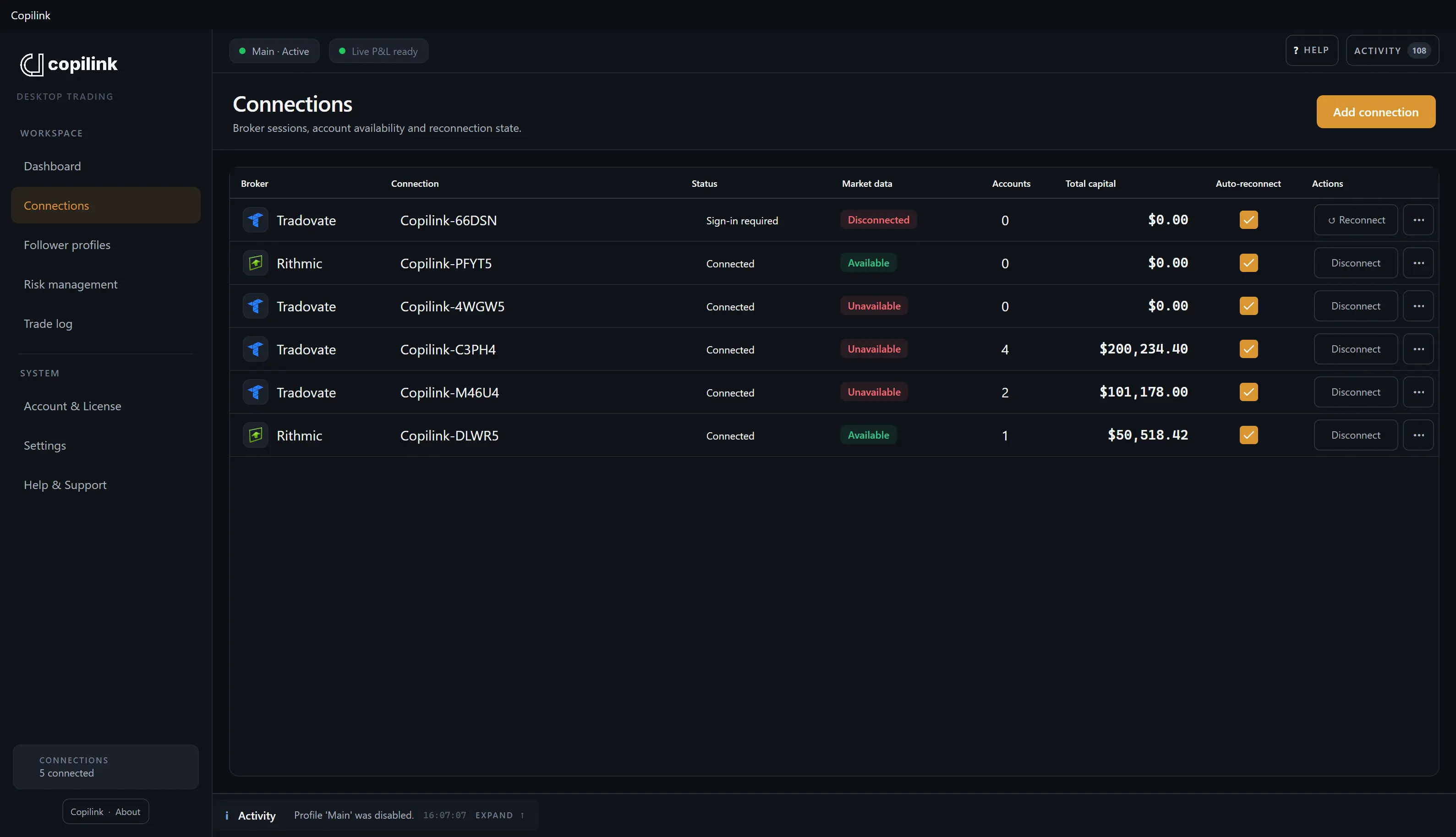
Move from supported broker connections to one verified copying profile, then trade the leader while Copilink keeps each enabled follower's route and outcome visible.
Configure each follower independently, verify the full account state, and only then enable the profile.
Add supported Tradovate or Rithmic connections and discover the accounts available to Copilink.
Choose one leader, select followers, and configure each follower's Exact Quantity or ratio.
Confirm connections, account state, market data, and relevant protection state before enabling.
Place new supported activity on the leader and Copilink routes the corresponding action to enabled followers.
Illustrative copying flow
Select a follower to trace its route.
Follower 01: Copied · 1× quantity.
Follower execution, positions, P&L, balances, connections, activity, and configured protection remain visible in the same desktop workspace.
See the affected account and the available control together before deciding how to intervene.
Positions, P&L, balances, connections, and recent activity stay visible in the desktop workspace.
Follower and account conditions remain visible beside the accounts they protect.
Flatten, disengage, and related controls remain close to the affected account.
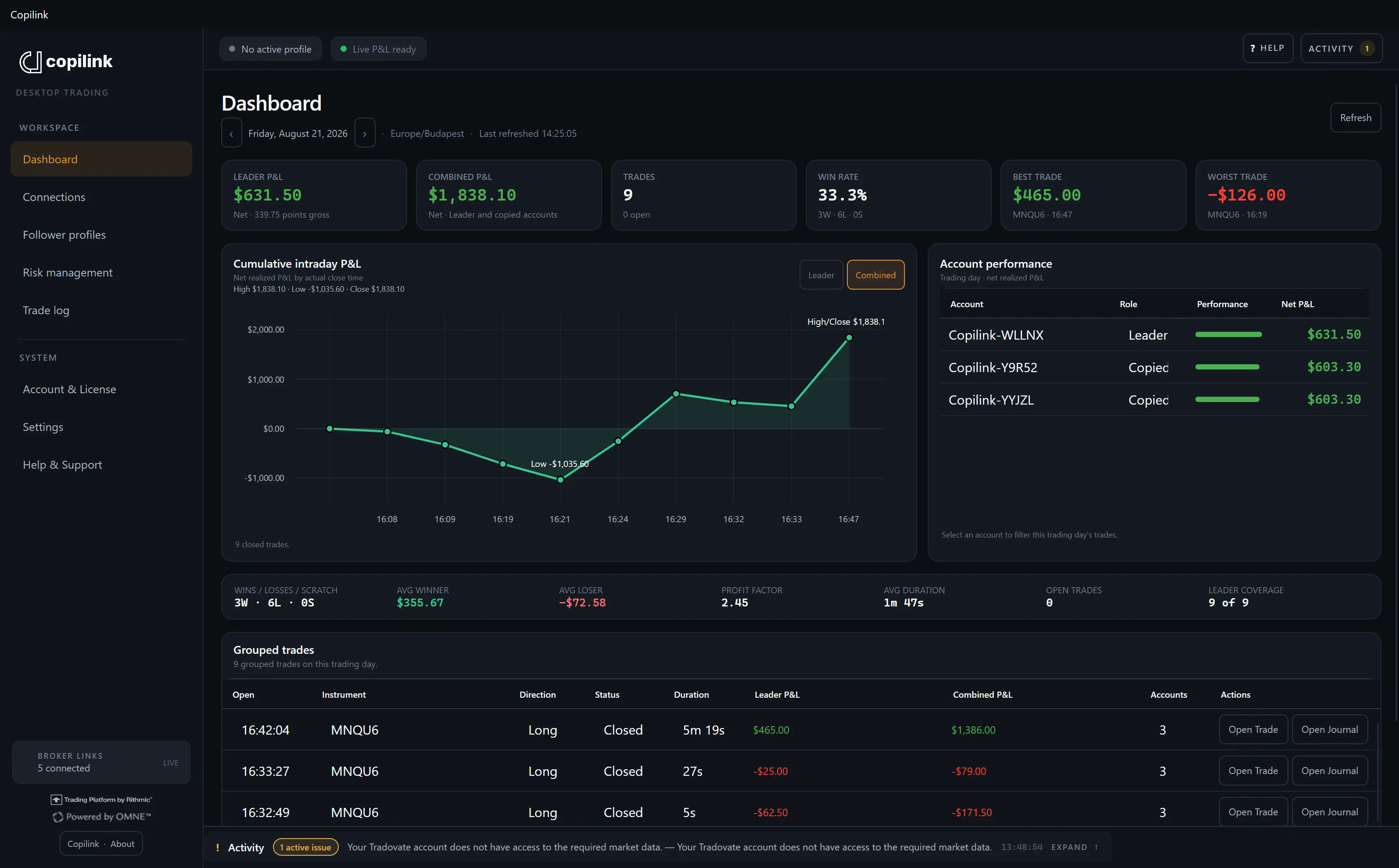
The local Trade log and desktop analytics keep the current session close. Optional cloud sync carries eligible completed history into web trade, session, journal, and analytics views included with your plan.
Core covers local and synced session review. Suite adds the Full Web Journal and deeper leader-versus-follower, execution, equity, drawdown, and journaling tools. See the trading journal.
Core · Both plans
Suite
Short, focused walkthroughs show the direct desktop workflow, follower profiles, and account protection.
Copilink copies broker activity; it does not remove broker, market, or connection risk. A few operating behaviors are important to understand before using live accounts.
Positions already open when a profile starts are not automatically copied.
Timing, liquidity, slippage, rejects, and account restrictions can make follower results differ from the leader.
Flattening sends broker requests. The broker position confirms whether an account is actually flat.
Certain account rules require current broker P&L or market data.
Start with Suite for 14 days and use the copier, two licensed machines, the Full Web Journal, and advanced analytics.
No card required
Launch pricing is currently available. Current prices are temporary and there is no announced end date.
Product behavior, execution boundaries, cloud sync, plans, and the trial-answered directly.
No. Copilink Standalone is its own desktop application and connects directly to supported Tradovate and Rithmic connections.
Copilink Standalone supports Tradovate and Rithmic on Windows x64, macOS Intel, and macOS Apple silicon.
Many futures prop firms allow copying between accounts you own, often with restrictions, but the rules differ by firm and change over time. Check your firm's current rules before you copy. Copilink's prop firm guide at copilink.com/prop-firms summarizes each firm's copy trading policy with a link to its source.
On your own computer. Broker passwords are saved only in Windows Credential Manager or macOS Keychain. They never go into Copilink settings or a backup, and copying runs in the desktop app rather than on a Copilink server.
In a published Tradovate benchmark of 2,171 follower orders, Copilink Standalone's own processing averaged 4.91 ms per follower order. That figure excludes queue wait, broker acknowledgement, exchange matching, and internet transit. The method and full results are at copilink.com/research/tradovate-copy-latency-benchmark.
Yes. Each follower can use Exact Quantity to copy the leader's whole-contract quantity or its own ratio. Ratio results are rounded down to a whole contract, and a result below one is not submitted.
They are not copied or synchronized. Copilink copies new supported leader activity after the profile becomes active, so begin with the leader and followers flat or manage existing positions at the broker.
Yes. Timing, liquidity, slippage, partial fills, broker rejects, connection state, market data, and account restrictions can produce different prices, quantities, timing, or no fill at all.
Copilink can show paused, Issue, waiting, or unavailable states and can pause new copying or monitoring when required broker state is unavailable. Stop new leader activity, verify affected positions and working orders at the broker, and resume only after the cause and account state are understood.
No. Copying and protection run in the Standalone desktop app. Cloud sync uploads eligible reconstructed history for web reporting and journaling; turning it off does not stop copying while the profile and broker connections remain healthy.
Both plans include the desktop copier, profiles and sizing, follower protection, account risk controls, desktop analytics, cloud sync, and web trade and session reporting. Suite adds a second included machine, the Full Web Journal, advanced analytics, and priority support.
One eligible Copilink account can start one 14-day Suite trial with two machine activations and no card. A paid subscription does not begin automatically when the trial ends.
When the founding period closes, pricing will increase for new customers. There is no announced end date. Customers who subscribe during the founding period keep their qualifying Founding Rate while their subscription remains active.
Connect your accounts, choose a leader, and let Copilink handle the repetition while you keep every follower visible.
No card · 2 machines · full Suite access
Copilink also offers a separately licensed trade copier and prop-firm risk manager built specifically for NinjaTrader 8 on Windows.