
Prop firm payout calculator
This prop firm payout calculator checks the payout conditions your firm publishes and shows the most you can request now. Choose your program, then enter your balance and each day's P&L since your last approved payout.
Free · No sign-up · It covers 31 programs at Lucid Trading, Tradeify, MyFundedFutures and 8 more. See every program and its checked date.
Check a payout request
Program
Covers: Accounts bought from 1 March 2026, except Legacy accounts sold in limited-time offers, which keep Legacy terms.
Rules checked 4 November 2026.
Example figures for a fresh 50K Apex Trader Funding EOD PA after five trading days. Replace them with your own.
Approved payouts so far on this account.
One trading day per line, since your last approved payout (or since the account started). Use a minus sign for a losing day.
Leave blank to see the most you can request.
Meets the conditions this calculator checks. Most you can request now: $550.
Meets the conditions this calculator checks
Approval is separate. Apex Trader Funding reviews each payout request, and this result is not an approval.
Most you can request now
- $550
- Set by the balance above the safety net.
Left above the safety net
- $0
- After withdrawing $550.
Qualifying days
Met5 days made at least $250; 5 are needed.
Consistency
MetThe best day, $900, is 33.9% of $2,650, under 50%.
Balance
Met$52,650 is at least $52,600: the $52,100 safety net plus the $500 minimum request.
Minimum request
MetEach request must be at least $500.
Cap per request
MetPayout 1 is capped at $1,500.
Payout number
MetThis would be payout 1 of 6.
 Apex Trader Funding rules checked 4 November 2026. Sources: apextraderfunding.com/help-center/additional-helpful-items/50-consistency-requirement/, apextraderfunding.com/help-center/eod-trailing-drawdown-accounts/eod-payouts/, apextraderfunding.com/help-center/eod-trailing-drawdown-accounts/eod-performance-accounts-pa/, apextraderfunding.com/help-center/additional-helpful-items/daily-loss-limit-explained/.
Copilink Standalone keeps every account's days in one journal.
Start 14-day free trial14 days free · No card · Doesn't start a paid plan on its own
"Meets the conditions this calculator checks" covers only the checks listed. Each firm reviews every request and can deny one, and your dashboard has the final say.
What does the payout calculator check? Four conditions your firm publishes, then the amount.
How the amount is set
request ≤ balance − buffer
Above the buffer, or above the starting balance when the firm has no buffer.
$52,650 − $52,100 = $550
Then the cap for your payout number and any profit-share limit apply. Anything under the minimum request counts as nothing.
Qualifying daysTrading days since the last approved payout that each make the firm's minimum daily profit for the account size. Where a firm counts any trading day, or asks for more days from the second payout, the calculator follows its terms.
ConsistencyThe best day as a share of profit since the last payout, against the firm's limit. Losing days count, so they lower the total. Where a firm also sets a minimum profit since the last payout, that is checked too. A rule measured against the profit target is listed as not checked.
Balance above the bufferThe balance must clear the firm's buffer (its safety net or threshold) plus the minimum request. With no buffer, only profit above the starting balance counts.
Minimum, cap and payout countThe most you can request is the lowest of the balance above the buffer, the cap for your payout number and any profit-share limit, and nothing under the minimum request. Where a firm limits the number of payouts, the account closes after the last one.
Does a pass mean the payout is approved? No. The firm reviews every request.
How to read the result
Meets the conditions this calculator checksEvery listed check passes. The firm still reviews the request.
Meets the conditions we could checkA term is unpublished or not modelled. It is listed under Not checked.
Does not meet a conditionThe failed checks are named, with what would pass.
What it cannot see
4The firm's reviewEvery firm approves or denies each request, and can deny one for reasons outside these checks.
Terms a firm doesn't publishWhen a firm doesn't publish a figure the calculator needs, or has a rule it doesn't model, the result reads "Meets the conditions we could check" and lists those terms under Not checked.
Other account rulesDrawdown, contract limits, news and hedging rules are not part of this check. Confirm them in your dashboard.
Each copied account on its ownCopied accounts trade the same direction, but each keeps its own days, balance and payout count. Check each one.
Which firms and programs are covered? 31 programs at 11 firms, each with its checked date.
Firms and programs covered
31Apex Trader FundingChecked 4 November 2026
2EOD PAIntraday PAWhat each covers
EOD PA
Covers: Accounts bought from 1 March 2026, except Legacy accounts sold in limited-time offers, which keep Legacy terms.
Intraday PA
Covers: Accounts bought from 1 March 2026, except Legacy accounts sold in limited-time offers, which keep Legacy terms.

BulenoxChecked 4 November 2026
2Master Option 1Master Option 2What each covers
Master Option 1
Covers: Current Master accounts under the Master Account Agreement Ver. 10/23/2026.
Not modelled: Flip days at most 20% of the payout period's trading days; Average position size no larger than during Qualification.
Master Option 2
Covers: Current Master accounts under the Master Account Agreement Ver. 10/23/2026.
Not modelled: Flip days at most 20% of the payout period's trading days; Average position size no larger than during Qualification.

E8 FuturesChecked 4 November 2026
2E8 Zero Starter PerformanceE8 Zero Max PerformanceWhat each covers
E8 Zero Starter Performance
Covers: E8 Zero Starter accounts; payout count for accounts bought from 1 October 2026, 19:00 UTC+2.
Not modelled: Minimum request of $125 at the 80% split; Balance must stay above the starting balance, not on it; 5 payouts on accounts bought before 1 October 2026, 19:00 UTC+2.
E8 Zero Max Performance
Covers: E8 Zero Max accounts; payout count for accounts bought from 1 October 2026, 19:00 UTC+2.
Not modelled: Minimum request of $125 at the 80% split; Balance must stay above the starting balance, not on it; 5 payouts on accounts bought before 1 October 2026, 19:00 UTC+2.

Elite Trader FundingChecked 4 November 2026
2Elite Sim-Funded (from 2 Oct)Elite Sim-Funded (28 Jul to 2 Oct)What each covers
Elite Sim-Funded (from 2 Oct)
Covers: 1-Step evaluations bought on or after 2 October 2026, 2:00 PM PT.
Not modelled: Round cap of $25,000 across all your Sim-Funded accounts; Lifetime Sim-Funded cap of $150,000; Several requests within one reward cycle; A best day from before the last reward, which still sets the ATD share.
Elite Sim-Funded (28 Jul to 2 Oct)
Covers: 1-Step evaluations bought from 28 July 2026 to before 2 October 2026, 2:00 PM PT.
Not modelled: Round cap of $25,000 across all your Sim-Funded accounts; Lifetime Sim-Funded cap of $150,000; Several requests within one reward cycle; A best day from before the last reward, which still sets the ATD share.

FundedNext FuturesChecked 4 November 2026
2Rapid Pro funded accountRapid Daily funded accountWhat each covers
Rapid Pro funded account
Covers: Current Rapid Pro & Daily accounts; the older Rapid and Bolt closed to new purchases on 10 July 2026.
Not modelled: Whether the 40% rule counts profit from before the last reward; Rewards at most every 3 days; Keeping the balance above the loss limit, set to the starting balance plus $100 after the first reward.
Rapid Daily funded account
Covers: Current Rapid Pro & Daily accounts; the older Rapid and Bolt closed to new purchases on 10 July 2026.

Lucid TradingChecked 4 November 2026
4LucidFlex fundedLucidPro fundedLucidPro funded (legacy)LucidDaily fundedWhat each covers
LucidFlex funded
Covers: Current LucidFlex funded accounts.
Not modelled: A payout maximum of 50% of the balance, which Lucid's payout article gives in its text instead of its table's 50% of profit.
LucidPro funded
Covers: Purchased or reset on or after 28 Nov 2025, 3:00 PM EST.
LucidPro funded (legacy)
Covers: Purchased or reset on or before 28 Nov 2025, 3:00 PM EST.
LucidDaily funded
Covers: Current LucidDaily funded accounts.
Not modelled: Live review after a day at the maximum daily profit.

MyFundedFuturesChecked 4 November 2026
4Rapid Intraday sim fundedRapid EOD sim fundedBuilder sim fundedPro sim fundedWhat each covers
Rapid Intraday sim funded
Covers: Current plans, sold on MFFU's one-time payment model from 25 August 2026; check older subscription accounts against your dashboard.
Not modelled: The 24-hour wait from the first sim-funded trade to the first payout, then one payout a day; The automatic Live move after a $10,000 net-profit day.
Rapid EOD sim funded
Covers: Current plans, sold on MFFU's one-time payment model from 25 August 2026; check older subscription accounts against your dashboard.
Not modelled: The 24-hour wait from the first sim-funded trade to the first payout, then one payout a day; The automatic Live move after a $10,000 net-profit day.
Builder sim funded
Covers: Current plans, sold on MFFU's one-time payment model from 25 August 2026; check older subscription accounts against your dashboard.
Not modelled: The 48-hour wait from the first trade to the first request.
Pro sim funded
Covers: Pro accounts on the redesigned plan MFFU launched in October 2026; older Pro accounts (MFFU now calls them Legacy Pro) keep the old rules, including 5, 10 or 15 minis and the old Live terms.
Not modelled: The 14-day payout cycle from the first trade; The $100,000 cap as a total per user across the sim-funded stage; One withdrawal of up to 60% of profit before the buffer is cleared, listed in the payout overview but not the redesigned Pro guide; Live review after 3 consecutive payouts, at the $100,000 cap or a $20,000 profit milestone.
Take Profit TraderChecked 4 November 2026
1PROWhat each covers
PRO
Covers: PRO accounts from a passed Test.
Not modelled: Profit inside the buffer, paid at 50% only after the PRO account is closed; The $50 fee on wallet withdrawals of $250 or less; No open positions or working orders when requesting.

Top One FuturesChecked 4 November 2026
1Elite Daily V2 fundedWhat each covers
Elite Daily V2 funded
Covers: Elite Daily V2 accounts bought on or after 11 May 2026.
Not modelled: One request every 24 hours.
TradeDayChecked 4 November 2026
2Quick Pay Funded SimFast Pass Funded SimWhat each covers
Quick Pay Funded Sim
Covers: TradeDay 2.0 accounts, sold since 29 May 2026; accounts from earlier programs keep their own rules.
Fast Pass Funded Sim
Covers: Fast Pass accounts opened on or after 26 July 2026; older Fast Pass accounts have no funded consistency rule and higher caps.
Not modelled: Consistency across all payout cycles from payout 2, counting past payouts.

TradeifyChecked 4 November 2026
9Select FlexSelect Flex, bought before 1 September 2026Select Flex, 50% add-onSelect DailySelect Daily, bought before 1 September 2026Select 300K V2 FlexSelect 300K V2 DailySelect 300K V1 FlexSelect 300K V1 DailyWhat each covers
Select Flex
Covers: Select 25K to 150K Flex accounts bought on or after 1 September 2026.
Not modelled: Microscalping test: over 50% of trades, and of profit, from trades held over 10 seconds; Elite Live selection, possible after 3 payouts on one account, or 10 in total since the last live transition.
Select Flex, bought before 1 September 2026
Covers: Select 25K to 150K Flex accounts bought before 1 September 2026.
Not modelled: Microscalping test: over 50% of trades, and of profit, from trades held over 10 seconds; Elite Live selection, possible after 3 payouts on one account, or 10 in total since the last live transition.
Select Flex, 50% add-on
Covers: Select 50K to 150K Flex accounts from evaluations bought with the paid 50% consistency add-on.
Not modelled: Microscalping test: over 50% of trades, and of profit, from trades held over 10 seconds; Elite Live selection, possible after 3 payouts on one account, or 10 in total since the last live transition.
Select Daily
Covers: Select 25K to 150K Daily accounts bought on or after 1 September 2026.
Not modelled: Microscalping test: over 50% of trades, and of profit, from trades held over 10 seconds; Elite Live selection, possible after 3 payouts on one account, or 10 in total since the last live transition.
Select Daily, bought before 1 September 2026
Covers: Select 25K to 150K Daily accounts bought before 1 September 2026.
Not modelled: Microscalping test: over 50% of trades, and of profit, from trades held over 10 seconds; Elite Live selection, possible after 3 payouts on one account, or 10 in total since the last live transition.
Select 300K V2 Flex
Covers: Select 300K accounts bought on or after 27 August 2026.
Not modelled: Microscalping test: over 50% of trades, and of profit, from trades held over 10 seconds; Elite Live selection, possible after 3 payouts on one account, or 10 in total since the last live transition.
Select 300K V2 Daily
Covers: Select 300K accounts bought on or after 27 August 2026.
Not modelled: Microscalping test: over 50% of trades, and of profit, from trades held over 10 seconds; Elite Live selection, possible after 3 payouts on one account, or 10 in total since the last live transition.
Select 300K V1 Flex
Covers: Select 300K accounts bought before 27 August 2026; V1 rules stay for the life of the account.
Not modelled: Microscalping test: over 50% of trades, and of profit, from trades held over 10 seconds; Elite Live selection, possible after 3 payouts on one account, or 10 in total since the last live transition.
Select 300K V1 Daily
Covers: Select 300K accounts bought before 27 August 2026; V1 rules stay for the life of the account.
Not modelled: Microscalping test: over 50% of trades, and of profit, from trades held over 10 seconds; Elite Live selection, possible after 3 payouts on one account, or 10 in total since the last live transition.
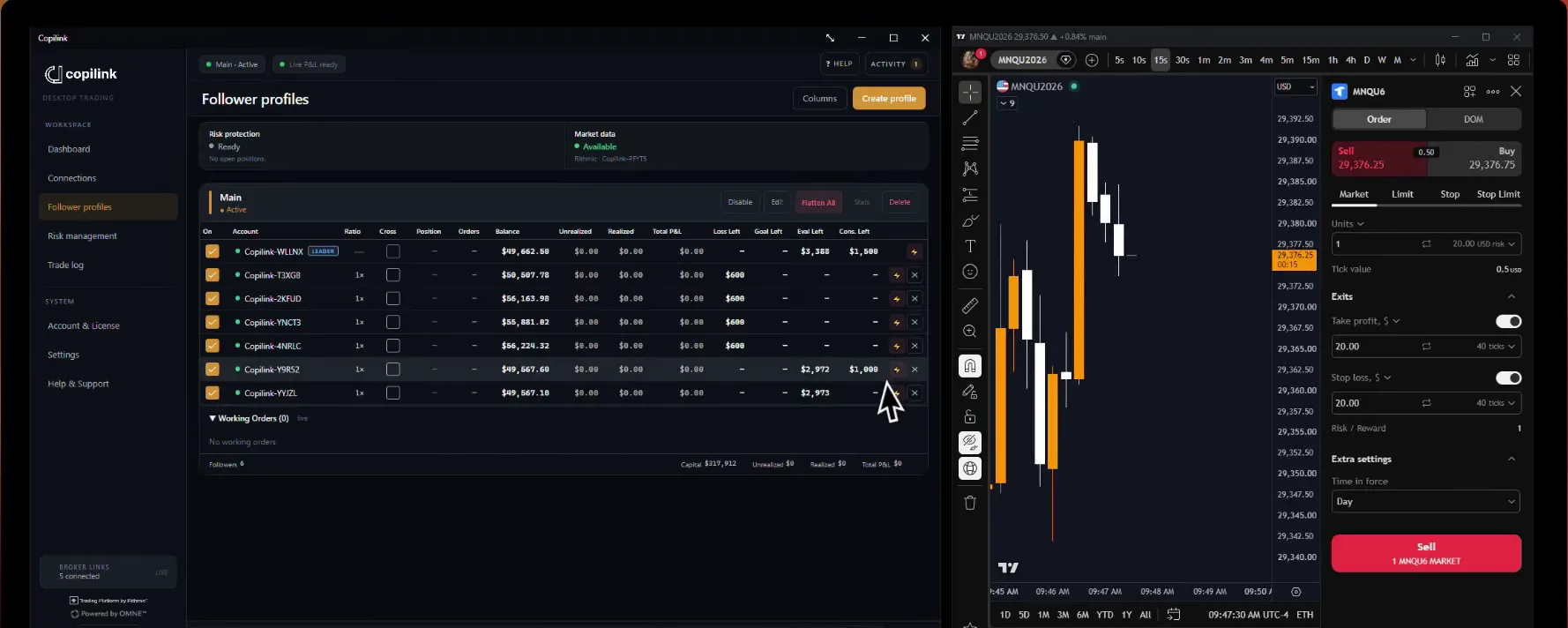
Tired of typing in every account's days? Copilink keeps every account's trading days in one journal.
In Copilink Standalone
Every account's trades in one place.Standalone syncs each account's trades to your web dashboard in the background, grouped by account and by prop firm.
Each day's P&L on a calendar.The trading calendar and equity curve show the days you would otherwise add up by hand.
A journal entry for every synced trade.Review queue, templates, notes, tags and screenshots are in the Suite plan.
It does not check payout eligibility.That stays with this calculator and your firm's dashboard.
You place the trade in your own platform.The record comes from the accounts you connect. There is no import or export.
One app, a full trading suite: four tools you stop paying for separately
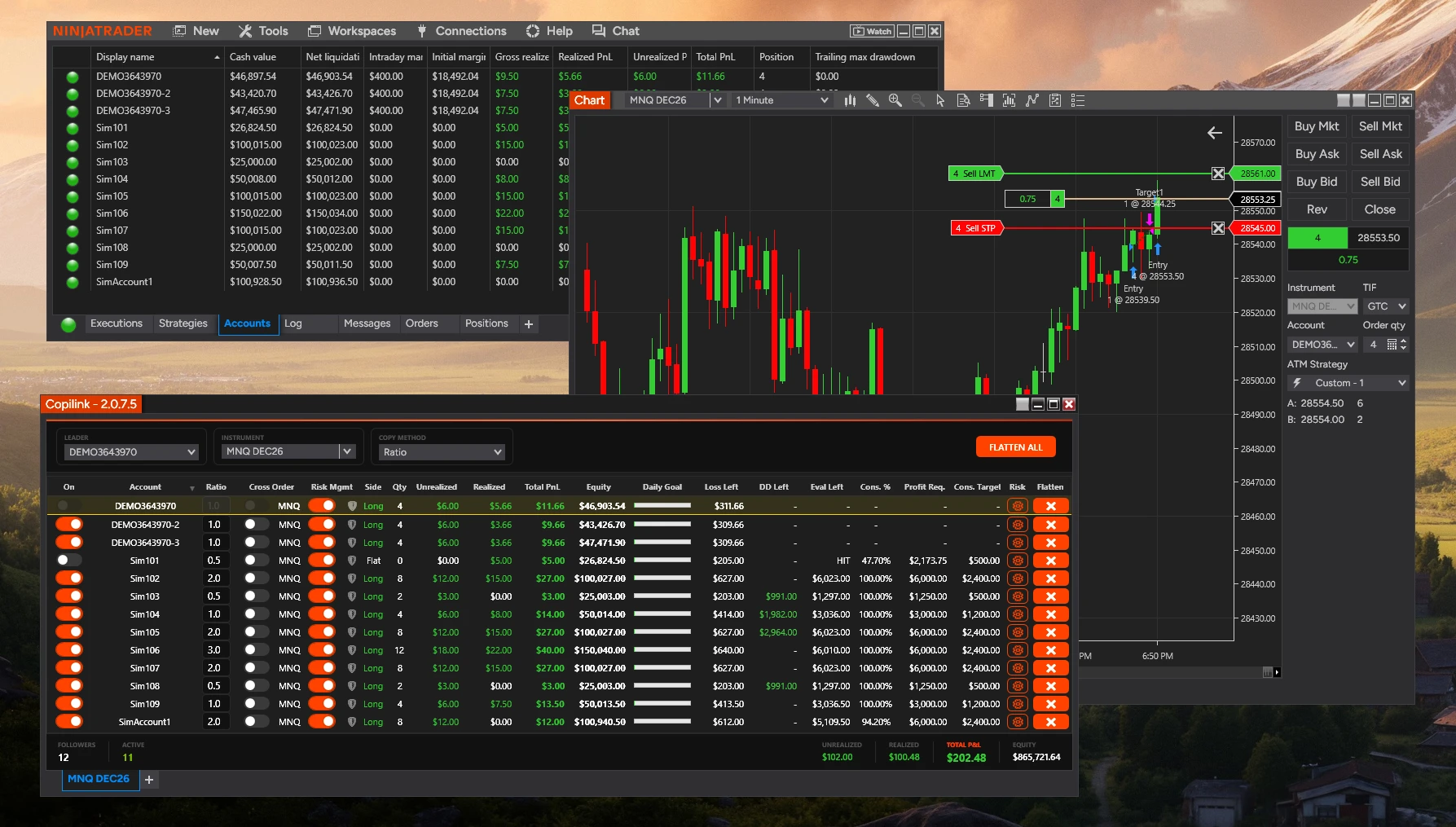
Trade copier
One leader to any number of Tradovate and Rithmic followers, a ratio per follower.
Account protection and risk rules
Follower protection and per-account limits that request a flatten and stop copying.
Trade journal
Every synced trade ready to review on the web. The full journal is in the Suite plan.
Analytics
Desktop analytics on every plan, advanced web analytics in Suite.
Copilink Standalone is the best choice for a trader working several funded accounts towards payouts: it copies the trade, guards each account and keeps every account's days in the built-in futures trading journal.
See every account's trading days in one place.14 days free · No card · Doesn't start a paid plan on its own
Start 14-day free trialWhat else do traders ask about payouts? Five answers, with the numbers.
How is the most I can request worked out?
The calculator takes the balance above the firm's buffer, or the profit above the starting balance when the firm has no buffer. It then applies the cap for your payout number and any profit-share limit, and anything under the minimum request counts as nothing. A 50K Apex Trader Funding EOD PA at $52,650 has $550 above its $52,100 safety net, and its first-payout cap is $1,500, so it can request $550.
What does "Meets the conditions we could check" mean?
Every condition the calculator could check is met, but the firm doesn't publish a figure the calculator needs, or has a rule it doesn't model. Those terms are listed under Not checked, and the most you can request is shown before any cap or minimum the firm doesn't publish. Confirm them in your dashboard before you request.
When can I request my first payout?
When every check passes: the firm's qualifying days and consistency rule, where it has them, and a balance that clears its buffer plus the minimum request. On a 50K Apex Trader Funding EOD PA the balance must reach $52,600, so a fresh account needs $2,600 of profit first.
Which firms and programs does it cover?
31 programs at Apex Trader Funding, Bulenox, E8 Futures, Elite Trader Funding, FundedNext Futures, Lucid Trading, MyFundedFutures, Take Profit Trader, Top One Futures, TradeDay and Tradeify. Each program covers specific purchases: the Apex Trader Funding EOD PA, for example, covers accounts bought from 1 March 2026, except Legacy accounts sold in limited-time offers, which keep Legacy terms. Accounts bought under other terms are not covered.
Does "Meets the conditions this calculator checks" mean my payout will be approved?
No. The firm reviews every request and can deny one for reasons the calculator cannot see, such as drawdown or hedging rules. Your dashboard has the final say.
Still have a question?
Send us your firm, broker and accounts and ask us directly.
Trade one account.
Copilink the rest.
Create your account
An email, your name and a password. No card.
Install and sign in
Download Copilink Standalone for Windows or Mac and sign in with that account.
Connect and copy
Add your Tradovate or Rithmic logins, pick a leader, and place one micro contract trade to watch it copy.
- 14 days free
- No card
- Doesn't start a paid plan on its own