Find a session
Choose a date, search account or symbol details, apply available filters, and refresh the current view.
14-day trial · Founding Rate live.14-day Suite trial · No card · Lock in launch pricing while it's available.
Review what Copilink received locally, sync eligible history to the web, and use Suite journal and analytics tools without coupling review to the desktop copy engine.
No card · Full Suite access
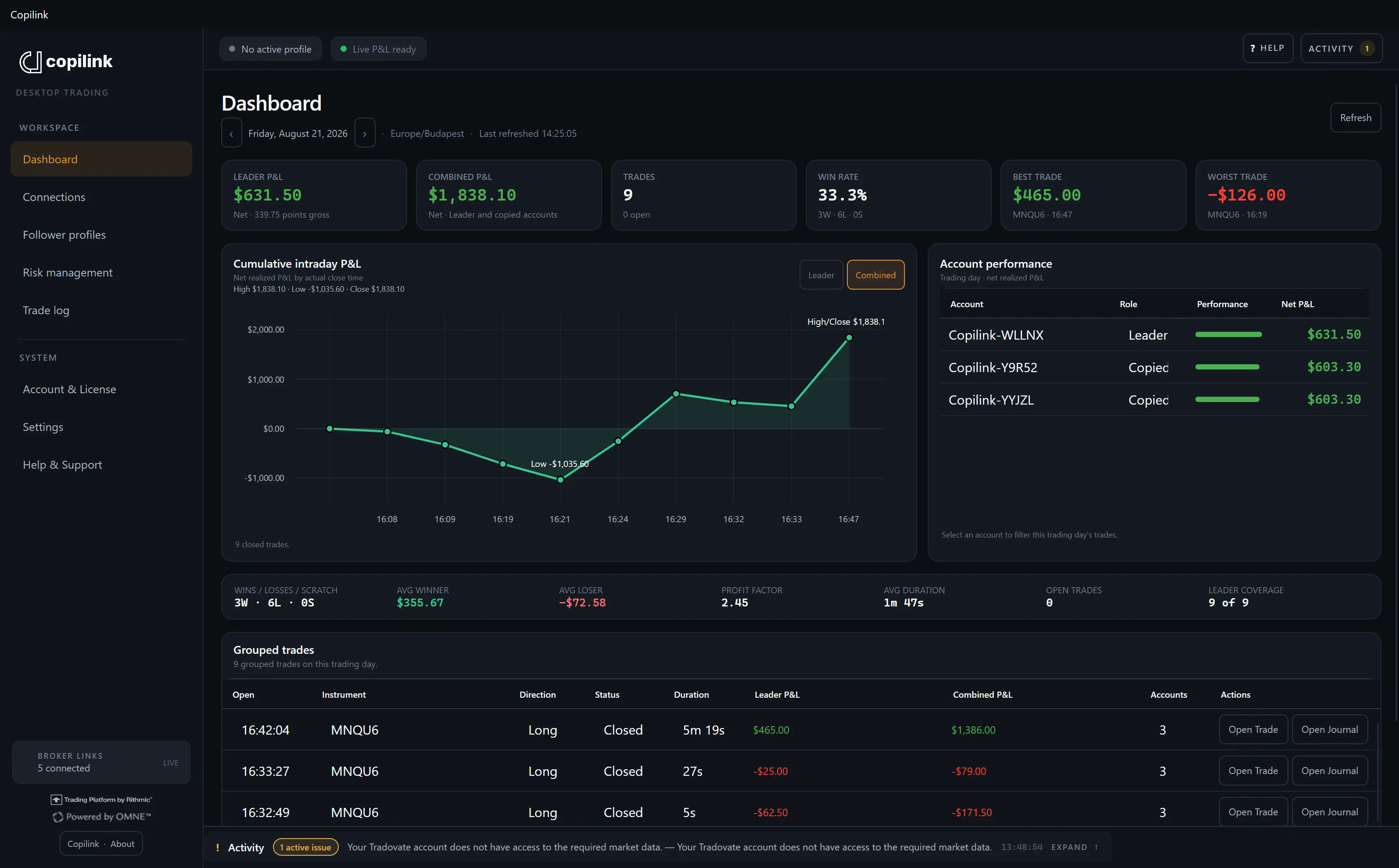
The desktop dashboard keeps the current picture close. Synced history connects completed activity to web trade, session, journal, and analytics views included with your plan.
Suite adds the Full Web Journal, advanced analytics, full session analysis, leader-versus-follower reporting, execution-deviation analytics, equity and drawdown analysis, notes, tags, screenshots, and templates.
Desktop analytics, cloud sync, web trade history, and session reporting.
Full Web Journal plus advanced analytics, session analysis, execution reporting, notes, tags, screenshots, and templates.
Choose a date, search account or symbol details, apply available filters, and refresh the current view.
Review open and closed sessions, leader P&L, combined P&L, points, and available trade details.
A successfully synced item can open its corresponding web trade, session, or journal view according to plan access.
The Trade log cannot show full detail for broker activity Copilink never received or stored.
Core includes desktop history, cloud sync, and web reporting. Suite adds the full web journal and advanced analytics.
| Capability | Included with | Data location | What it provides |
|---|---|---|---|
| Local Trade log | Core + Suite | Stored on this computer | Session grouping, date navigation, filters, summary cards, open and closed sessions, leader and combined P&L, points, and available trade details. |
| Web trade and session history | Core + Suite | Eligible reconstructed history syncs to Copilink | Open a synced trade or session online and review web reporting. |
| Full web trading journal | Suite | Synced trade and journal records | Review queue, notes, tags, screenshots, and templates. |
| Advanced analytics | Suite | Synced trade, session, and execution records | Trade, day, session, equity, drawdown, consistency, and leader-versus-follower analysis. |
This synthetic example shows why a useful journal keeps account outcomes separate. It is an illustration, not customer data or a claim that every broker reports the same fields.
| Account | Role | Requested | Filled | Average price | Fees | What to review |
|---|---|---|---|---|---|---|
| SIM-L | Leader | 2 | 2 | 20,104.25 | $2.40 | Reference fill |
| SIM-A | Follower | 2 | 2 | 20,104.50 | $2.40 | +0.25 point price difference |
| SIM-B | Follower | 1 | 1 | 20,104.50 | $1.20 | Expected 0.5× sizing |
| SIM-C | Follower | 2 | Rejected | — | $0.00 | Broker rejection and open exposure |
SIM-C is the important row. A rejected follower order does not make the leader fill disappear. Stop the profile, inspect the broker's rejection, and verify positions and working orders before trading the leader again. The journal is evidence for that check; the broker is still the live authority.
Completed history can move into the web experience while the copy engine and its controls remain on the desktop.
Check internet and account access, inspect the cloud-link state, and use Sync now once. Repeated retries do not recreate missing local history.
Refresh the selected date and filters, then confirm Copilink was open. Compare the session with broker records.
Confirm sync completed and the signed-in web account has the plan access required for that destination.