

MyFundedFutures payout rules and max payout by plan and size
My Funded Futures (MFFU) rules and payouts differ by plan, and MyFundedFutures caps payouts differently on each one. Builder pays a flat $2,000 per payout on 50K ($1,000 to $4,500 by size) for up to five sim payouts. Pro allows up to $100,000 per user in the sim-funded stage, paid every 14 calendar days from the first trade. Rapid publishes no cap per payout and pays daily, but a $10,000 net-profit day moves the account to Live. Copying across MFFU account types is allowed, and copier failures are your risk.
Copy trading
Allowed, with rules
- Broker route
- Tradovate
- Copilink
- Copilink connects
- Builder max payout
- $2,000
- per payout on 50K, up to five payouts
- Pro max payout
- $100,000
- per user, sim-funded stage
- Rapid max payout
- No cap
- none published per request; a $10,000 day moves it to Live
- Sim-funded accounts
- 5
- 3 if any 100K or 150K
Checked against MyFundedFutures's own pagesHow we check
Sources8
- help.myfundedfutures.com/en/articles/8528335-overview-of-supported-platforms-at-mffu
- help.myfundedfutures.com/en/articles/10771500-copy-trading-at-myfundedfutures
- help.myfundedfutures.com/en/articles/16498635-moving-from-evaluation-to-sim-funded-account
- help.myfundedfutures.com/en/articles/8230009-news-trading-policy
- help.myfundedfutures.com/en/articles/8444599-fair-play-and-prohibited-trading-practices
- help.myfundedfutures.com/en/articles/12011241-hedging-what-you-should-know
- help.myfundedfutures.com/en/articles/16596524-inactivity-rule-one-time-payment-model
- help.myfundedfutures.com/en/articles/12109396-comprehensive-faq-live-accounts-at-myfunded-futures
What is the max payout on each MFFU plan? A cap per plan, and none published on Rapid.
- Trade copiers
- Allowed on all account types; copier failures are on you
- Platforms
- Tradovate; Rithmic is not listed
- Profit split
- 90% on Rapid; 80% on Builder and Pro
- Evaluations
- Up to 10 active
- Sim-funded accounts
- Up to 5 (3 if any 100K or 150K); Builder 1 (2 on 25K); Rapid EOD 3 per size
- Funded consistency
- 50% on Builder; none on Rapid or Pro
- News trading
- Tier 1 allowed in evaluations and on Builder; not on Rapid or Pro sim funded
Rapid Intraday
90%- Split
- 90%
- Minimum request
- $500
- Published per request
- No cap
Daily payouts, no published cap
Rapid Intraday pays 90% of each approved request, with payouts daily, from 24 hours after the first sim-funded trade. Only realized profit above the buffer can be requested, at least $500 at a time, and the buffer stays in the account. MFFU publishes no cap per request and no payout count. The ceiling is the Live move: a $10,000 net-profit day sends the account to Live automatically, the profit above it that day is forfeited, and up to $5,000 of sim profit goes into a Live Reserve.
| Account | Qualifying days | Minimum profit per day | Buffer | Balance to request $500 | Maximum request | Maximum payouts |
|---|---|---|---|---|---|---|
| 25K | Qualifying daysNot published | Minimum profit per dayNot published | Buffer$1,100 | Balance to request $500$1,600 | Maximum requestNot published | Maximum payoutsNot published |
| 50K | Qualifying daysNot published | Minimum profit per dayNot published | Buffer$2,100 | Balance to request $500$2,600 | Maximum requestNot published | Maximum payoutsNot published |
| 100K | Qualifying daysNot published | Minimum profit per dayNot published | Buffer$3,100 | Balance to request $500$3,600 | Maximum requestNot published | Maximum payoutsNot published |
| 150K | Qualifying daysNot published | Minimum profit per dayNot published | Buffer$4,600 | Balance to request $500$5,100 | Maximum requestNot published | Maximum payoutsNot published |
- The buffer stays in the account. The Reserve article says leftover buffer can be withdrawn only after a Live breach.
- Max loss lock: the 50K guide says it locks once it trails to $100; the Rapid plan page says it locks after the first payout. The buffer equals the max loss plus $100, so the lock is reached before a payout is possible.
Rapid EOD
90%No cap, and a top-up after each payout
Rapid EOD, sold in 25K and 50K only, also pays 90% daily, and its guides say there is no cap per payout. After the first payout, each request needs $500 of net profit since the last payout on 50K, or $250 on 25K.
| Account | Qualifying days | Minimum profit per day | Buffer | Balance to request $500 | Maximum request | Maximum payouts |
|---|---|---|---|---|---|---|
| 25K | Qualifying daysNot published | Minimum profit per dayNot published | Buffer$1,100 | Balance to request $500$1,600 | Maximum requestNo cap | Maximum payoutsNot published |
| 50K | Qualifying daysNot published | Minimum profit per dayNot published | Buffer$2,100 | Balance to request $500$2,600 | Maximum requestNo cap | Maximum payoutsNot published |
- The 25K guide unlocks each later payout at $250 of net profit since the last one, but its minimum request is $500, so the minimum is the higher bar.
- The Live move follows the standard Rapid rules for the same size.
Builder
80%The same cap on every payout, five times
Builder pays 80% of each payout, capped at the same amount every time: $1,000 on 25K up to $4,500 on 150K. After five approved sim payouts the account becomes eligible for Live. Each request needs two trading days in the cycle, new net profit of at least the minimum request, and a best day of no more than 50% of the cycle's profit. On 50K that is at most $10,000 across the five payouts, or $8,000 after the split. MFFU's own pages disagree on the 150K cap and buffer; the notes below give both.
| Account | Qualifying days | Minimum profit per day | Buffer | Minimum request | Balance for the minimum request | Maximum request | Maximum payouts |
|---|---|---|---|---|---|---|---|
| 25K | Qualifying days2 | Minimum profit per dayAny trading day | Buffer$1,100 | Minimum request$250 | Balance for the minimum request$1,350 | Maximum request$1,000 | Maximum payouts5 |
| 50K | Qualifying days2 | Minimum profit per dayAny trading day | Buffer$2,100 | Minimum request$500 | Balance for the minimum request$2,600 | Maximum request$2,000 | Maximum payouts5 |
| 100K | Qualifying days2 | Minimum profit per dayAny trading day | Buffer$3,100 | Minimum request$1,000 | Balance for the minimum request$4,100 | Maximum request$3,000 | Maximum payouts5 |
| 150K | Qualifying days2 | Minimum profit per dayAny trading day | Buffer$4,600 | Minimum request$1,500 | Balance for the minimum request$6,100 | Maximum request$4,500 | Maximum payouts5 |
- The first request needs the minimum request in profit above the buffer; later requests need it again in net profit since the last approved payout. The consistency check runs when you request and resets after each approved payout.
- 150K cap: the Builder 150K guide gives $4,500 per payout, but the Builder plan page lists $3,500, and the guide's own example requests $3,500.
- 150K buffer: the guide's table and the plan page give $4,600; the guide's text says "MLL + $100 or $4,500".
- The daily loss limit is a soft pause: reaching it stops trading for the rest of the session without breaching the account, in evaluation and sim funded. MFFU's payout overview says Builder has no daily loss limit; every Builder size guide lists the soft pause.
- 50K add-on max loss option: $1,500 max loss and a $1,600 buffer; the cap and minimums match 50K.
- Builder Live accounts are held with Blue Row Capital. Live daily loss differs between MFFU's pages: the 25K, 100K and 150K guides list none, while the 50K guide and the plan page list a limit.
- The Builder plan page says one account per user, but its own table and the 25K guide allow 2 sim-funded 25K accounts.
Pro
80%A $100,000 cap on a two-week cycle
Pro pays 80% every 14 calendar days from the first trade, once the balance clears the buffer. Each request is at least $1,000, up to a $100,000 cap that MFFU's help center applies per user across the whole sim-funded stage. Pro accounts start at the account size, so the buffer balance is the starting balance plus the max loss limit plus $100. The figures cover Pro accounts on the redesigned plan MFFU launched in October 2026; older Pro accounts (MFFU now calls them Legacy Pro) keep the old rules, including 5, 10 or 15 minis and the old Live terms.
| Account | Qualifying days | Minimum profit per day | Buffer balance | Balance to request $1,000 | Maximum request | Maximum payouts |
|---|---|---|---|---|---|---|
| 50K | Qualifying daysNot published | Minimum profit per dayNot published | Buffer balance$52,100 | Balance to request $1,000$53,100 | Maximum request$100,000 | Maximum payoutsNot published |
| 100K | Qualifying daysNot published | Minimum profit per dayNot published | Buffer balance$103,100 | Balance to request $1,000$104,100 | Maximum request$100,000 | Maximum payoutsNot published |
| 150K | Qualifying daysNot published | Minimum profit per dayNot published | Buffer balance$154,600 | Balance to request $1,000$155,600 | Maximum request$100,000 | Maximum payoutsNot published |
- Cap wording: the Pro guides and payout overview cap the sim-funded stage at $100,000 per user; the Pro plan page headline says $100,000 per payout cycle.
- The payout overview and the Legacy Pro guide allow one withdrawal of up to 60% of profit (at least $1,000) before the buffer is fully cleared. The redesigned Pro guide and the plan page do not mention it and list a cleared buffer as a payout condition.
- Contracts: the redesigned Pro guide and plan page list "3 mini / 3 micro", "6 mini / 6 micro" and "9 mini / 9 micro"; the plan page confirms only the mini counts, so check micros in your dashboard.
- Live review after 3 consecutive payouts on the same account, on reaching the $100,000 cap, at a $20,000 profit milestone or by invitation. The redesigned guide says profit above the cap is forfeited; the payout overview and a plan page FAQ still say the excess moves to Live.
- Redesigned Pro Live accounts start at $0 with an EOD trailing max loss equal to the sim-funded one, no daily loss limit and 2, 3 or 4 contracts by size. Sim profit (up to $5,000, per the plan page) is held in a Reserve, paid as a bonus after 20 profitable Live days and $10,000, $20,000 or $30,000 of gross Live payouts.
What do a first Rapid and a Builder payout look like? $650 on Rapid, $1,000 on Builder.
A first Rapid payout on 50K, worked
- Evaluation+$1,200, +$800, +$1,050 = $3,050 in three days, past the $3,000 target and the two-day minimum
- Consistency$1,200 ÷ $3,050 = 39.3%, under 50%
- Sim day 1Equity peaks at +$1,300 and closes at $1,000. The max loss trails to -$700, $2,000 below the peak
- Sim day 2A +$2,300 peak lifts the max loss to $100, where it locks. The $2,000 close is short of the $2,100 buffer
- Sim day 3The $2,750 close is $650 above the buffer, over the $500 minimum, and the first-request wait has passed
- Request$650. At 90% the trader receives $585, and the buffer stays in the account
A Builder payout on 50K, with the consistency check
- Two days+$1,500, +$1,200 = $2,700, $600 above the $2,100 buffer
- Consistency$1,500 ÷ $2,700 = 55.6%, over 50%: no request yet
- Day three+$400 takes the cycle to $3,100: $1,500 ÷ $3,100 = 48.4%
- Request$1,000 above the buffer, between the $500 minimum and the $2,000 cap. At 80% the trader receives $800
- Next cycleConsistency resets. The next request needs $500 of new net profit and two more trading days; payout five is the last before Live
Builder checks consistency when you request. Run your own days through the Builder preset.
What are the MFFU rules by plan and size? Evaluation and sim funded, per plan.
Rapid Intraday
Evaluation. Drawdown trails the closing balance, locks at the starting balance plus $100. Best day at most 50% of total evaluation profit. Tier 1 news allowed.
| Account | Profit target | Max loss | Daily loss | Contracts | Minimum days |
|---|---|---|---|---|---|
| 25K | Profit target$1,500 | Max loss$1,000 | Daily lossNone | Contracts3 minis / 30 micros | Minimum days2 |
| 50K | Profit target$3,000 | Max loss$2,000 | Daily lossNone | Contracts5 minis / 50 micros | Minimum days2 |
| 100K | Profit target$6,000 | Max loss$3,000 | Daily lossNone | Contracts8 minis / 80 micros | Minimum days2 |
| 150K | Profit target$9,000 | Max loss$4,500 | Daily lossNone | Contracts10 minis / 100 micros | Minimum days2 |
Sim funded. Drawdown trails the intraday equity peak incl. open profit, locks at a $100 balance. Flat, with no orders, from 2 minutes before to 2 minutes after Tier 1 releases.
| Account | Max loss | Daily loss | Contracts |
|---|---|---|---|
| 25K | Max loss$1,000 | Daily lossNone | Contracts3 minis / 30 micros |
| 50K | Max loss$2,000 | Daily lossNone | Contracts5 minis / 50 micros |
| 100K | Max loss$3,000 | Daily lossNone | Contracts8 minis / 80 micros |
| 150K | Max loss$4,500 | Daily lossNone | Contracts10 minis / 100 micros |
Rapid EOD
Evaluation. Drawdown trails the closing balance, locks at the starting balance plus $100. Best day at most 30% of total evaluation profit. Tier 1 news allowed.
| Account | Profit target | Max loss | Daily loss | Contracts | Minimum days |
|---|---|---|---|---|---|
| 25K | Profit target$1,500 | Max loss$1,000 | Daily lossNone | Contracts2 minis / 20 micros | Minimum days4 |
| 50K | Profit target$3,000 | Max loss$2,000 | Daily lossNone | Contracts3 minis / 30 micros | Minimum days4 |
Sim funded. Drawdown trails the closing balance, locks at a $100 balance. Flat, with no orders, from 2 minutes before to 2 minutes after Tier 1 releases.
| Account | Max loss | Daily loss | Contracts |
|---|---|---|---|
| 25K | Max loss$1,000 | Daily lossNone | Contracts2 minis / 20 micros |
| 50K | Max loss$2,000 | Daily lossNone | Contracts3 minis / 30 micros |
Builder
Evaluation. Drawdown trails the closing balance, locks at the starting balance plus $100. Tier 1 news allowed.
| Account | Profit target | Max loss | Daily loss | Contracts | Minimum days |
|---|---|---|---|---|---|
| 25K | Profit target$1,500 | Max loss$1,000 | Daily loss$600 | Contracts2 minis / 20 micros | Minimum days1 |
| 50K | Profit target$3,000 | Max loss$2,000 | Daily loss$1,000 | Contracts4 minis / 40 micros | Minimum days1 |
| 100K | Profit target$6,000 | Max loss$3,000 | Daily loss$1,750 | Contracts6 minis / 60 micros | Minimum days1 |
| 150K | Profit target$9,000 | Max loss$4,500 | Daily loss$2,500 | Contracts9 minis / 90 micros | Minimum days1 |
Sim funded. Drawdown trails the closing balance from a $0 start, locks at a $100 balance and resets to $100 after the first payout. Best day at most 50% of profit since the last approved payout. Tier 1 news allowed.
| Account | Max loss | Daily loss | Contracts |
|---|---|---|---|
| 25K | Max loss$1,000 | Daily loss$600 | Contracts2 minis / 20 micros |
| 50K | Max loss$2,000 | Daily loss$1,000 | Contracts4 minis / 40 micros |
| 100K | Max loss$3,000 | Daily loss$1,750 | Contracts6 minis / 60 micros |
| 150K | Max loss$4,500 | Daily loss$2,500 | Contracts9 minis / 90 micros |
Pro
Evaluation. Drawdown trails the closing balance, locks at the starting balance plus $100. Best day at most 50% of total evaluation profit. Tier 1 news allowed.
| Account | Profit target | Max loss | Daily loss | Contracts | Minimum days |
|---|---|---|---|---|---|
| 50K | Profit target$3,000 | Max loss$2,000 | Daily lossNone | Contracts3 minis / 30 micros | Minimum days2 |
| 100K | Profit target$6,000 | Max loss$3,000 | Daily lossNone | Contracts6 minis / 60 micros | Minimum days2 |
| 150K | Profit target$9,000 | Max loss$4,500 | Daily lossNone | Contracts9 minis / 90 micros | Minimum days2 |
Sim funded. Drawdown trails the closing balance; after the first payout it moves to the starting balance plus $100 and stays there. Flat, with no orders, from 2 minutes before to 2 minutes after Tier 1 releases.
| Account | Max loss | Daily loss | Contracts |
|---|---|---|---|
| 50K | Max loss$2,000 | Daily lossNone | Contracts3 minis |
| 100K | Max loss$3,000 | Daily lossNone | Contracts6 minis |
| 150K | Max loss$4,500 | Daily lossNone | Contracts9 minis |
- Consistency base: MFFU's consistency article measures the best day against "total evaluation profits", but its example divides the profit target ($3,000 / 2 = $1,500 on 50K). Going over does not fail the evaluation; you trade more days until the best day fits, which only helps when the base is total profit.
- No consistency rule in the evaluation; it can pass in one trading day.
- 50K add-on max loss option: $1,500 max loss and a $48,500 starting floor; the target, daily loss and contracts match 50K.
- One-Day add-on (50K, offered "for a limited time"): a $4,000 target, a one-day minimum, no consistency rule and no daily loss limit. Once passed it follows the Pro 50K sim-funded rules.
Can you copy MyFundedFutures accounts? Yes, on all account types, at your own risk.
Copying MyFundedFutures accounts
4Each follower pays out on its ownBuffer, payout timing, consistency and the Live move are tracked per account, even when one leader trades them all.
News rules differ by accountEvaluations and Builder accounts may trade Tier 1 releases; Rapid and Pro sim-funded accounts must be flat around them. One leader trading a release can put mixed followers on both sides of the rule.
No hedging, no copying other tradersMFFU bans buy and sell positions in the same underlying at once, so an inverse copier setup across your accounts would break it. Copying another trader's trades is banned too.
Sim and Live do not mixOnce you have a Live account, you cannot trade sim-funded accounts at the same time.
Recent MyFundedFutures rule changes
ChangelogThese are MyFundedFutures' current public rules for the named programs. Where MFFU's own pages disagree, the notes under each table give both values. Check your dashboard and program guide before trading.
Copilink Standalone on MyFundedFutures
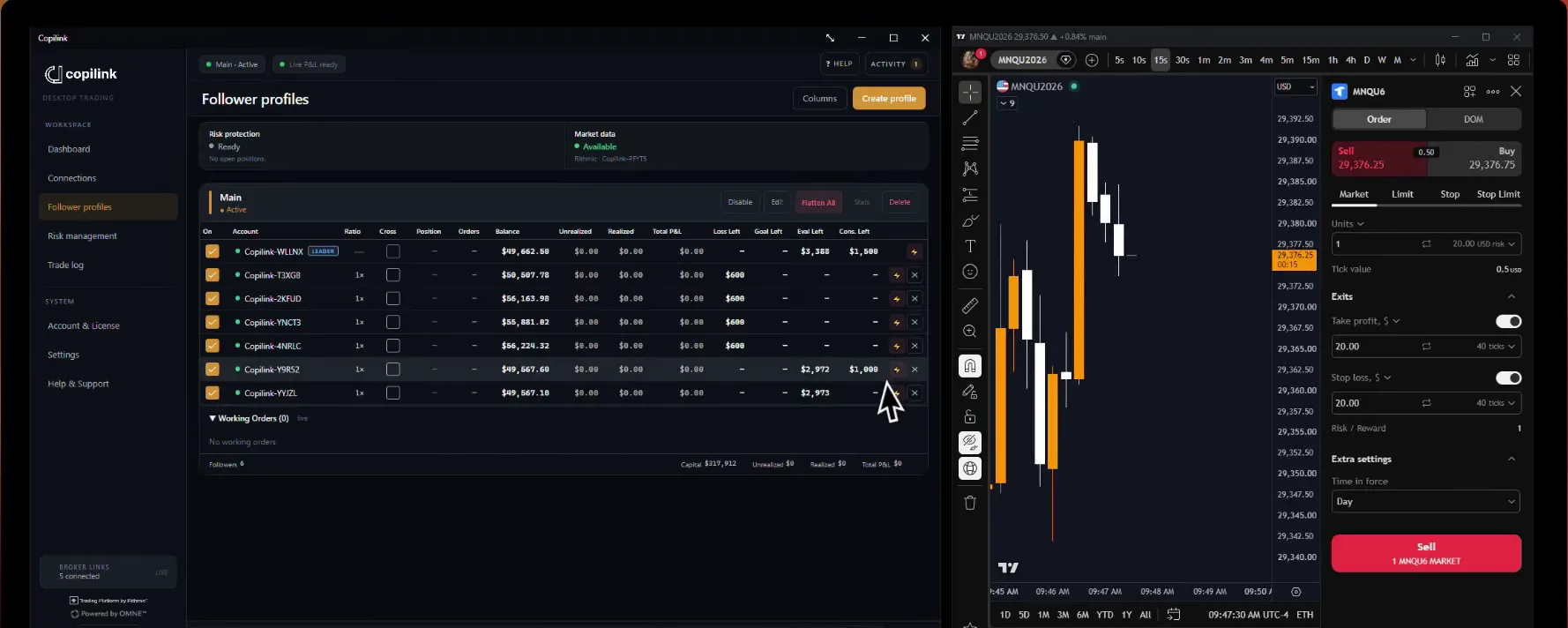
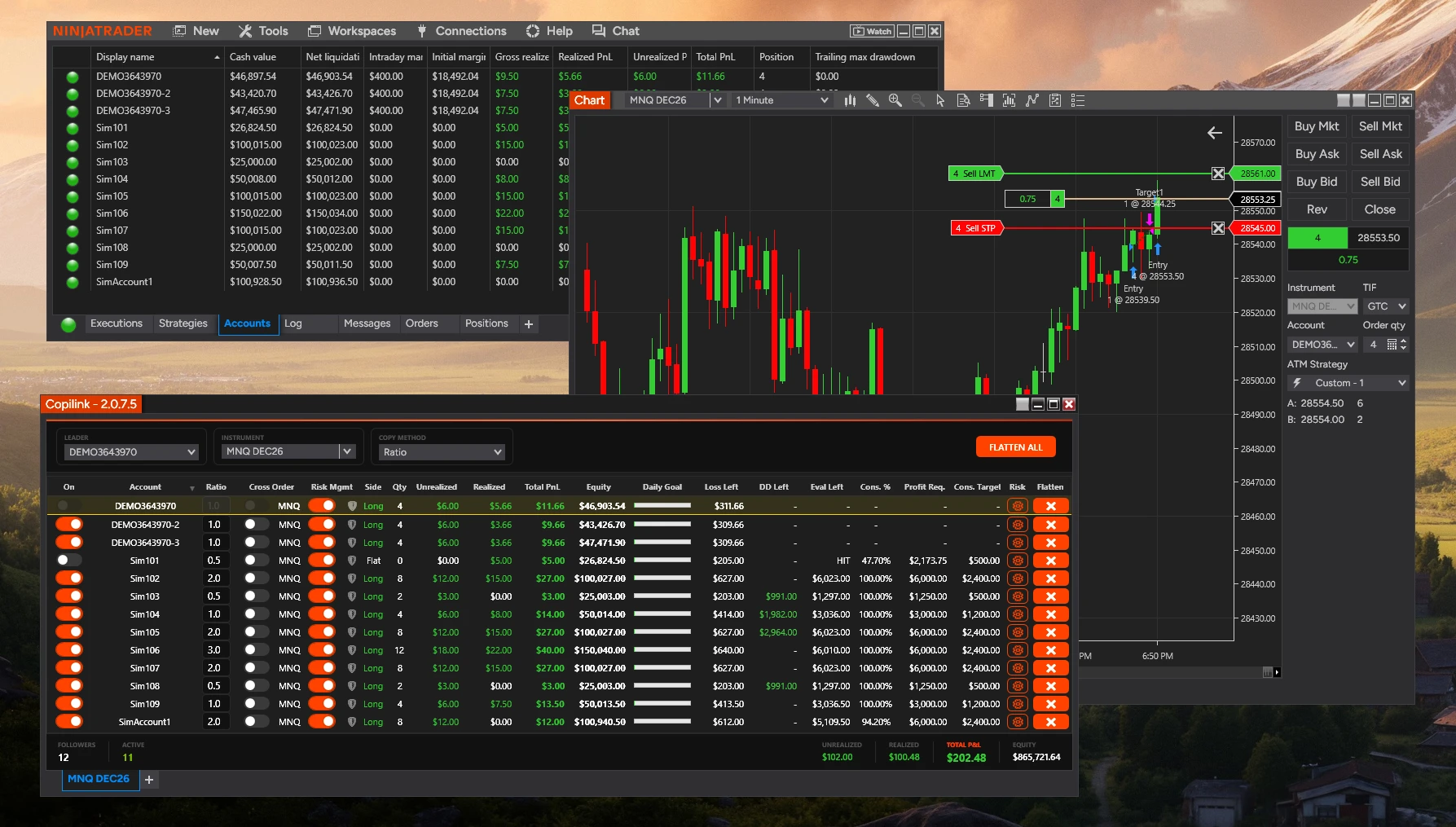
Copilink Standalone connects to MyFundedFutures accounts through Tradovate on Windows and macOS, and copies one leader to your other accounts at a ratio per follower. Standalone can act on daily loss, daily profit, evaluation goals and evaluation consistency. Trailing drawdown and funded consistency are monitoring-only. A flatten is a request, so confirm the position at the broker. Copilink cannot guarantee that MyFundedFutures approves a payout.
Acts on it
- Daily loss limitSends a flatten request at the limit you set.
- Evaluation profit targetSends a flatten request at the limit you set.
- Evaluation consistencySends a flatten request at the limit you set.
Monitoring only
- Intraday trailing drawdown
- Funded consistency
You watch it
- End-of-day trailing drawdownStandalone tracks intraday drawdown only.
- Minimum trading days
- Payout eligibility
- Contract limits
- News trading
- Same direction and hedgingFollower protection can send a flatten request for a follower left opposite or out of sync with its leader on the same instrument, after its delay. Hedging through a correlated instrument is not detected.
No card · Doesn't start a paid plan on its own
Copy one account to the others and watch each follower.14 days free · No card · Doesn't start a paid plan on its own
Start 14-day free trialMyFundedFutures payout and account questions? Seven answers from MFFU's rules.
What are the MyFundedFutures payout rules?
They depend on the plan. Rapid pays 90% of each request daily once realized profit clears the buffer, with a $500 minimum and no published cap per request. Builder pays 80% with a flat cap per payout ($2,000 on 50K), two trading days per cycle, a 50% consistency rule and up to five sim payouts. Pro pays 80% every 14 calendar days from the first trade, with a $1,000 minimum and a $100,000 cap.
Is there a MyFundedFutures consistency calculator?
Yes. Copilink's consistency rule calculator has MyFundedFutures presets. On Builder sim-funded accounts, your best day can be at most 50% of the profit since the last approved payout, checked when you request. Evaluations use 50% on Rapid Intraday and Pro and 30% on Rapid EOD, against total evaluation profit. Going over fails nothing; you trade more days until the best day fits. Builder evaluations and Rapid and Pro sim-funded accounts have no consistency rule.
Does MyFundedFutures allow copy trading?
Yes. MFFU allows copy trading across all account types, including external copiers and Tradovate's group copier. You carry the consequences: MFFU disclaims liability for copier problems and does not reset accounts because of them. Two rules still apply: copying another trader's trades is prohibited, and so is hedging, meaning buy and sell positions in the same underlying at the same time, such as NQ against MNQ.
How many MyFundedFutures accounts can you have?
Up to 10 active evaluations, and up to 5 sim-funded accounts while you hold only 25K and 50K sizes. Holding any 100K or 150K sim-funded account lowers the combined limit to 3. Plan limits apply on top: Builder 50K, 100K and 150K allow 1 sim-funded account, Builder 25K allows 2, and each Rapid EOD size allows 3.
What are the MyFundedFutures live account rules?
Each plan reaches Live differently. Rapid moves automatically after a $10,000 net-profit day, with up to $5,000 of sim profit set aside in a Reserve. Builder becomes eligible after its fifth approved sim payout. Pro is reviewed after three consecutive payouts or a $20,000 profit milestone. Live accounts have no consistency rule, and Builder and Pro Live payouts start at $250. You cannot trade sim-funded and Live accounts at the same time, and a Live breach starts a 21-day cooldown with no sim-funded trading or new purchases.
Does MyFundedFutures have a scaling rule?
The current Rapid, Builder and Pro guides publish no scaling plan. Each size has a fixed contract limit instead: a 50K Rapid Intraday account can trade 5 minis / 50 micros in both stages, and a 50K Pro sim-funded account 3 minis. MFFU's Legacy Pro guide says scaling rules are not present in the evaluation, and MFFU's Live FAQ says Live accounts have no set scaling plan; the risk team sets Live limits with each trader.
1 more questionsFewer questions
Does MyFundedFutures use Rithmic?
MFFU's platform list includes Tradovate but not Rithmic. Use the Tradovate credentials issued for your account with Copilink.
Still have a question?
Every answer comes from MFFU's own rules, checked on the date at the top of the page.