TradeDay rules and payouts: Quick Pay vs Fast Pass
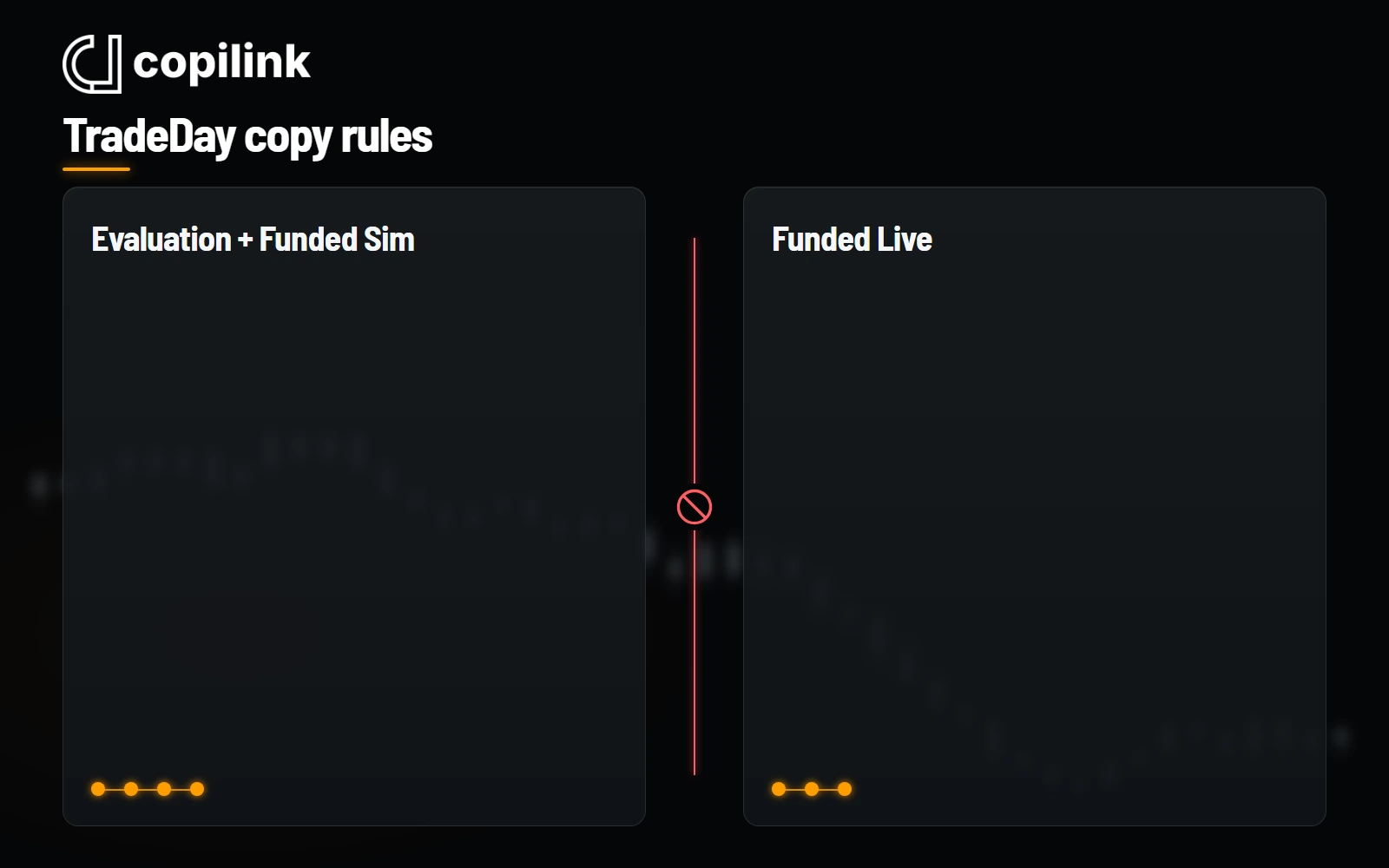
The 50K Quick Pay evaluation needs $3,000 profit over at least five days, with no day above 30%. Quick Pay Funded Sim switches to intraday drawdown, pays from $250 with no buffer, and is reviewed for Funded Live at $10,000 gross profit. Fast Pass needs three evaluation days, then pays 80/20 after five profitable days a cycle. You can copy Evaluation and Funded Sim accounts together, but Funded Live stays separate.
Rules checked 4 November 2026against the firm's public help center.How we check
At a glance
- Trade copiers
- Allowed within Sim or within Live groups
- Platforms
- Tradovate (CQG) or Rithmic, one broker for all
- Account limit
- 10 at a time: max 5 Funded Sim, 5 Funded Live
- Quick Pay payouts
- From $250 after day one; Live review at $10,000 profit
- Fast Pass payouts
- Five profitable days a cycle; best day at most 45%
- NinjaTrader Desktop
- Tradovate/CQG accounts only
- Opposite positions
- Not allowed in the same product
- Direct Tradovate API
- Not available to traders
TradeDay Funded Sim payout rules by account size
Quick Pay and Fast Pass Funded Sim on current TradeDay 2.0 accounts. Where they differ, the cell shows Quick Pay / Fast Pass. Every request is at least $250, and neither program keeps a buffer.
| Account | Qualifying days | Minimum profit per day | Buffer | Maximum request | Maximum payouts |
|---|---|---|---|---|---|
| 25K | 1 / 5 | Any trading day / $100 | None | Not published / 50% of profit, up to $750 | Live review at $10,000 gross profit / on the 5th request |
| 50K | 1 / 5 | Any trading day / $150 | None | Not published / 50% of profit, up to $1,500 | Live review at $10,000 gross profit / on the 5th request |
| 100K | 1 / 5 | Any trading day / $200 | None | Not published / 50% of profit, up to $1,875 | Live review at $10,000 gross profit / on the 5th request |
| 150K | 1 / 5 | Any trading day / $250 | None | Not published / 50% of profit, up to $2,250 | Live review at $10,000 gross profit / on the 5th request |
Check a payout request with the payout calculator
Quick Pay Funded Sim
Request any day from the first trading day, as long as the account balance is positive. The split is 50/50, or 80/20 when more than $4,000 profit remains after the payout. The drawdown trails gross profit in real time, so payouts do not pull it back. TradeDay reviews each account for Funded Live at $10,000 gross profit.
- Profit above $10,000 gross is forfeited at the Live review.
- The split is worked out per account, not on lifetime withdrawals.
- In Funded Live the remaining Sim profit carries over with the maximum drawdown set to $0. Live withdrawals pay 90/10 on profit above the buffer and 50% on the buffer portion.
Fast Pass Funded Sim
Each payout needs five profitable days that each clear the size minimum ($150 on 50K), and no day may be more than 45% of gross profit, counting past payouts. The split is 80/20. Rules shown are for Fast Pass accounts opened on or after 26 July 2026; older Fast Pass accounts have no funded consistency rule and higher caps.
- A request is also capped at 50% of the "account balance"; TradeDay's worked example applies that to profit ($6,000 on a $56,000 account).
- The balance must be above the starting balance, and after the first payout the account must show net profit since the previous request. The next cycle starts the session after the payout.
- Position limits grow by one contract per $2,000 of end-of-day profit; 25K tops out at 2 minis.
- Caps for older accounts: $2,000 (50K), $2,500 (100K) and $3,000 (150K); TradeDay does not publish the 25K cap.
- TradeDay's 'What is Fast Pass?' article gives the 100K cap as $1,850; its payout policy and pricing cards say $1,875.
- The 5th payout request moves the account to a new Funded Live account, and TradeDay may move a trader earlier. Live pays 90/10.
- Funded Live drawdown conflict: TradeDay's Live rules article gives $1,500 as the 50K example, while it and the withdrawals article say Live keeps the tier's drawdown ($2,000 on 50K).
TradeDay evaluation rules by account size
Quick Pay / Fast Pass where they differ. Quick Pay buyers choose intraday or end-of-day drawdown; Fast Pass is end-of-day only, and both enforce the floor during the session. Best day: at most 30% of total profit on Quick Pay, at most 45% on Fast Pass.
| Account | Profit target | Max loss | Daily loss | Contracts | Minimum days |
|---|---|---|---|---|---|
| 25K | $1,500 | $1,000 | None | 2 minis or 20 micros | 5 / 3 |
| 50K | $3,000 | $2,000 | None | 5 minis or 50 micros | 5 / 3 |
| 100K | $6,000 | $3,000 | None | 10 minis or 50 micros | 5 / 3 |
| 150K | $9,000 | $4,500 | None | 15 minis or 50 micros | 5 / 3 |
- A day above the consistency share raises the profit target; it does not fail the evaluation. TradeDay's consistency article also says 'of the profit target', but its worked examples measure against total profit.
- TradeDay's 2.0 launch post (29 May 2026), its 'What is Fast Pass?' article and its home page FAQ say Fast Pass has no minimum trading days, the article and FAQ adding that you can pass in 3; its objectives and minimum-days articles and pricing cards set a 3-day minimum.
Consistency calculator presets: Quick Pay Intraday evaluation (30%), Quick Pay EOD evaluation (30%), Fast Pass evaluation (45%), Fast Pass Funded Sim (45%).
TradeDay 50K rules by stage
| Program | Drawdown | Limits |
|---|---|---|
| Quick Pay Intraday evaluation | $2,000; trails the peak balance in real time up to the starting balance | Daily loss: none; contracts: 5 minis or 50 micros; minimum days: 5 |
| Quick Pay EOD evaluation | $2,000; trails the end-of-day balance up to the starting balance, enforced during the session | Daily loss: none; contracts: 5 minis or 50 micros; minimum days: 5 |
| Quick Pay Funded Sim | $2,000; trails gross profit in real time, so payouts do not pull it back | Daily loss: none; contracts: 5 minis or 50 micros |
| Fast Pass evaluation | $2,000; trails the end-of-day balance up to the starting balance, enforced during the session | Daily loss: none; contracts: 5 minis or 50 micros; minimum days: 3 |
| Fast Pass Funded Sim | $2,000; trails the end-of-day balance, then moves up to the starting balance at the first payout and stays there | Daily loss: none; contracts: 2 minis or 20 micros to start |
Copying TradeDay accounts: what to watch
Keep Live and Sim apart
Never hold open positions across Funded Live and Evaluation or Funded Sim at the same time, copier or not.
Pick one broker up front
All your TradeDay accounts must use the same broker, so choose the route before buying followers.
Confirm the connection method
TradeDay allows copiers but bars direct Tradovate API access and bought bots. Ask TradeDay whether your copier's method is approved.
Each follower pays out on its own
Copied accounts trade the same direction, but each keeps its own profitable days, consistency share and Live review.
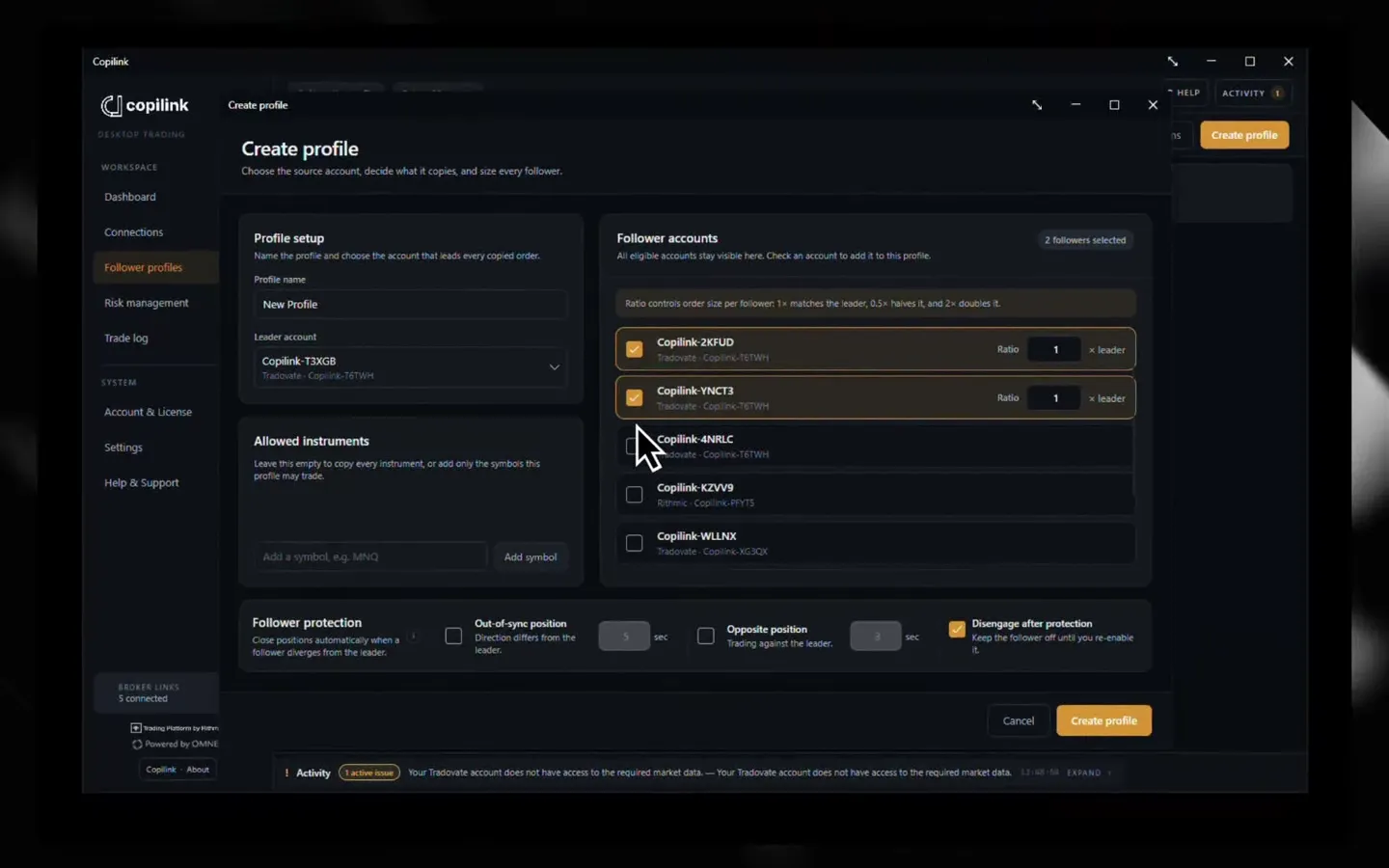
Rithmic accounts use the Rithmic Paper Trading system with a TD_ username. Select that system when connecting to Copilink.
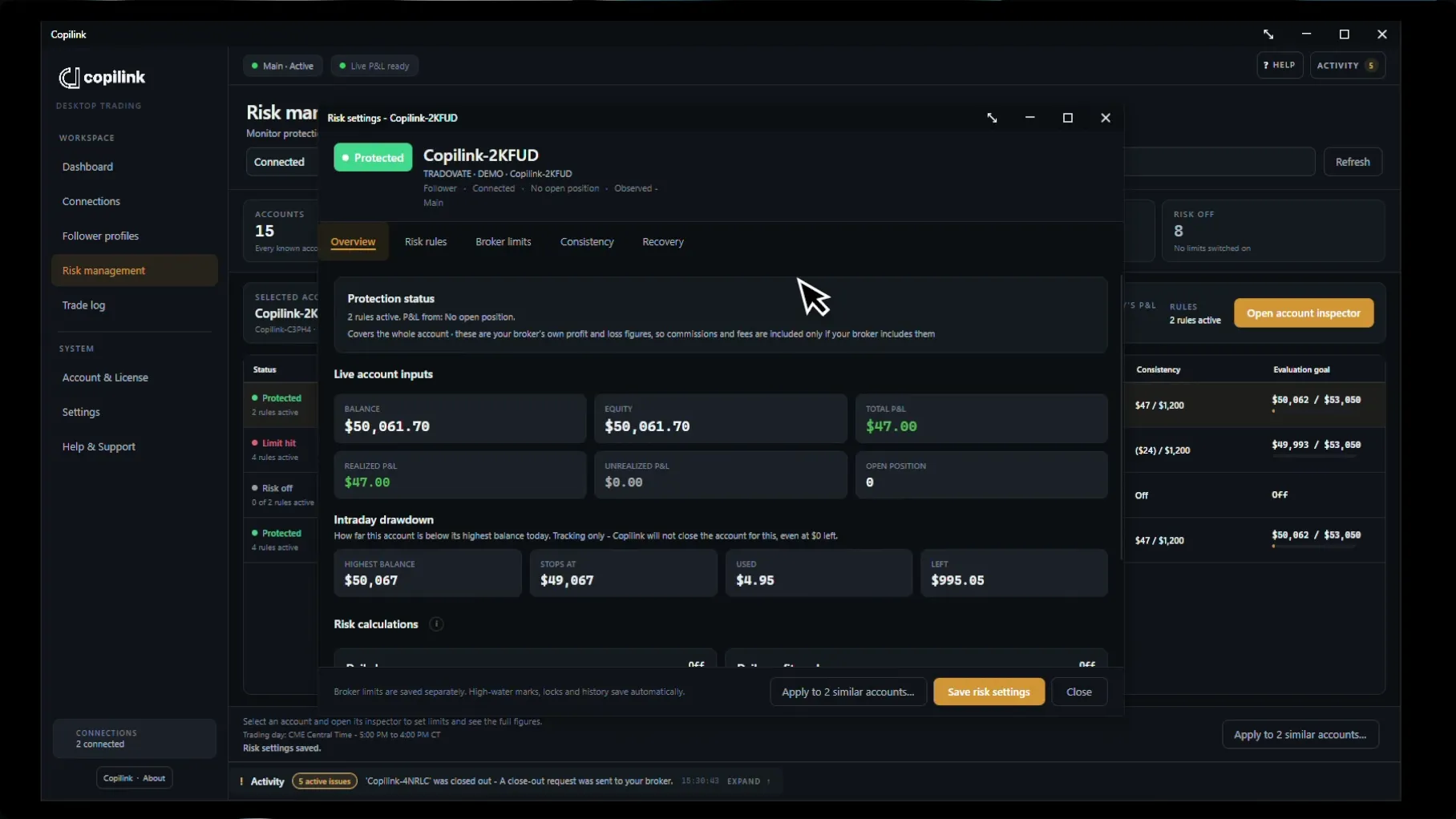
What Copilink can act on
Standalone can act on daily loss, daily profit, evaluation goals and evaluation consistency. Trailing drawdown and funded consistency are monitoring-only. A flatten is a request, so confirm the position at the broker. Copilink cannot guarantee that TradeDay approves a payout.
| Rule | TradeDay | Copilink Standalone |
|---|---|---|
| Evaluation profit target | Quick Pay Intraday evaluation, Quick Pay EOD evaluation and Fast Pass evaluation: By account size | Acts on it. Sends a flatten request at the limit you set. |
| Evaluation consistency | Quick Pay Intraday evaluation and Quick Pay EOD evaluation: Best day limited to 30% of total evaluation profit; Fast Pass evaluation: Best day limited to 45% of total evaluation profit | Acts on it. Sends a flatten request at the limit you set. |
| Intraday trailing drawdown | Quick Pay Intraday evaluation: Trails the peak balance in real time up to the starting balance; Quick Pay Funded Sim: Trails gross profit in real time, so payouts do not pull it back | Monitoring only |
| Funded consistency | Fast Pass Funded Sim: Best day limited to 45% of gross profit, counting past payouts | Monitoring only |
| End-of-day trailing drawdown | Quick Pay EOD evaluation and Fast Pass evaluation: Trails the end-of-day balance up to the starting balance, enforced during the session; Fast Pass Funded Sim: Trails the end-of-day balance, then moves up to the starting balance at the first payout and stays there | You watch it. Standalone tracks intraday drawdown only. |
| Minimum trading days | Quick Pay Intraday evaluation and Quick Pay EOD evaluation: 5; Fast Pass evaluation: 3 | You watch it |
| Payout eligibility | Quick Pay Funded Sim: Qualifying days and minimum request; Fast Pass Funded Sim: Qualifying days, minimum request and a cap per request | You watch it |
| Contract limits | By account size | You watch it |
| Same direction and hedging | Not allowed, incl. opposite positions across accounts | You watch it. Follower protection can send a flatten request for a follower left opposite or out of sync with its leader on the same instrument, after its delay. Hedging through a correlated instrument is not detected. |
Recent TradeDay rule changes
TradeDay copy trading questions
Does TradeDay allow copy trading?
Yes, within groups. Evaluation and Funded Sim accounts can copy together, and Funded Live accounts can copy only among other Funded Live accounts. You cannot hold Sim and Live positions at the same time.
TradeDay Rithmic or Tradovate: which should you choose?
All your TradeDay accounts must use one broker, so the choice covers every account. NinjaTrader Desktop is supported only with TradeDay's Tradovate/CQG accounts. TradeDay says direct Tradovate API access is not available to traders; use its Rithmic route for a direct Copilink connection.
How many TradeDay accounts can you have?
Up to 10 at a time, with at most 5 active Funded Sim and 5 Funded Live. TradeDay's copy-trading article (updated 22 September 2026) says "A trader can trade up to 10 accounts total.", "The 10 accounts can be any mix of accounts types, with a max of 10 evaluation accounts, 5 Funded Sim accounts and 5 Funded live accounts" and "The total is calculated across all account types (evaluation, Funded Sim, and Funded Live)." TradeDay's multiple-accounts article (updated 8 September 2026) says "Traders can have up to 10 accounts at any one time. The total is calculated across all evaluation account types.", "The maximum number of active Funded Sim accounts is 5 (If a trader passes 10 evaluations, 5 will be queued, while the other 5 will be active)." and "When in Funded Live, you will not be able to purchase additional accounts." The two articles differ on whether Funded Live counts toward the 10, so confirm with TradeDay before you buy more. TradeDay allows one user per household, and every account must use the same broker.
What is TradeDay Quick Pay?
One of TradeDay's two current programs, next to Fast Pass. The Quick Pay evaluation needs $3,000 profit on a 50K account over at least five days, with no day above 30% of total profit, and you choose intraday or end-of-day drawdown. Quick Pay Funded Sim has intraday drawdown, no buffer and no consistency rule, and pays from $250 after one trading day. The split is 50/50, or 80/20 when more than $4,000 profit remains after the payout. TradeDay reviews the account for Funded Live at $10,000 gross profit, and profit above that is forfeited.
These are TradeDay's current public Quick Pay and Fast Pass rules. Check the payout cutoff and your route in the member dashboard.