
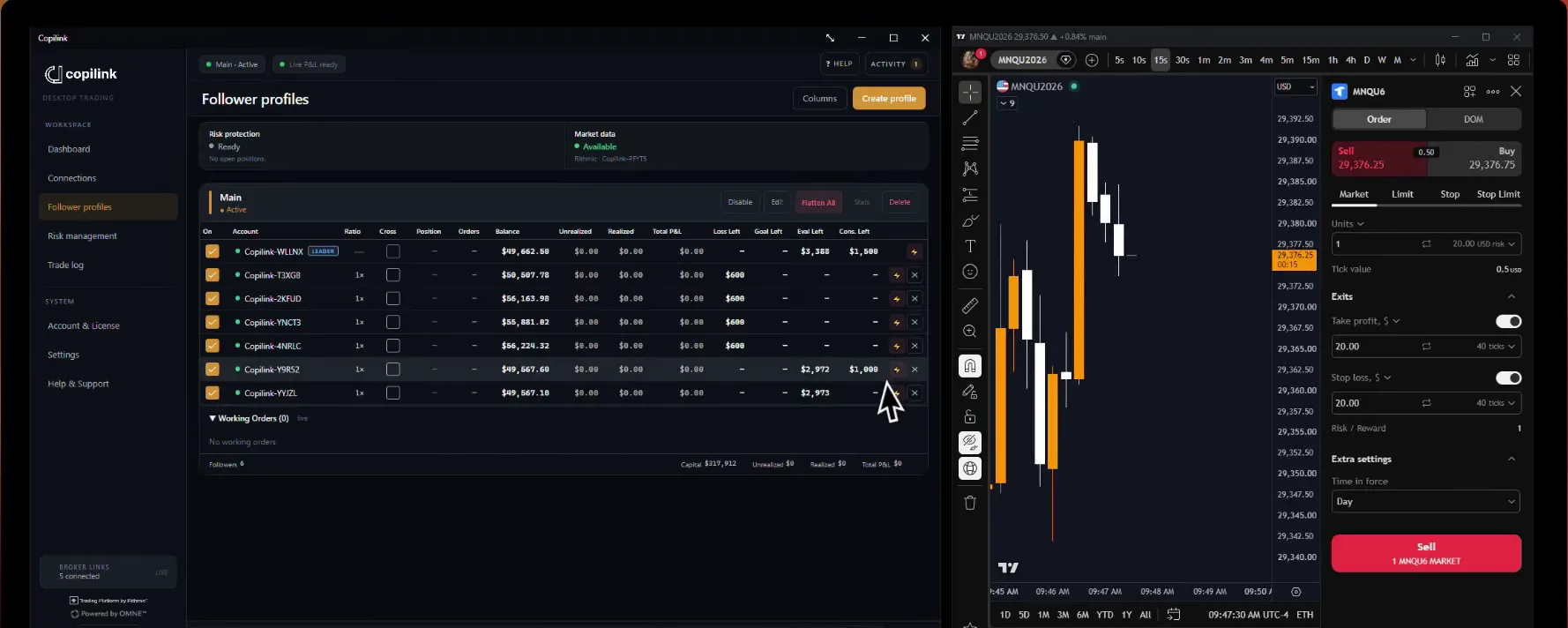
Copilink Risk Management Guide
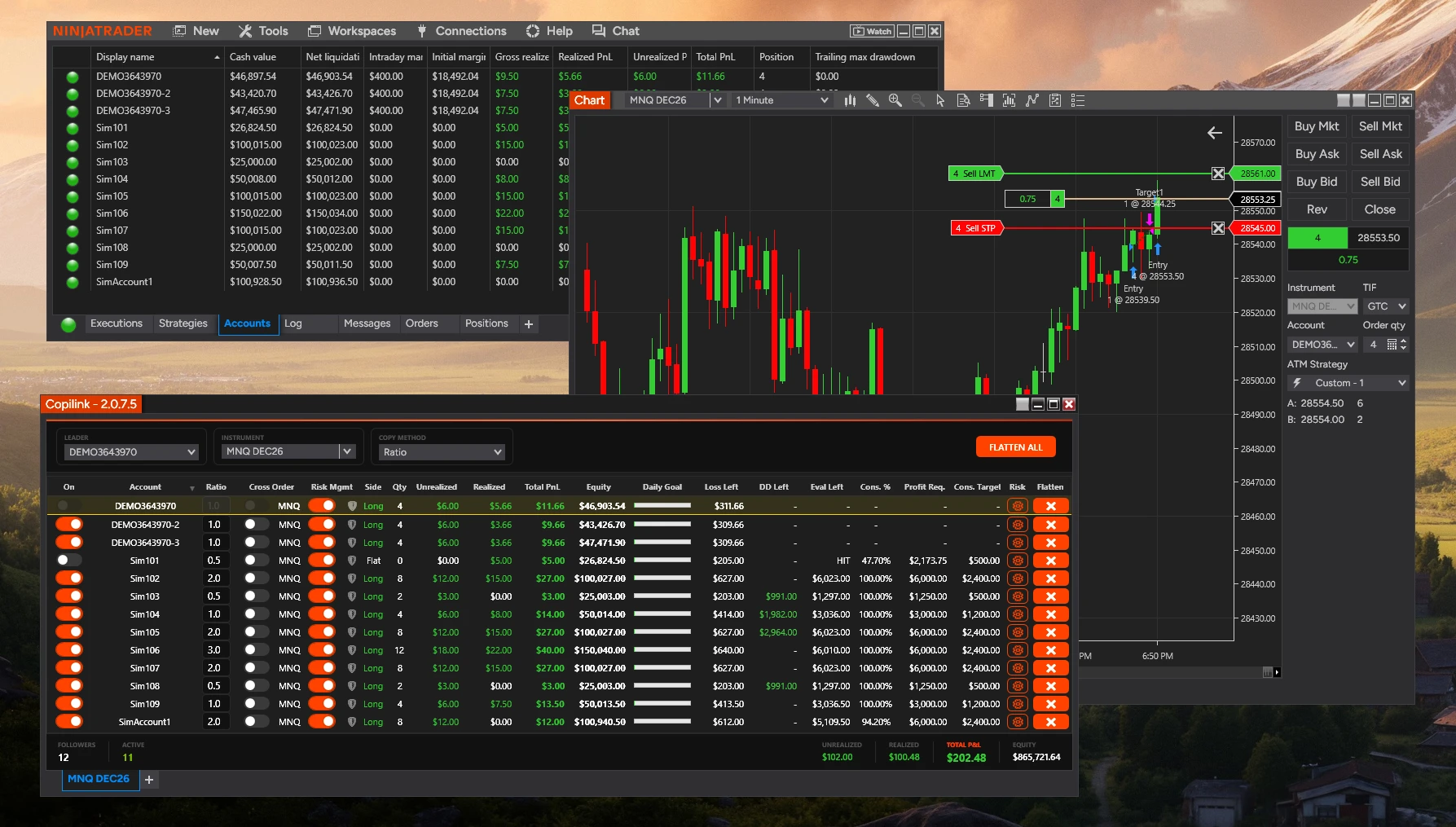
Copilink risk management works per account: set the account's rules in its Risk Settings, press Save and switch on its Risk Mgmt. When a rule with Auto-flatten on is reached, Copilink flattens that account and switches it off.
The rules are part of Copilink Risk. Copilink Basic is the copier without them; Follower Protection is in both.
Turn rules on for an account.
In the Copilink window
Press the gear in the account's Risk column.
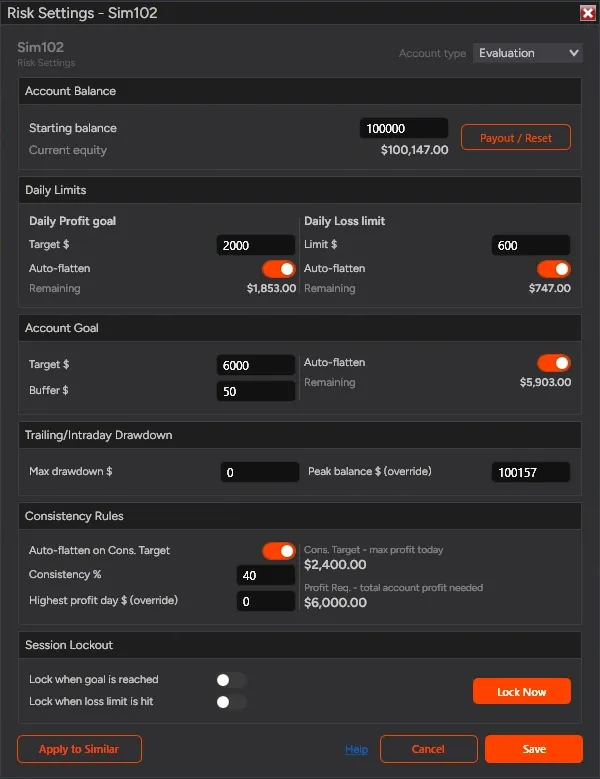
Risk Settings opens with the account's name in its title.Choose the Account type: Evaluation, Funded or Live.
Live hides the drawdown and consistency sections and disables Payout / Reset.Enter the Starting balance and the rules you need, and switch on Auto-flatten for each rule that should act.
A rule with Auto-flatten off only shows its Remaining.Press Save.
Closing the window without Save keeps the old values.In the grid, switch on the account's Risk Mgmt.
Saved rules do nothing while it is off. Settings belong to the account and are the same on every Copilink tab.
A flatten is a request to your broker: check that the account is flat. Every rule acts on the P&L NinjaTrader reports, so it can only be as quick as those updates. Keep Enable Risk Management Hysteresis on in Settings (the default): it waits for two updates in a row showing the breach, which filters one-tick spikes. Turn it off only if a goal or limit is not firing.
Rules on the leader
Daily goal and daily loss.
Daily Limits
| Field | What it does |
|---|---|
| Daily Profit goal, Target $ | Flattens when Total PnL reaches it |
| Daily Loss limit, Limit $ | A positive number; flattens at minus that |
| Auto-flatten | The rule acts only when on |
| Remaining | Room left today, never below zero |
Both watch Total PnL: realized plus unrealized, as NinjaTrader reports it for the session. With Lock when goal is reached or Lock when loss limit is hit on, the account also stays locked until the next reset.
Note
Account goal and buffer.
Account Goal watches total account profit: current equity minus Starting balance. With Auto-flatten on, Copilink flattens when that profit reaches Target $ plus Buffer $. Eval Left in the grid shows what is left. The account goal does not lock the account.
Example
| Starting | Target | Buffer | Flattens at |
|---|---|---|---|
| $50,000 | $3,000 | $100 | $53,100 |
Drawdown tracking.
Max drawdown $ sets how far equity may fall from its peak; DD Left in the grid shows the room left. It is intraday tracking only: it never flattens the account, and there is no End-of-Day drawdown. If you traded before using Copilink, set Peak balance $ (override) to your real peak.
Example
| Peak | Max drawdown | Equity | DD Left |
|---|---|---|---|
| $53,000 | $2,000 | $52,500 | $1,500 |
Consistency rules.
Set Consistency % to your firm's consistency rule: with 40%, your best day should be no more than 40% of total profit. With Auto-flatten on Cons. Target on, Copilink flattens when the profit made today reaches Cons. Target.
Consistency Rules
| Value | How it is worked out |
|---|---|
| Cons. Target, Evaluation | Account Goal × Consistency % |
| Cons. Target, Funded | (Total profit − today) × Consistency % |
| Profit Req. | Best day ÷ Consistency %; on Evaluation at least the goal |
| Activation $ (Funded) | Consistency acts only above this total profit |
Your best day
Session lockout, reset and VPS Mode.
The session resets at about 6 PM Eastern (5 PM CT). Daily P&L and locks clear then; Starting balance, the peak and your best day carry on.
Locked until the reset.After the daily goal or loss fires with its lock on, or after Lock Now (it asks you to confirm), the account cannot be switched back on before the reset. The window shows the time it locked. After the reset, switch it On again.
VPS Mode, for running unattended.Set in Settings. After any rule fires, the account stays off until the next trading day and is then switched back on for you.
Payout / Reset rebases the tracking.It sets Starting balance, the peak and current equity to the equity now, clears your best day and clears a lock. Use it only after a payout, an account reset or refresh, or to restart tracking on purpose.
Apply to Similar accounts.
In Risk Settings
Set up one account and press Apply to Similar.
It lists saved accounts whose names start the same way, such as TST- or FTMO-, without the current one.Tick the accounts and the groups to copy.
Daily Profit Goal & Loss Limit, Evaluation Target & Buffer, Consistency Rules, Trailing Drawdown and Auto-Lockout Settings. Consistency and drawdown are skipped on Live accounts.Press Apply to Selected, then Save.
The chosen accounts change at once, open tabs included. Save keeps the current account.
Note
Follower Protection.
In Settings, under Follower Protection. It watches each follower that is On against the leader and flattens it when one of these lasts longer than the seconds you set (3 to 100).
Follower Protection
| Rule | Acts after | Default |
|---|---|---|
| Flatten follower when out of sync | Wrong size for X s | Off, 8 s |
| Flatten follower if position is opposite | Opposite side for X s | On, 3 s |
Out of sync means the follower holds a position of a different size from the leader's (after Ratio). With Disengage follower when protection triggers (Recommended) on, the follower is also switched off. It is separate from Risk Mgmt.
Rithmic and NinjaTrader account updates.
Rithmic is slower
Troubleshooting.
Problem and fix
8- A rule did not fire.
- Check that you have Copilink Risk, Risk Mgmt is on, the rule's Auto-flatten is on, and NinjaTrader is updating P&L.
- It fired late.
- Rules see P&L only when NinjaTrader reports it. Add a buffer, especially on Rithmic.
- Followers closed when a rule fired.
- The rule was on the leader. Use the account furthest from its limits as leader.
- A locked account will not switch on.
- Locks last until the session reset.
- Settings keep resetting.
- Press Save after editing, and after Apply to Similar.
- It flattened unexpectedly.
- Check which Auto-flatten switches are on, whether the account is the leader, and the Activity Log for the rule that fired.
- DD Left reached zero and nothing happened.
- Drawdown is tracked only. The rules that flatten are daily loss, daily goal, account goal and consistency.
- Values show $0.00.
- Check that the account is connected and NinjaTrader is sending account data.
Still stuck?
The risk FAQ answers the common questions, and support is one message away.
Not a customer yet? Try Copilink Risk free.7 days free · No card · Copilink Risk: copier and risk rules
Start the 7-day NT8 trial