
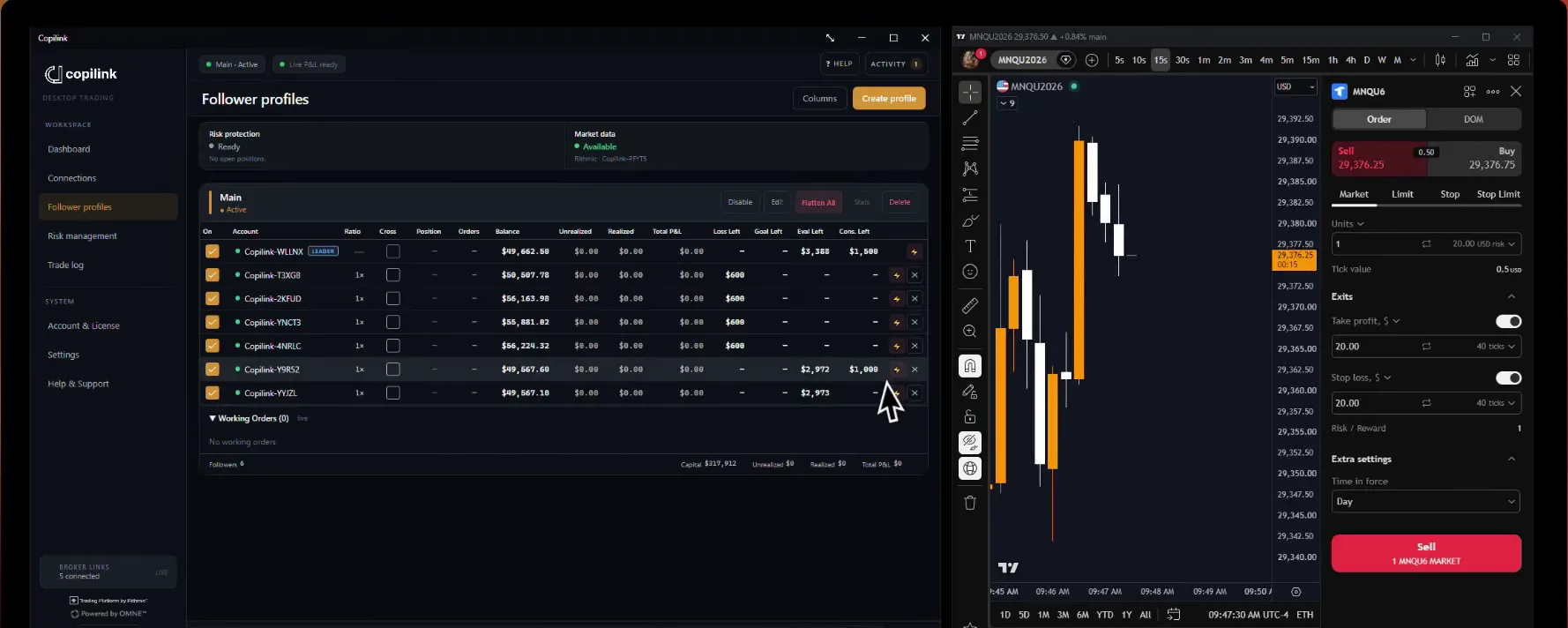
NinjaTrader trade copier for prop firm accounts.
Copilink for NinjaTrader 8 is a NinjaTrader trade copier that runs inside NinjaTrader 8 on Windows. It copies one leader account's orders to your follower accounts, each at its own size, with risk rules for funded and evaluation accounts.
7 days free · No card · Windows and NinjaTrader 8
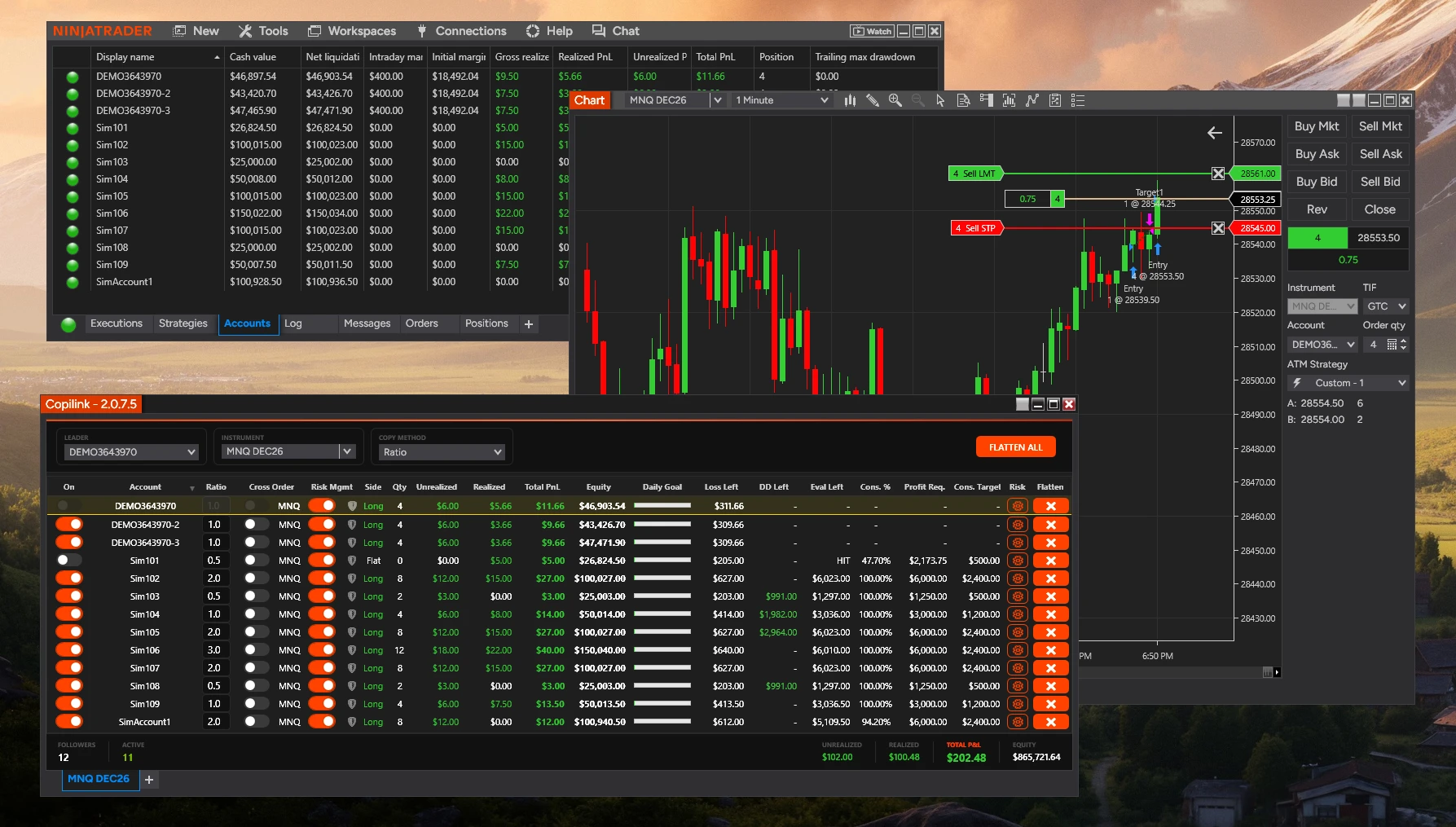
- Average processing time
- 1.6ms
- From the leader's order reaching Copilink to the follower orders being submitted. Broker and exchange time excluded.
- Follower accounts
- Unlimited
- Every account connected in the same NinjaTrader 8 session can follow one leader.
- Free trial, no card
- 7days
- Copilink Risk: the copier and the risk rules. A separate licence from Copilink Standalone.
What traders say after copying with Copilink.
Reviews from Copilink customers, shown exactly as they wrote them.
- 5 out of 5 stars
I really like the risk management with copilink, because it protects my follower accounts in case of a rogue trade, which I greatly appreciate and it gives me a lot more peace of mine in trading.
- 5 out of 5 stars
Trades quickly, easy to use
- 5 out of 5 stars
Best copier out there , faster and reliable. Been using on multiple props firm account and works smoothly! Customer service has reach me fast on any demand , i believe copilink will leader soon.
- 5 out of 5 stars
fills all of my account order instantly
- 5 out of 5 stars
Lightning fast
Excellent trade copier and it’s only gotten better since they now added risk management!
- 5 out of 5 stars
Great product!
- 5 out of 5 stars
Reliable trade copier
Pretty good definitely more reliable than than the others
- 5 out of 5 stars
Copiador estable
- 5 out of 5 stars
Fast and reliable and suprisingly affordable
- 5 out of 5 stars
It is best copier. I have ever used. I am using it with ninjatrader 8. It has best compatibility with it.
- 5 out of 5 stars
works great lots of good features to help manage my trades
- 5 out of 5 stars
Reputable seller, also gives out trial periods and solid support
- 5 out of 5 stars
Great at all! best out there!
- 5 out of 5 stars
new user, and new to the "trade copy" scene. Still learning the ropes. Like it so far.
- 5 out of 5 stars
EVERYTHING GREAT
How does copying work inside NinjaTrader 8? One leader, your followers, and a size for each.
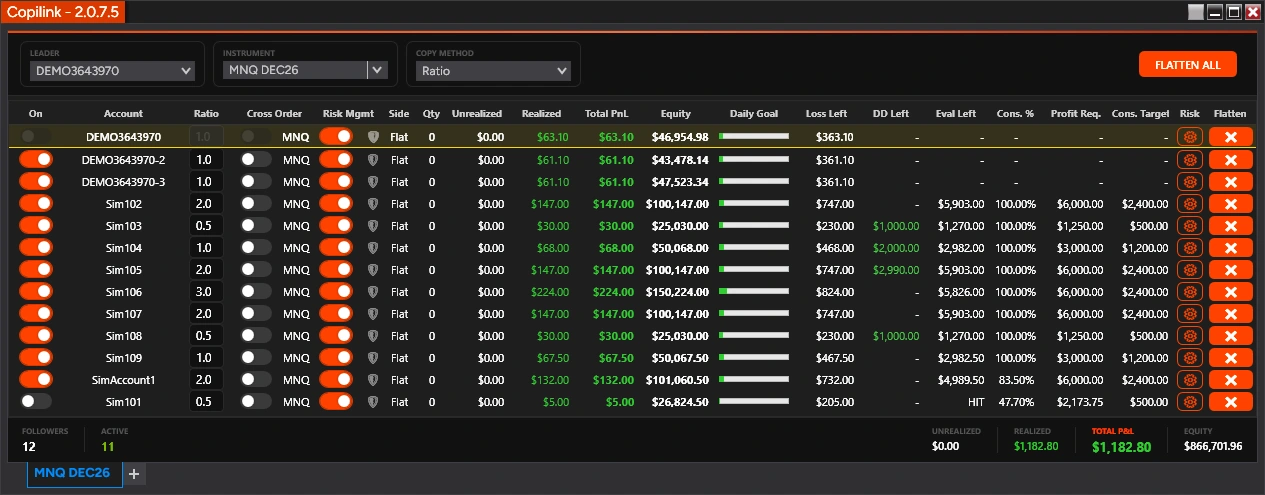
Exact Quantity or a ratio
Exact Quantity sends every follower the leader's size. Ratio multiplies it per follower, so a smaller account can take half and a larger one double.
Cross Order: minis to micros
Trade NQ on the leader and a follower takes MNQ, or ES and MES, in either direction. Read the NQ to MNQ guide.
Working orders, or Market Only
By default a follower receives the leader's limit, stop and target orders as soon as they are placed. Show the Market Only column from Settings, then turn it on for a follower that should enter and exit at market when the leader fills.
What it copies
One leader and one instrument per tab.Open another tab for another instrument. One Copilink window runs per NinjaTrader.
Chart Trader, ATM and strategy orders.Manual orders, ATM and strategy orders on the leader are copied, and OCO links pass through to followers.
Changes and cancels follow.Move or cancel a working order on the leader and each follower's copy is moved or cancelled.
Partial fills are counted.Only the newly filled quantity is copied, so a partial fill is never copied twice.
Settings are saved.Reopen NinjaTrader and trade without setting the leader, followers and sizes up again.
Trades placed while the add-on is closed are not copied later. Running the same strategy on the leader and the followers creates duplicate trades.
Copy your next NinjaTrader trade to every account.7 days free · No card · Copilink Risk: copier and risk rules
Start the 7-day NT8 trialWhat if a follower falls out of step? Copilink flattens it. One button closes every account.
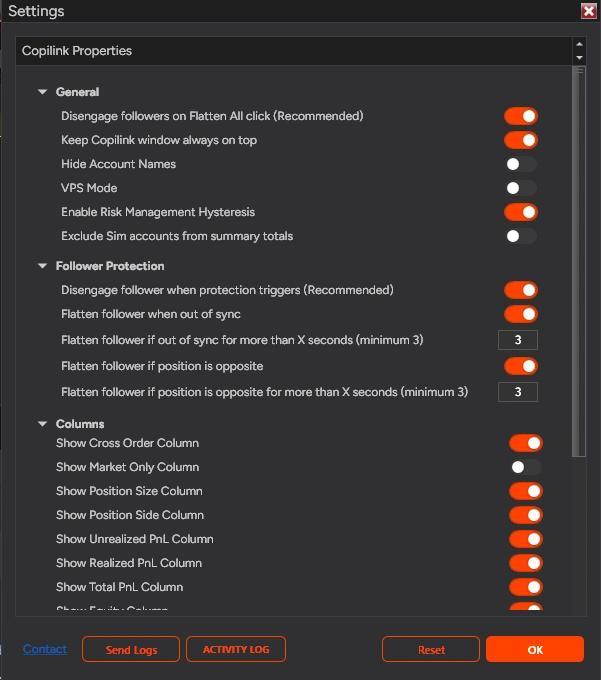
Follower protection
Included with the copier. A follower that is the wrong size, open while the leader is flat or on the opposite side past your delay is flattened, and can be switched off so nothing more is copied to it.
Flatten All
Flatten All switches the followers off, closes them and then closes the leader, so the leader's exit is not copied as a new trade. With the recommended setting on, the followers stay off until you switch them back on. Each follower also has its own Flatten button.
A flatten is a request NinjaTrader sends to your broker. Confirm every position at the broker before you resume.
What protects each prop firm account? Risk rules per account, in Copilink Risk.
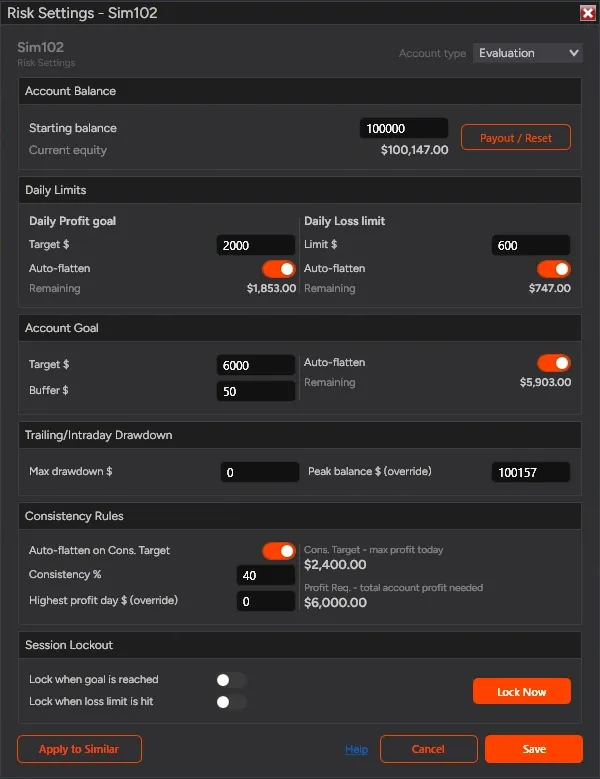
Every prop firm rule you trade under, set once per account.
Open an account's risk window, enter its limits and switch Risk Mgmt on. From then on Copilink watches that account on every tab. Your firm and broker stay the record for balances and violations.
- Daily profit goalAuto-flatten
A profit target in dollars for the day.
- Daily loss limitAuto-flatten
Your own loss limit for the day, set below the firm's.
- Account goalAuto-flatten
The evaluation target plus a buffer, measured as total account profit from the starting balance.
- Trailing or intraday drawdownTracked only
Tracked against the peak balance so you always see the room that is left.
- Consistency ruleAuto-flatten
Your firm's percentage, the most you can make today and the total profit still needed.
- Session lockoutLockout
Lock the account when the goal is reached or the loss limit is hit, or lock it now.
- Apply to similar accountsBulk setup
Set one account, then copy its rules to the accounts of the same kind in one step.
A risk flatten on the leader is copied to the followers, so make the account with the most room your leader.
Set your limits before your next session.7 days free · No card · Copilink Risk: copier and risk rules
Start the 7-day NT8 trialHow fast does it copy? 1.6 ms on average, inside NinjaTrader 8.
1.6msaverage, from the leader's order to the follower orders
Measured inside NinjaTrader 8
- Average processing time
- 1.6 ms
- Sample
- About 70 live and simulated trades
- Starts
- The leader order event reaches Copilink inside NinjaTrader 8.
- Ends
- Copilink submits the follower orders.
- Load
- Five follower accounts copied at once.
It does not measure network travel, broker acceptance, or exchange fills. View our methodology. See the fastest trade copier comparison.
Which accounts and prop firms does it copy? Every account connected in your NinjaTrader 8.
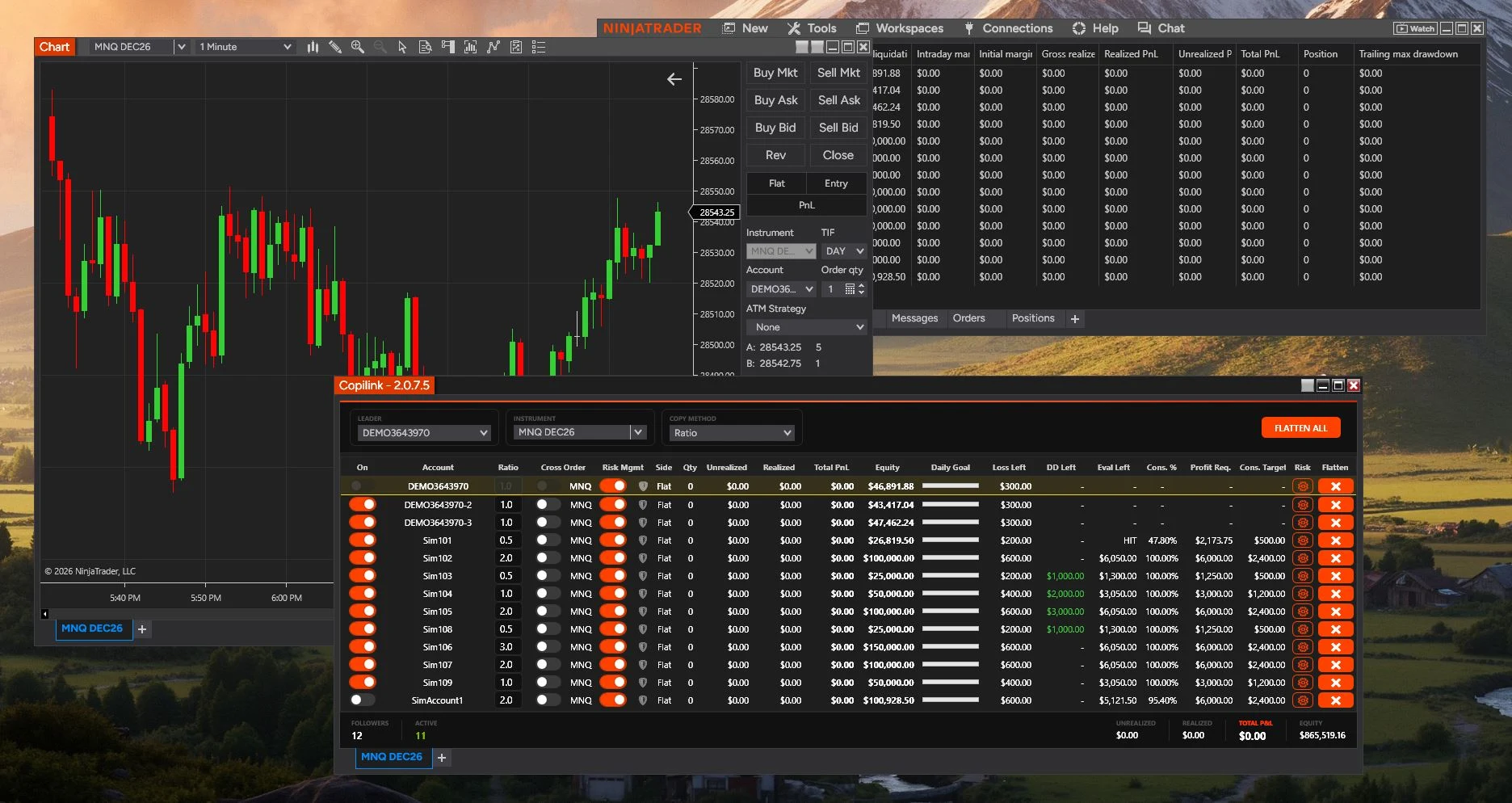
What it works with
4Any firm that connects to NinjaTrader 8.If your prop firm account connects inside NinjaTrader, Copilink supports it.
Accounts from several firms at once.One leader can copy to followers at different firms.
Your licence follows you.It is tied to your NinjaTrader account, not to one computer.
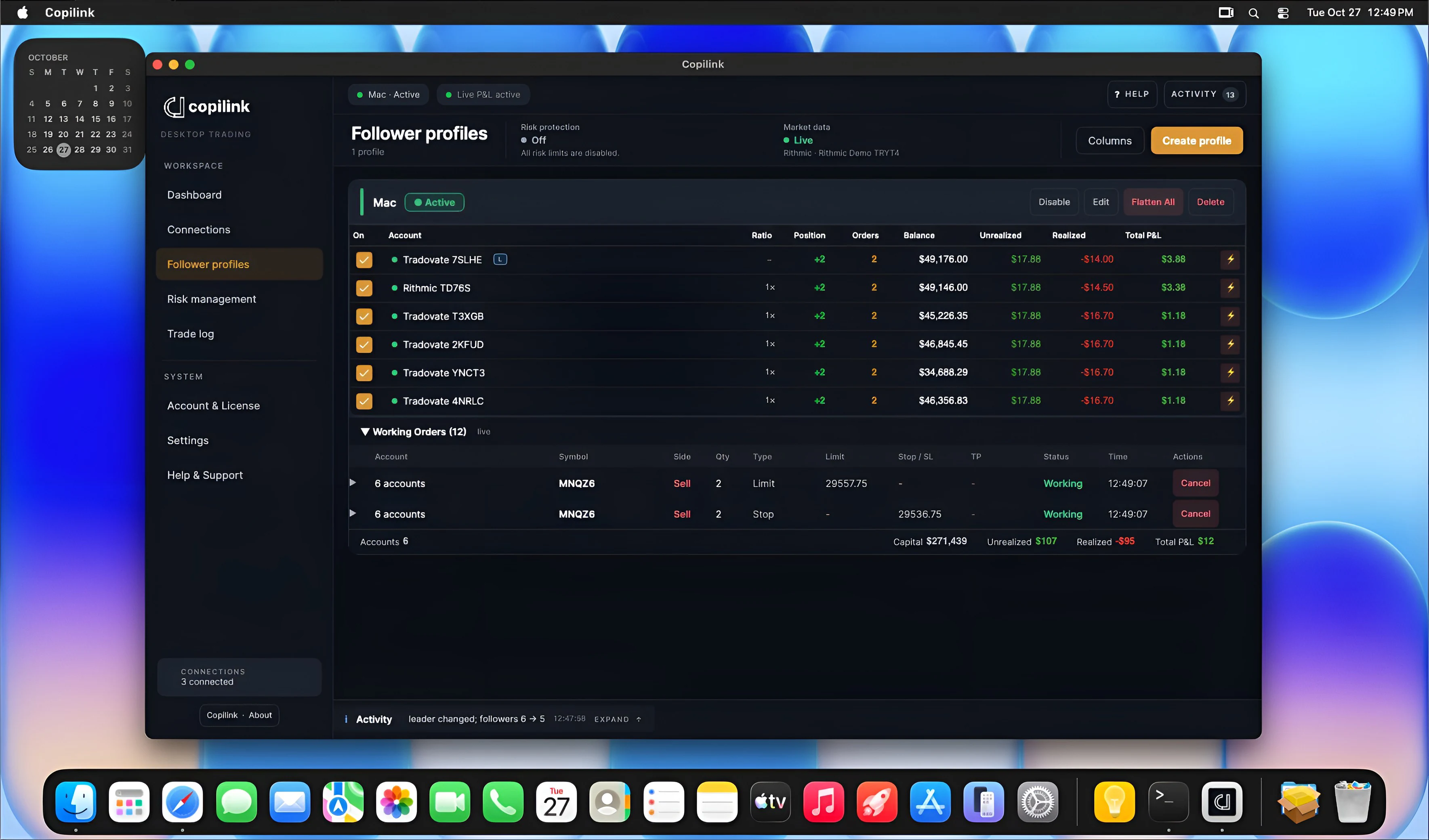
On a Mac? Use a Windows computer or VPS.The add-on runs inside NinjaTrader 8 for Windows.
Connection guides
Check these before you go live.
ATM stops and targets
Run an entry, partial fill, stop move, target fill and manual flatten with one micro contract trade, then check every follower's orders.
Disconnects
A lost connection or closed NT8 session interrupts copying. Missed orders do not replay, so reconcile each account after reconnecting.
Each firm's copy policy
Check copying rules and contract limits before enabling a live follower.
Does NinjaTrader include a trade copier? Not between accounts. Copilink is the one to add.
Copies to other accounts
Copilink for NinjaTrader 8Our pick
Yes: One leader to every follower
Unlimited followers.
Free third-party copiers
Yes: Basic mirroring
ATM strategies
No: No
Manages the stop and target on one position.
Working orders
Copilink for NinjaTrader 8Our pick
Yes: Copied as placed
Changes and cancels follow.
Free third-party copiers
Varies
Check each copier.
ATM strategies
No: No
Follower sizing
Copilink for NinjaTrader 8Our pick
Yes: Exact or ratio, per follower
Plus mini to micro.
Free third-party copiers
Varies
Check each copier.
ATM strategies
No: No
Recovery when a follower drifts
Copilink for NinjaTrader 8Our pick
Yes: Follower protection
Included with the copier.
Free third-party copiers
Varies
Check each copier.
ATM strategies
No: No
Per-account limits
Copilink for NinjaTrader 8Our pick
Yes: Risk rules per account
In Copilink Risk.
Free third-party copiers
Varies
Check each copier.
ATM strategies
No: No
Copilink for NinjaTrader 8Our pick
The best choice when the accounts you copy to are prop firm accounts.
Free third-party copiers can handle basic mirroring, so check how any copier treats working orders, recovery and per-account limits. Copilink adds follower sizing, follower protection and risk rules per account, licensed separately from NinjaTrader.
Switching from Replikanto?
Both copy inside NinjaTrader 8. See them side by side, with prices.
Copilink Standalone
Not trading inside NinjaTrader?
Copilink Standalone is the full trading suite for Windows and Mac. It connects straight to Tradovate and Rithmic, with no NinjaTrader, and replaces the separate tools a multi-account trader pays for. It is a separate app and subscription.
Trade copierOne leader to any number of followers, across Tradovate and Rithmic logins.
Account protection and risk rulesFollower protection and per-account limits, in every plan.
Trade journalEvery copied trade synced to the web; the full journal is in the Suite plan.
AnalyticsDesktop analytics in every plan, advanced web analytics in Suite, to find your edge.
Copying, or copying with risk rules? Buy the copier once, or take Copilink Risk.
| Included | Copilink Basic$226.88 once | Copilink Risk$37.88 a month or $397.88 onceOur pick |
|---|---|---|
| Copying | ||
| Unlimited follower accounts | Included | Included |
| Exact Quantity and Ratio sizing | Included | Included |
| Cross Order for minis and micros | Included | Included |
| Market Only, per follower | Included | Included |
| Follower protection | Included | Included |
| Flatten All, and Flatten per follower | Included | Included |
| Saved settings | Included | Included |
| Risk rules, per account | ||
| Daily profit goal and daily loss limit | Not included | Included |
| Account goal with a buffer | Not included | Included |
| Consistency rule | Not included | Included |
| Trailing or intraday drawdown tracking | Not included | Included |
| Session lockout | Not included | Included |
| Apply to similar accounts | Not included | Included |
Start with Copilink Risk.
The trial gives you the copier and every risk rule for seven days. Keep Copilink Risk, or buy Copilink Basic once if copying is all you need.
Questions before connecting live accounts? Answered plainly: sim leaders, ATM orders and licences.
Can I copy from a simulated leader to live followers?
Yes, if each account is connected in NT8 and its provider allows it. Sim and live fills differ, so start at the smallest live size.
What happens if NinjaTrader closes?
Copying stops. Reopen NT8, check every account's positions and orders, then resume.
Can NQ copy to MNQ or ES to MES?
Yes, with cross-instrument mapping and a whole-contract ratio.
Does it copy ATM strategy stops and targets?
The add-on copies working orders, so the stop and target orders an ATM strategy places on the leader are copied to each follower at that follower's size. Check entries, stop moves, partial fills and target fills with one micro contract trade first.
Should the copier run inside NinjaTrader or outside it?
Inside, if you already trade every account in NinjaTrader: the add-on works in that session and needs nothing else. Outside, if you would run NinjaTrader only for copying or trade on a Mac: Copilink Standalone connects to Tradovate and Rithmic directly.
Do I need a separate licence for each product?
Yes. Copilink for NinjaTrader 8 and Copilink Standalone have separate installers, trials and plans.
Still have a question?
Send us your firm, broker and accounts and ask us directly.
Trade one NinjaTrader account.
Copilink the rest.
Start the trial
Seven days of Copilink Risk, the copier plus account rules. No card.
Install and activate
Install Copilink in NinjaTrader 8 on Windows and activate your licence.
Pick accounts and copy
Choose your leader and follower accounts, then place one micro contract trade to watch it copy.
- 7 days free
- No card