Futures prop firms that allow copy trading
Most futures prop firms let you copy trades between your own accounts. Of the 17 firms here, 12 allow it with conditions, 3 restrict third-party copiers, Topstep only offers its own copier and Earn2Trade bans copiers. Open a firm for its drawdown, consistency and payout rules.
17 of 17 firms checked against their public rules. How we check
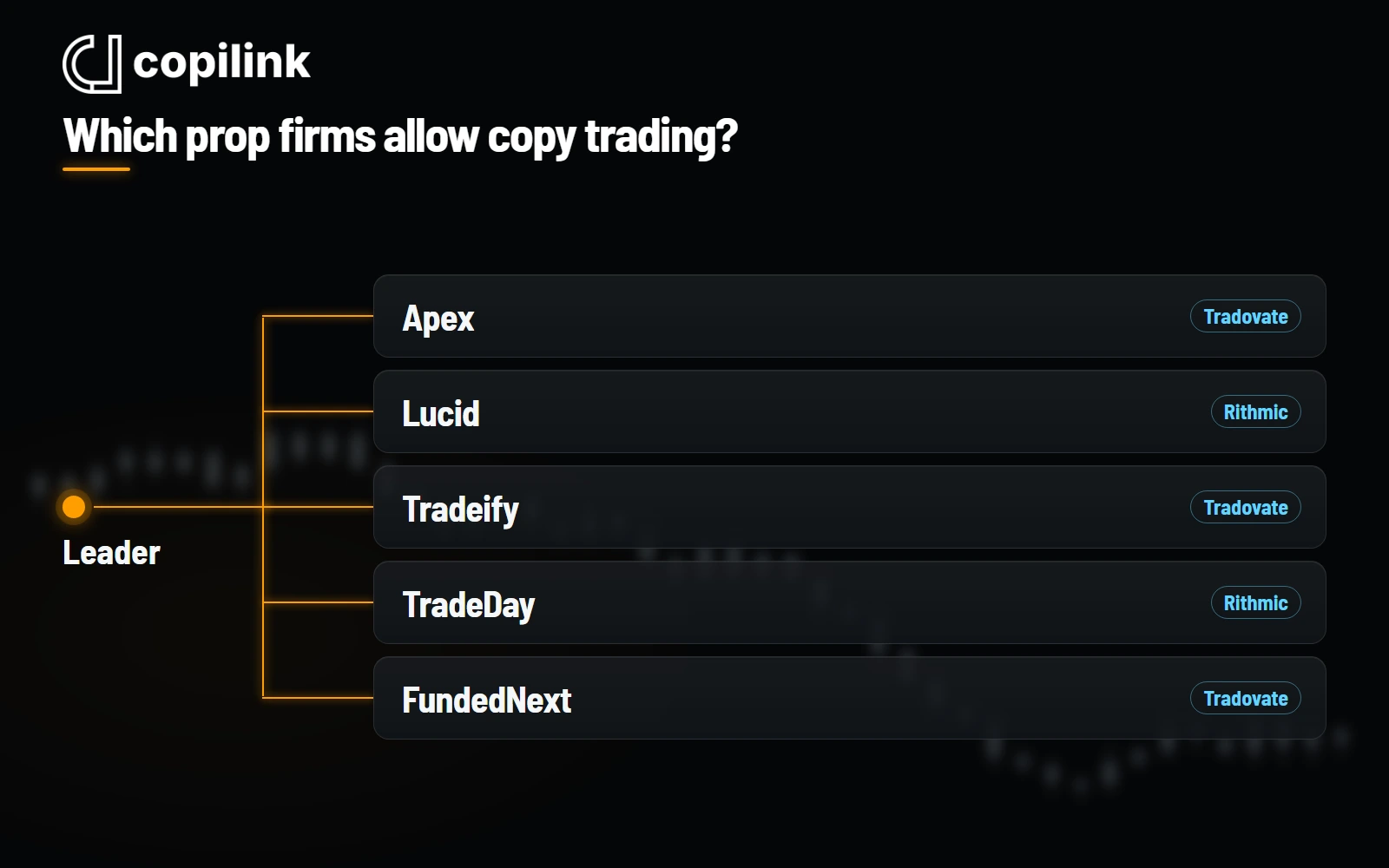
Which prop firms allow copy trading?
- Allow copying your own accounts
- Lucid Trading, Tradeify, MyFundedFutures, Apex Trader Funding, Boxcar Trading, TradeDay, FundedNext Futures, Alpha Futures, Top One Futures, BluSky Trading, E8 Futures, DayTraders.com
- Restrict third-party copiers
- Take Profit Trader, Bulenox, Elite Trader Funding
- Own platform copier only
- Topstep
- Forbid trade copiers
- Earn2Trade
Compare prop firms for copy trading
Sort by firm, route or check date. Firms under review are leads, not confirmed rules.
| Copy trading | Account limit | |||
|---|---|---|---|---|
| Alpha Futures | No Standalone route | Own accounts | Up to 5 Qualified accounts on Zero, Direct and Standard, or 3 with an Advanced account; the platform list is the decisive Copilink limit here. | View rules for Alpha FuturesChecked 2026-10-20 |
| Apex Trader Funding | Tradovate · Rithmic | Allowed, with rules | 20 active Performance Accounts per household; evaluation account count is uncapped by the published help article. | View rules for Apex Trader FundingChecked 2026-10-20 |
| BluSky Trading | Tradovate · Rithmic | Allowed, with rules | Up to 3 Sim Funded accounts per trader under the reviewed SFA rules. | View rules for BluSky TradingChecked 2026-10-20 |
| Boxcar Trading | Rithmic | Allowed, with rules | Unlimited evaluations and up to 5 active funded accounts across all plans; moving live closes the household's simulated accounts. | View rules for Boxcar TradingChecked 2026-10-20 |
| Bulenox | Rithmic | Tools restricted | At most 5 active Master-level accounts across Master, Fast Track and Momentum Master; Qualification accounts are unlimited. | View rules for BulenoxChecked 2026-10-20 |
| DayTraders.com | Rithmic | Allowed, with rules | EOD program: at most 5 EOD accounts and 5 Pro EOD accounts; up to 15 funded accounts across all programs. | View rules for DayTraders.comChecked 2026-10-20 |
| E8 Futures | Tradovate | Own accounts | One E8 profile per person; Challenge accounts are unlimited, but a household or IP may hold 3 E8 Zero Performance accounts at once, with extras held in reserve. | View rules for E8 FuturesChecked 2026-10-20 |
| Earn2Trade | Tradovate · Rithmic | Copiers prohibited | Up to 3 LiveSim accounts, or 2 LiveSim and 1 live account; copying between them is forbidden. | View rules for Earn2TradeChecked 2026-10-20 |
| Elite Trader Funding | Tradovate · Rithmic | Tools restricted | Up to 20 active Elite Sim-Funded accounts for evaluations bought from 17 September 2025, at most 5 of them Direct to Funded. Same-household traders are not allowed. | View rules for Elite Trader FundingChecked 2026-10-20 |
| FundedNext Futures | Tradovate | Own accounts | Challenges: up to $750,000 combined allocation at a time. FundedNext Accounts: up to 5 active per user and household, with at most 10 issued per calendar month. | View rules for FundedNext FuturesChecked 2026-10-20 |
| Lucid Trading | Tradovate · Rithmic | Allowed, with rules | Up to 10 active evaluation accounts per household and 10 evaluation and funded accounts in total; no more than 5 active funded accounts per household and 5 LucidLive accounts. | View rules for Lucid TradingChecked 2026-10-20 |
| MyFundedFutures | Tradovate | Allowed, with rules | 10 active evaluations; up to 5 sim-funded accounts, or 3 if any 100K or 150K is held. Builder 50K, 100K and 150K allow 1 sim-funded account, Builder 25K 2, and each Rapid EOD size 3. | View rules for MyFundedFuturesChecked 2026-10-20 |
| Take Profit Trader | Tradovate · Rithmic | Tools restricted | Unlimited Test accounts; up to 5 active PRO and PRO+ accounts combined, and up to 10 passed Tests within 30 calendar days. | View rules for Take Profit TraderChecked 2026-10-20 |
| Top One Futures | Tradovate | Allowed, with rules | Elite Daily V2: at most 5 evaluation and funded accounts combined per household; the overview page says 5 funded accounts per trader. Top One's general account-limit articles require the funded accounts to be one size; the Elite Daily V2 article allows mixed sizes. | View rules for Top One FuturesChecked 2026-10-20 |
| Topstep | No Standalone route | Native copier only | Up to 5 active Express Funded Accounts at a time; Shoulder Tap account holders are limited to 1. | View rules for TopstepChecked 2026-10-20 |
| TradeDay | Tradovate · Rithmic | Allowed, with rules | Up to 10 accounts at a time, with at most 5 active Funded Sim and 5 Funded Live; no new purchases while in Funded Live; one user per household; all accounts on one broker. TradeDay's two help articles differ on whether Funded Live counts toward the 10. | View rules for TradeDayChecked 2026-10-20 |
| Tradeify | Tradovate · Rithmic | Own accounts | 5 funded accounts per household, plus up to 3 Select 300K V2 funded accounts; at most 3 Select 300K purchases per user for life, failed accounts included, and 15 Select evaluation purchases per 30 days. | View rules for TradeifyChecked 2026-10-20 |
Boxcar Trading is Copilink's only affiliate partner.
What is a futures prop firm?
A futures prop firm sells evaluation accounts. You trade to its rules, and if you reach the profit target without breaking one, you get a funded account and a share of the profit you make in it. Your cost is the fee, not your own trading capital. Most funded accounts are still simulated, and payouts come from the firm under its agreement.
1. Buy an evaluation
Choose the account size and drawdown type. The fee, plus any monthly or activation fee, is what you risk.
2. Pass without breaking a rule
Reach the profit target without touching the drawdown floor or daily loss limit, and meet any minimum days or consistency rule.
3. Trade the funded account
It has its own drawdown, consistency and contract limits, and they are often stricter than in the evaluation.
4. Request payouts
Payouts follow the firm's schedule, minimums and profit split. Each firm page lists them.
How to choose a futures prop firm
There is no best firm, only a best fit for how you trade. The drawdown type matters most: an intraday trailing drawdown follows your open profit, while an end-of-day (EOD) drawdown only moves at the close.
| If you | Look for | Watch out for |
|---|---|---|
| Scalp in and out | The contract size you trade, low fees per round turn, a daily loss limit you can live with | Intraday trailing drawdown if you let open profit build and then give it back |
| Hold trades for hours | EOD drawdown, so swings in open profit do not raise the floor | Close-of-day rules: many accounts must be flat before the session ends |
| Run several accounts | A high account cap, own-account copying allowed, one broker route for every account | Household limits, per-account platform fees, and rules that differ between evaluation and funded stages |
| Are new to prop trading | One account, EOD drawdown, a simple payout rule | Consistency rules that cap how much one day can count toward the target or a payout |
Check your numbers with the trailing drawdown calculator and the consistency rule guide. Running several accounts? See how to trade multiple prop firm accounts at once, with each firm's account cap.
What an evaluation really costs
Count every attempt, not just the first. Add the fee for each try, any reset, the activation fee after you pass and monthly platform or data fees. Then compare that total with the payouts you can realistically take under the firm's split and payout limits.
With round numbers: a $100 evaluation that takes three attempts, plus a $100 activation fee, costs $400 before the first payout.
When an account breaks a rule, a reset and a new evaluation often cost different amounts. Both start you from zero, so take the cheaper one for the same rules.
What if a prop firm shuts down?
A funded futures prop account is usually a simulated account under a contract with the firm. It is not a brokerage balance in your name, so what happens to pending payouts depends on that agreement and on how the firm closes.
Take payouts when eligible
Profit left in a funded account is only a claim on the firm.
Keep records
Save account statements and payout requests.
Spread large setups
If you run many accounts, one firm closing should not stop all of them.
Check the account, not just the firm
Program and stage
Evaluation, sim-funded and live accounts can have different routes, drawdown and copying rules.
Purchase or reset date
Payout rules often depend on when the account was bought.
Copying and hedging
Confirm own-account copying is allowed and that followers never hold opposite positions.
Limits and fees
Check the account cap, daily loss rule, news rule and any platform fee before adding followers.
What Copilink connects to
Copilink Standalone, the futures trade copier, connects straight to Tradovate and Rithmic on Windows and macOS. It does not connect to TopstepX or other ProjectX-only accounts. Each follower order is still filled or rejected by its own broker. Choosing a copier? Five are compared side by side in the best trade copier for prop firms guide.


Prop firm copy trading questions
Which prop firms allow copy trading?
Of the 17 futures prop firms we track, 12 allow copying between your own accounts, with conditions: Lucid Trading, Tradeify, MyFundedFutures, Apex Trader Funding, Boxcar Trading, TradeDay, FundedNext Futures, Alpha Futures, Top One Futures, BluSky Trading, E8 Futures, DayTraders.com. Take Profit Trader, Bulenox, Elite Trader Funding restrict third-party copiers. Topstep offers only its own platform copier, and Earn2Trade forbids trade copiers.
Can you copy trades between different prop firms?
Technically yes. A copier connects to each account's Tradovate or Rithmic login, whichever firm issued it. Whether it is allowed is each firm's decision: FundedNext Futures explicitly permits copying to your own accounts at other prop firms, and most others only address copying between their own accounts. Check every firm involved.
Does Topstep allow copy trading?
Topstep has its own copier in TopstepX for Trading Combine and Express Funded accounts. Live Funded accounts cannot use it. TopstepX runs on ProjectX, which Copilink does not connect to.
Can you copy trade on live funded accounts?
Sometimes, and the rules often change at the live stage. TradeDay lets Funded Live accounts copy only among other Funded Live accounts, Topstep's copier is not available on Live Funded accounts, and Earn2Trade forbids copiers on live accounts. Check the live-stage rules before you connect.
Which futures prop firm is best for beginners?
No single firm is best. For a first account, look for an end-of-day drawdown, clear payout rules and a platform you already use, and start with one account. Each firm page lists its drawdown, daily loss and consistency rules side by side.
Apex or MyFundedFutures for multiple accounts?
Apex allows up to 20 active Performance Accounts per household and sells Tradovate and Rithmic accounts. MyFundedFutures limits depend on the plan and funding stage, and its documented route is Tradovate. Both allow copying between your own accounts, with conditions. Compare their drawdown and payout rules on each firm's page.
Can you trade news on a prop firm account?
It depends on the firm and the account. Take Profit Trader PRO accounts must clear positions around listed news events, and Boxcar's BoxcarPayout sim-funded accounts must be flat around high-impact USD news. With a copier, one news breach happens on every follower at once, so go flat or pause copying before those events.
What happens to a funded account if the prop firm shuts down?
A funded futures prop account is usually a simulated account under a contract with the firm, not a brokerage balance in your name. What happens to pending payouts depends on that agreement and on how the firm closes. Take payouts when you are eligible rather than letting profit build up.
Does Copilink work with every prop firm?
Copilink Standalone connects to Tradovate and Rithmic accounts, so it works with firms that issue those routes and allow copying. It does not connect to TopstepX or other ProjectX-only accounts.
Research data:JSONCSVChangelogSuggest a correction