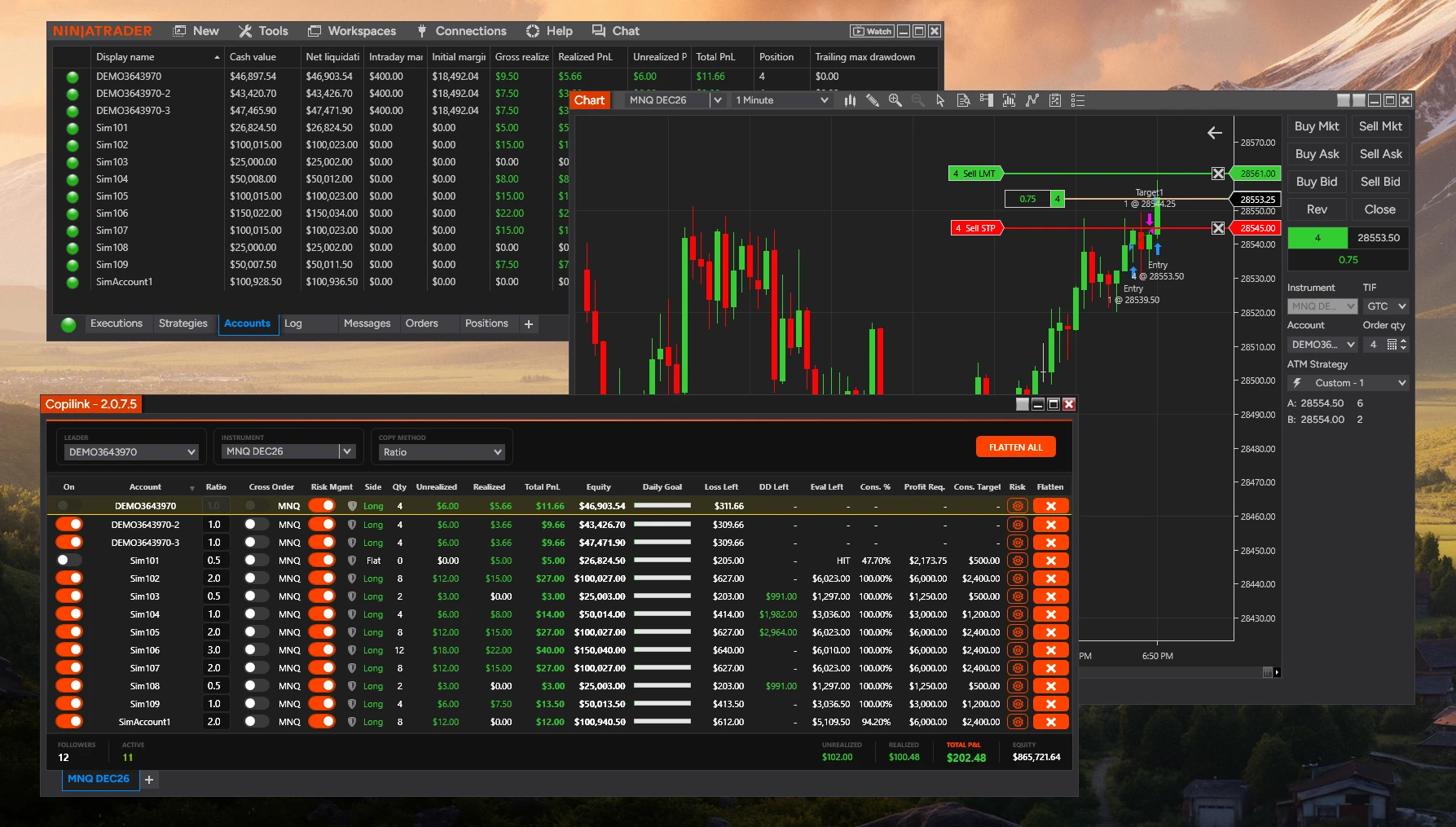
Tradovate Prop explained: what it is, which firms use it, and trading several at once
Tradovate Prop is the Tradovate platform prop firms give their traders, renamed in October 2025. It isn't a prop firm. Here's who uses it and how to trade several firms at once.
From Copilink, which makes trade copiers for running several futures prop firm accounts from one leader. See how it works →
Short answer
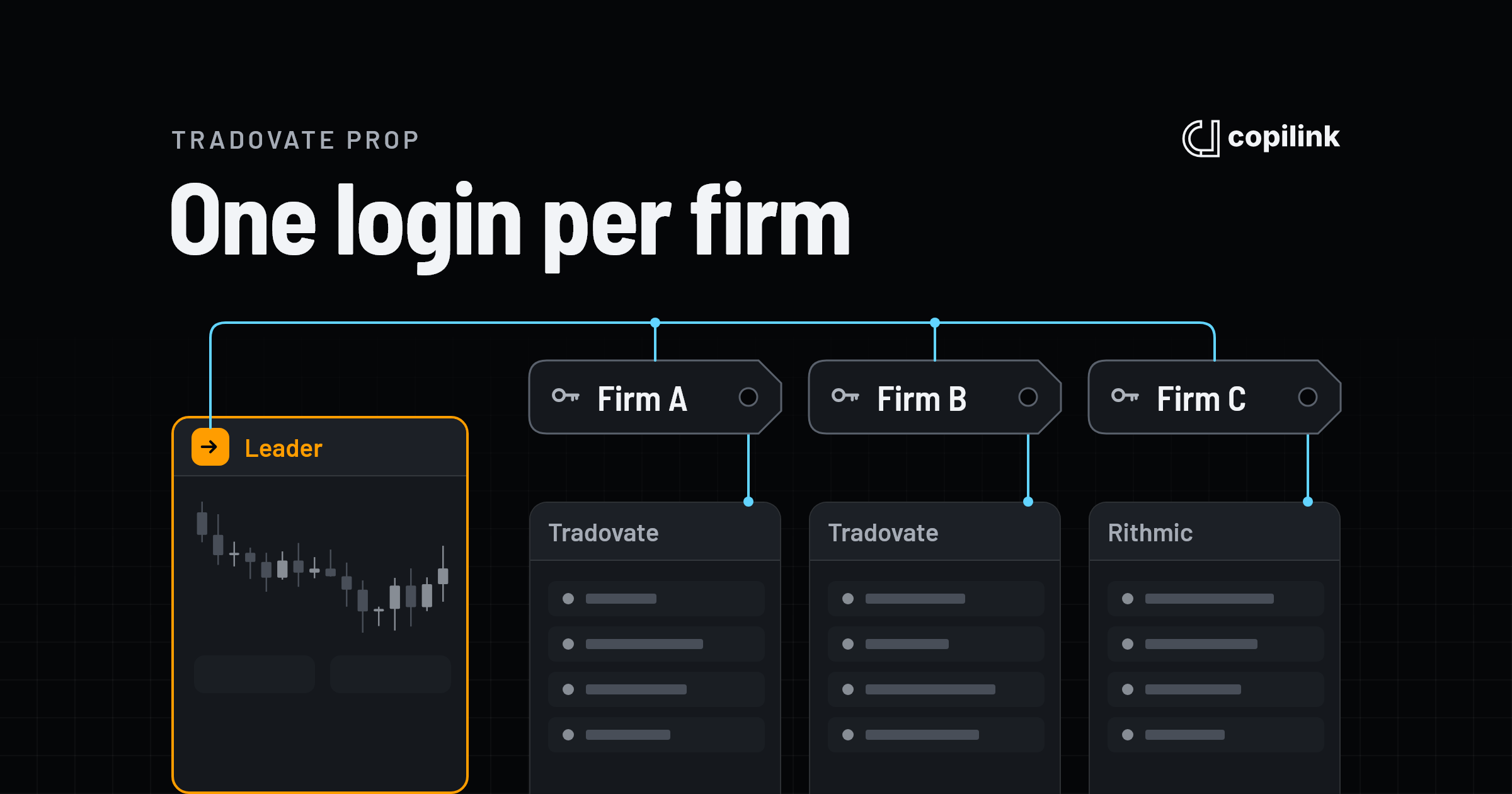
Tradovate Prop is the Tradovate platform prop firms give their traders, under a name NinjaTrader's parent company launched on 1 October 2025. It isn't a prop firm. Your firm creates your login, and you sign in with its username, not your email. Each firm issues a separate login, and Tradovate's Group Trade only reaches the accounts under one login, so trading several firms at once needs a copier that connects to every login, such as Copilink Standalone.
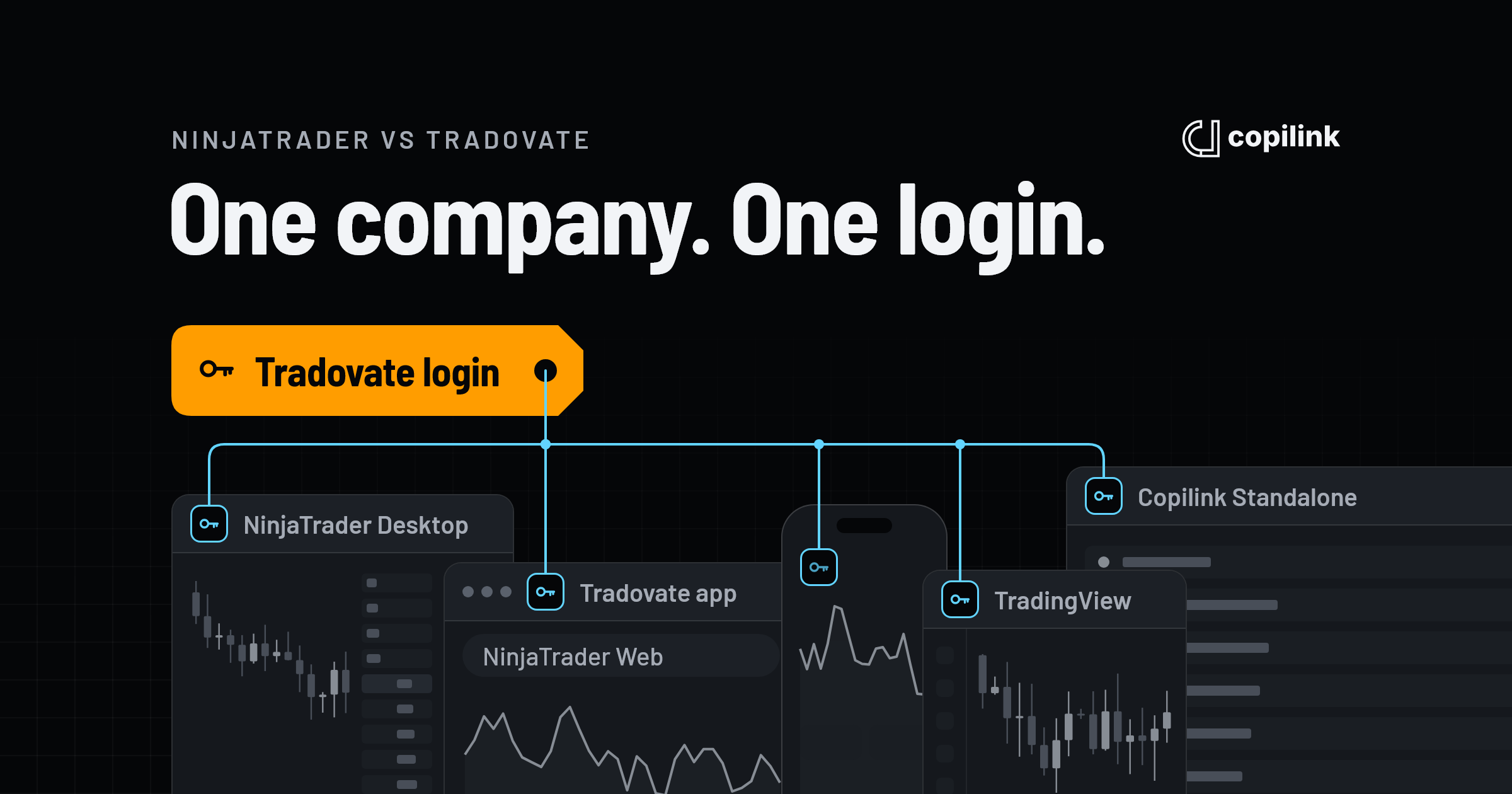
Tradovate Prop is the Tradovate platform your prop firm gives you. The name dates from 1 October 2025, when NT Technologies, the group behind NinjaTrader and Tradovate, launched Tradovate Prop and NinjaTrader Prop for prop traders[[1]](#source-1). It is not a prop firm, you can't buy an account from it, and nothing about the trading changed for me when my firms switched over: same platform, new name. The login your firm sends you also opens NinjaTrader on desktop, web and mobile[[2]](#source-2)[[3]](#source-3).
The part that matters if you trade more than one firm: each firm gives you its own login, and Tradovate's Group Trade only works across the accounts under one login. To trade several firms at once you need a copier that sits across logins. Copilink Standalone connects each firm's Tradovate login, plus any Rithmic login, and copies one leader account to followers at all of them in a single profile. It's how I run my own accounts, and it's what our Tradovate trade copier is built for.
If you landed here looking for the login page: sign in at the link your firm sent you with the username your firm gave you, not your email. Typing the email can pick the wrong profile if more than one is tied to it[[5]](#source-5).
What changed in October 2025
When NT Technologies announced the two brands, it said they would be "available through top prop firms" and named Take Profit Trader, Apex Trader Funding and MyFunded Futures[[1]](#source-1). The Tradovate Prop site sells it as one set of credentials that works in NinjaTrader on desktop, web and mobile, with a built-in trade copier and top-of-book market data included[[2]](#source-2).
In practice it's the same thing with a new name. My Tradovate prop logins worked the same the day after the switch as the day before. The one real addition is that the same username now opens NinjaTrader too. If you're choosing between the two front ends, I compared them in NinjaTrader vs Tradovate.
Which prop firms use Tradovate Prop
Tradovate keeps a list of partner firms on its Tradovate Prop site. When I checked it on 23 November 2026 it had 26 firms, with My Funded Futures still marked "coming soon"[[4]](#source-4). That list is not the same as "firms whose accounts run on Tradovate". E8 Futures, Bulenox and Earn2Trade all offer a Tradovate route and aren't on it.
Here's how the firms we track line up, from our own prop firm rules pages (last checked 4 November 2026) and Tradovate's list:
| Firm | Tradovate | Rithmic | On the Tradovate Prop list | Copying between your own accounts |
|---|---|---|---|---|
| Apex Trader Funding | Yes | Yes | Yes | Allowed, with conditions |
| BluSky Trading | Yes | Yes | Yes | Allowed, with conditions |
| Bulenox | Yes | Yes | No | Only copiers you built yourself |
| E8 Futures | Yes | No | No | Allowed |
| Earn2Trade | Yes | Yes | No | Not allowed |
| Elite Trader Funding | Yes | Yes | Yes | Approved copiers only |
| FundedNext Futures | Yes | No | Yes | Allowed, including accounts at other firms |
| Lucid Trading | Yes | Yes | Yes | Allowed, with conditions |
| My Funded Futures | Yes | No | Coming soon | Allowed, with conditions |
| Take Profit Trader | Yes | Yes | Yes | Approved copiers only |
| Top One Futures | Yes | No | Yes | Same account type and size only |
| TradeDay | Yes | Yes | Yes | Allowed, with conditions |
| Tradeify | Yes | Yes | Yes | Allowed |
Topstep and Alpha Futures offer neither Tradovate nor Rithmic, so they're left out. Firms change these rules often, so read your firm's current rules before you copy anything.
A prop login vs your own Tradovate account
A prop login looks like a normal Tradovate login, but the firm owns almost everything behind it:
- The firm creates your user and password. It sets you up through Tradovate's partner system, so you don't sign up on Tradovate yourself[[7]](#source-7).
- Evaluation accounts are simulated. Firms create them in Tradovate's demo environment[[7]](#source-7), which is why TradingView has you connect a prop account as Demo. At most firms the funded accounts are simulated too.
- The firm sets the risk rules. Unless the firm changes it, open positions are liquidated automatically between 4:00 and 5:00 PM CT[[7]](#source-7). You can tighten the firm's loss limits but not loosen them, and you can't cancel your own lockout[[8]](#source-8).
- No API access. On a personal account you can buy API access if you hold a live funded account with at least $1,000, at $25 a month. Prop firm and evaluation accounts aren't eligible[[6]](#source-6).
- Two sessions at a time. Every NinjaTrader and Tradovate login is limited to 2 active sessions across desktop, web, mobile and TradingView[[5]](#source-5). I almost never hit it, even with TradingView, Copilink and my phone open on the same login.
Your personal Tradovate login and your prop logins are separate. A personal account doesn't let you see your prop accounts, and one prop login doesn't show another firm's accounts.
Why Group Trade stops at one firm
Tradovate and the new NinjaTrader Web both have Group Trade: you put accounts in a group and one order goes to all of them at a fixed number of contracts each. As far as I can tell, this is the "built-in trade copier" the Tradovate Prop site mentions[[2]](#source-2).
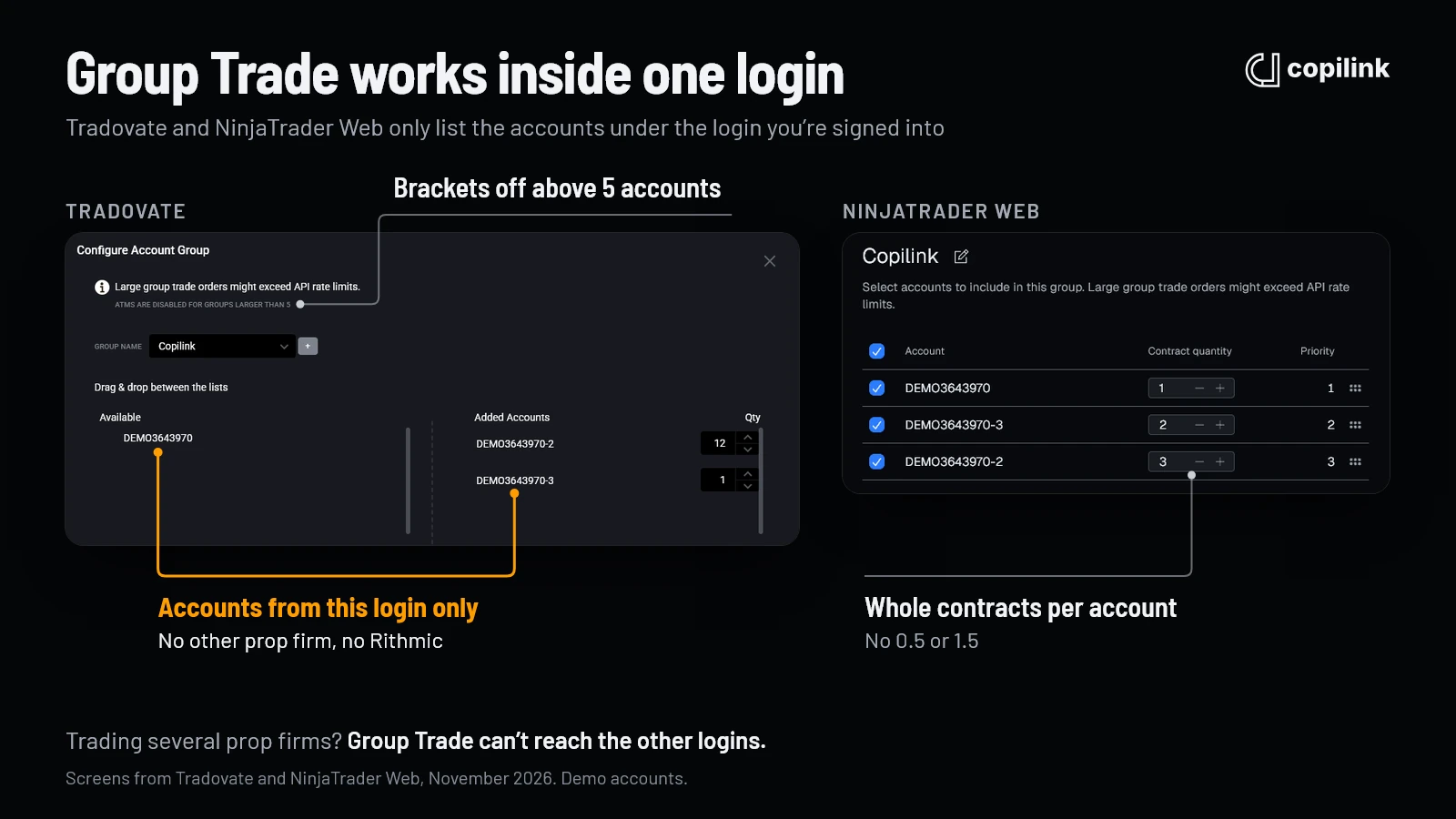
It works, but only for the accounts under the login you're signed into. You can't put accounts from several prop firm logins in one group, and Rithmic accounts can't be in it at all. If you trade more than one firm, that makes it useless. Traders started asking for a way to copy between firms on Tradovate's own forum in December 2023. The answer there is still that you can't do it inside Tradovate, and the newer posts are other vendors selling copiers[[9]](#source-9).
Two more limits I ran into:
- Whole contracts only. You set a fixed quantity per account, such as 1 or 3, not a ratio of your order, and there's no 0.5 or 1.5.
- Brackets switch off in bigger groups. Tradovate's group screen warns that ATMs are disabled for groups larger than 5 accounts and that large group orders might exceed API rate limits.
How I trade several firms at once
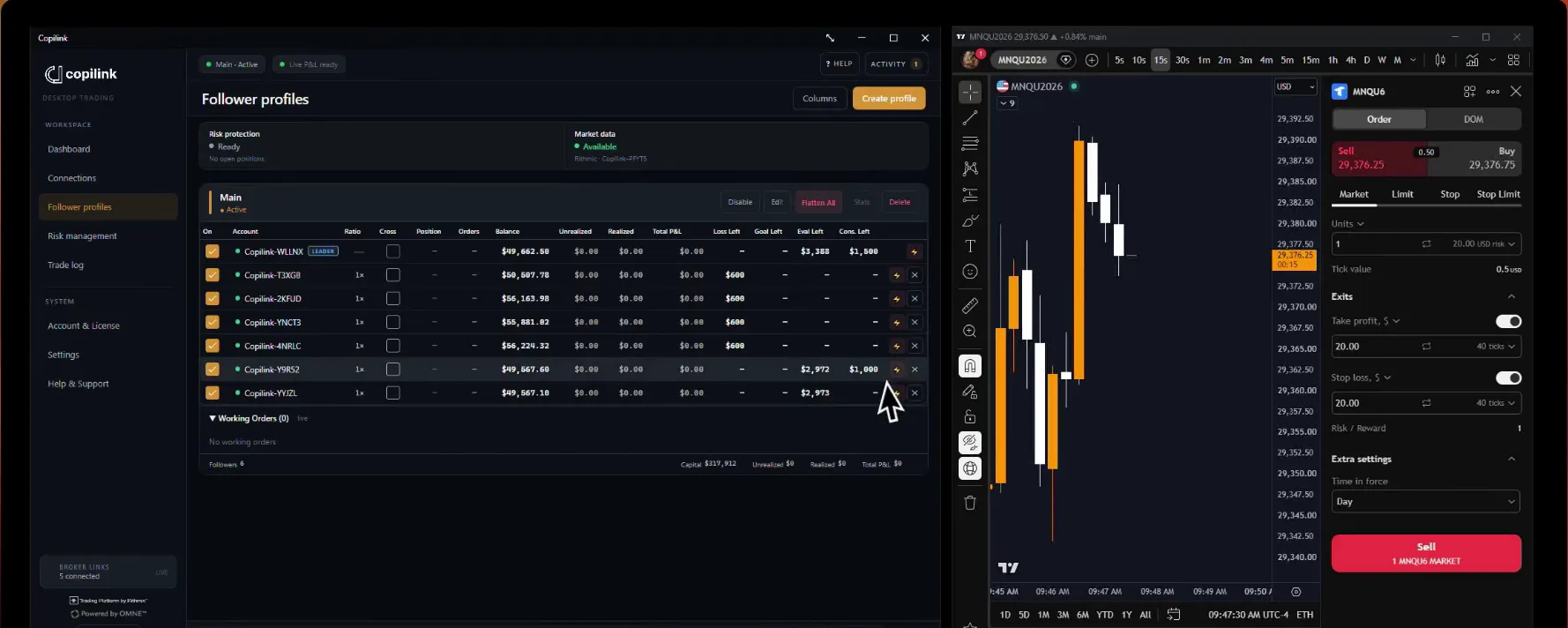
I place my trades on TradingView on one leader account and Copilink copies them to the rest. Every firm is its own connection in Copilink. Here, Apex, Tradeify and My Funded Futures connect through Tradovate and Lucid Trading through Rithmic:
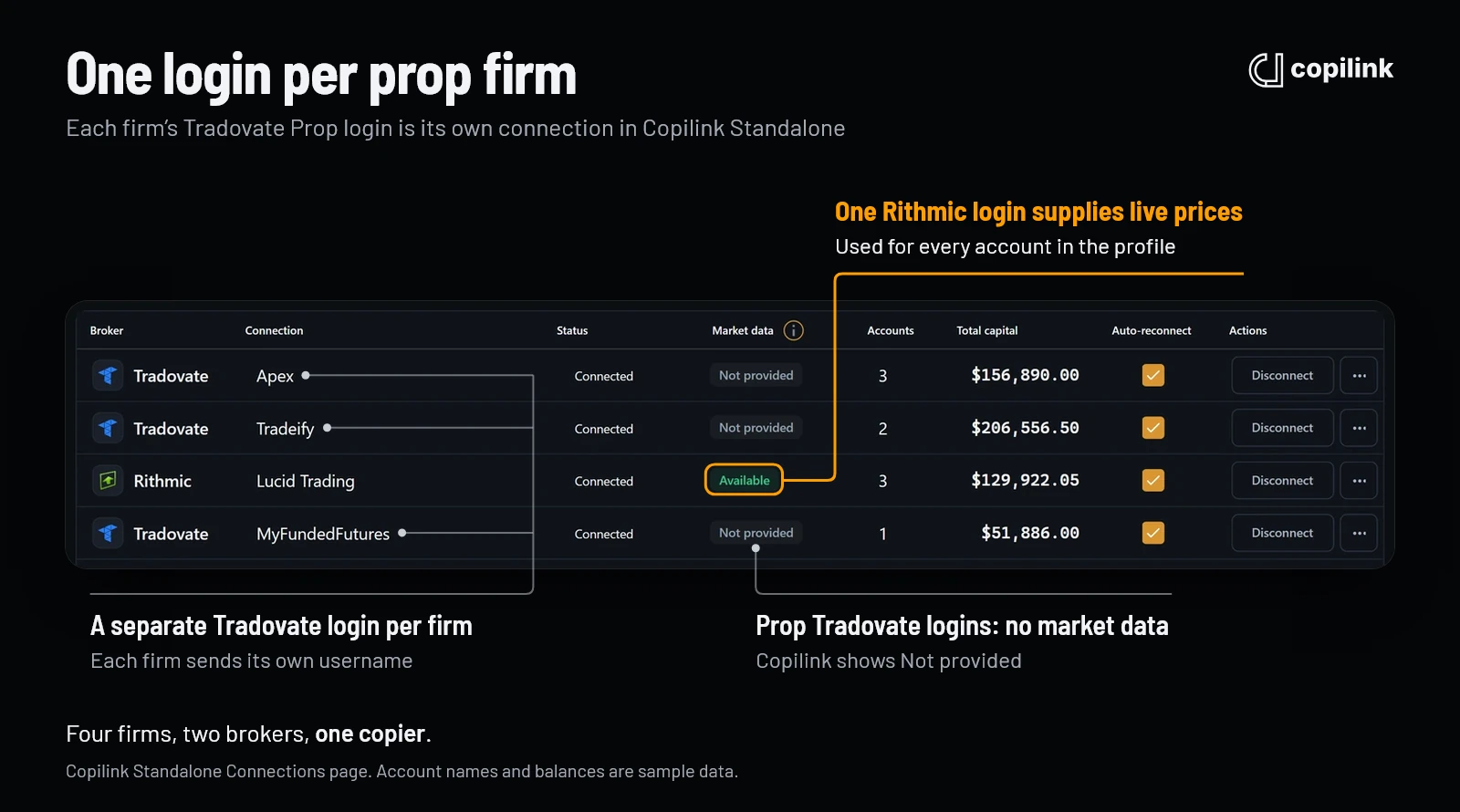
Notice the market data column. In Copilink a prop firm's Tradovate login shows market data as "Not provided", so I keep one Rithmic login connected and Copilink uses it for live prices. Then one profile holds the leader and every follower, whichever firm and broker they're at:
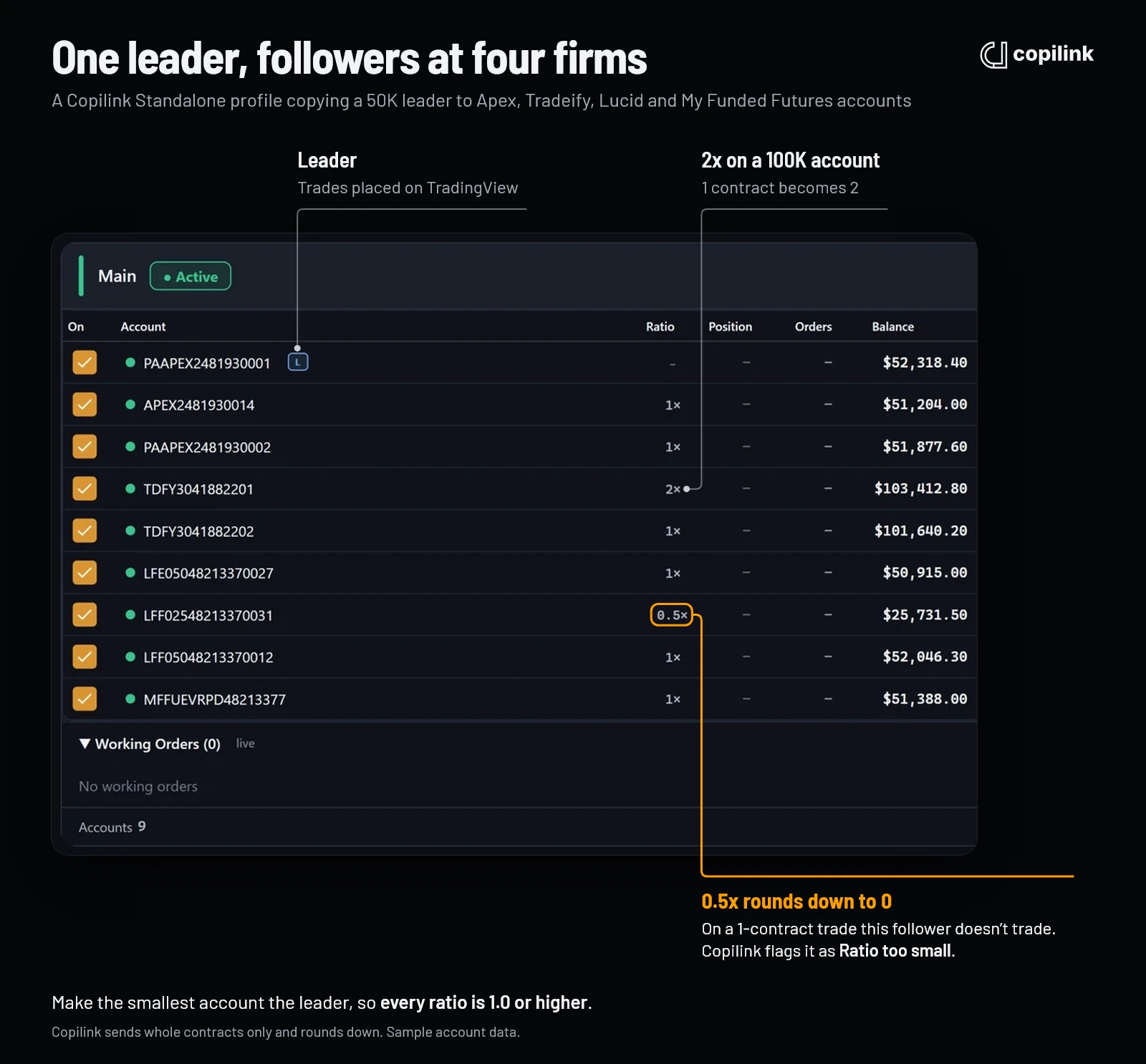
Ratios below 1 are where a lot of traders get caught. Copilink only sends whole contracts and rounds down, so a 0.5 ratio on a 1-contract trade comes out at 0 and that follower doesn't trade at all. In the profile above, the leader is a 50K account, so the 25K follower at 0.5x skips every 1-contract trade. That's why my leader is always my smallest account: every follower's ratio is then 1.0 or higher and the sizes come out clean. Copilink now shows "Ratio too small" on the follower's row when this happens, with the number of trades it skipped.
The setup, in short:
- Add each firm's login as its own connection, with the username your firm sent you.
- If all your firms are on Tradovate, a Rithmic login is still worth having for live prices.
- Make your smallest account the leader and set each follower's ratio at 1.0 or above.
- Turn on the protections you use. I run follower protection, stop-loss sync and risk limits on every profile.
- Place one micro contract trade and check it reached every follower before you trade full size.
If your firm offers both routes and you're deciding which to buy, I compared them in Rithmic vs Tradovate for multi-account prop trading.
Firms I'd avoid for copying
I steer clear of firms that ban third-party tools and push you onto their own. From the table: Earn2Trade doesn't allow copiers at all, Elite Trader Funding and Take Profit Trader allow only the copiers on their approved lists (Copilink isn't on either), and Bulenox allows only copiers you build yourself. Topstep only allows its own platform. TradeDay also wants all your accounts on one broker.
Before I add a firm I read its copy trading rule, check whether it lets you copy to accounts at other firms (FundedNext Futures says so in writing), and look at what it says about hedging between your own accounts. If you're worried about a firm flagging your copier, I covered what they actually look for in trade copier flagged by a prop firm.
FAQ
Is Tradovate Prop a prop firm?
No. It's the version of the Tradovate platform that prop firms give their traders. You get your account and login from a firm, not from Tradovate.
Can I use my personal Tradovate login for my prop accounts?
No. Your firm creates a separate user for you, and its accounts only show up under that login.
Can one Tradovate Prop login hold accounts from two firms?
No. Each firm gives you its own login, and you can only trade the accounts under the login you're signed into.
Does Tradovate Prop work with TradingView?
Yes, once your firm has turned TradingView access on (the full steps are in how to connect Tradovate to TradingView). In TradingView you pick NinjaTrader, then Demo, and sign in with the username and password your firm gave you[[10]](#source-10).
Can I copy trades between prop firms with Tradovate Group Trade?
No. Group Trade only covers accounts under one login. To copy between firms you need a copier that connects to each firm's login, such as Copilink Standalone.
Why does my Tradovate Prop login fail?
Most often it's the email instead of the username, or a third session open on a login that allows two[[5]](#source-5).
Sources
- NinjaTrader: NT Technologies launches new platform experience for prop traders under new brands
- Tradovate Prop: Platform
- NinjaTrader Prop: Your Tradovate Prop login now unlocks NinjaTrader
- Tradovate Prop: Find a prop firm
- NinjaTrader support: Common causes of login issues (Tradovate)
- Tradovate support: Tradovate API access
- NinjaTrader partner docs: Create and manage users and accounts
- NinjaTrader partner docs: Risk management setup
- Tradovate community: Trade copying for multiple prop firms
- Tradovate Prop: How to connect your prop account to TradingView
Written by David
Copy one leader to all your prop firm accounts
Copilink Standalone copies one leader to Tradovate and Rithmic followers from Windows or macOS, sizes each account separately and can request a flatten when a follower ends up opposite the leader.
14 days, no card needed
Already use NinjaTrader 8?
The Copilink NinjaTrader 8 trade copier runs inside NinjaTrader 8 on Windows and includes a separate 7-day trial.